1. Oloa Ua Ovaview
The Bewinner MP3 Music Player with Camera is a portable multimedia device designed for music playback, photo and video recording, and other entertainment functions. It features a responsive touchscreen, Bluetooth connectivity, and expandable storage.

Ata 1.1: Luma view of the Bewinner MP3 Player displaying time and date, alongside its USB-C charging cable.
Vaega Autu:
- 2.01-inch IPS HD Touchscreen Display
- Built-in 720P Digital Camera with 90-degree rotating lens
- Bluetooth 5.4 Feso'ota'i
- Expandable Storage up to 128GB (via memory card)
- Support for multiple audio formats (MP3, WMA, WAV, APE, FLAC, AAC LC, M4A, OGG)
- Integrated Speaker and Voice Recorder
- Additional functions: FM Radio, E-book reader, Photo viewer, Alarms, Stopwatch
2. Seti Taiala
2.1 Totogiina le Masini
- Connect the provided USB-C cable to the charging port on the MP3 player.
- Connect the other end of the USB-C cable to a compatible USB power adapter (not included) or a computer's USB port.
- The device will indicate charging status on the screen. A full charge typically takes approximately 2 hours.
2.2 Installing a Memory Card
The device supports memory card expansion up to 128GB. A memory card is required for storing a large number of songs, photos, and videos.
- Locate the memory card slot on the side of the MP3 player.
- Gently insert the memory card into the slot until it clicks into place. Ensure the card is oriented correctly.
- Ina ia aveese, tulei lemu le kata i totonu seia oo ina puna i fafo.
2.3 Fa'aola i luga/Pepe
- I le Malosiaga: Press and hold the Power button until the screen illuminates.
- Tape le Malosi: Press and hold the Power button until the power-off prompt appears, then confirm on the touchscreen.
3. Fa'atonuga o Galuega
3.1 Su'esu'eina o le Fa'amatalaga
The MP3 player features a 2.01-inch touchscreen for navigation. Swipe left/right or tap icons to access different functions.
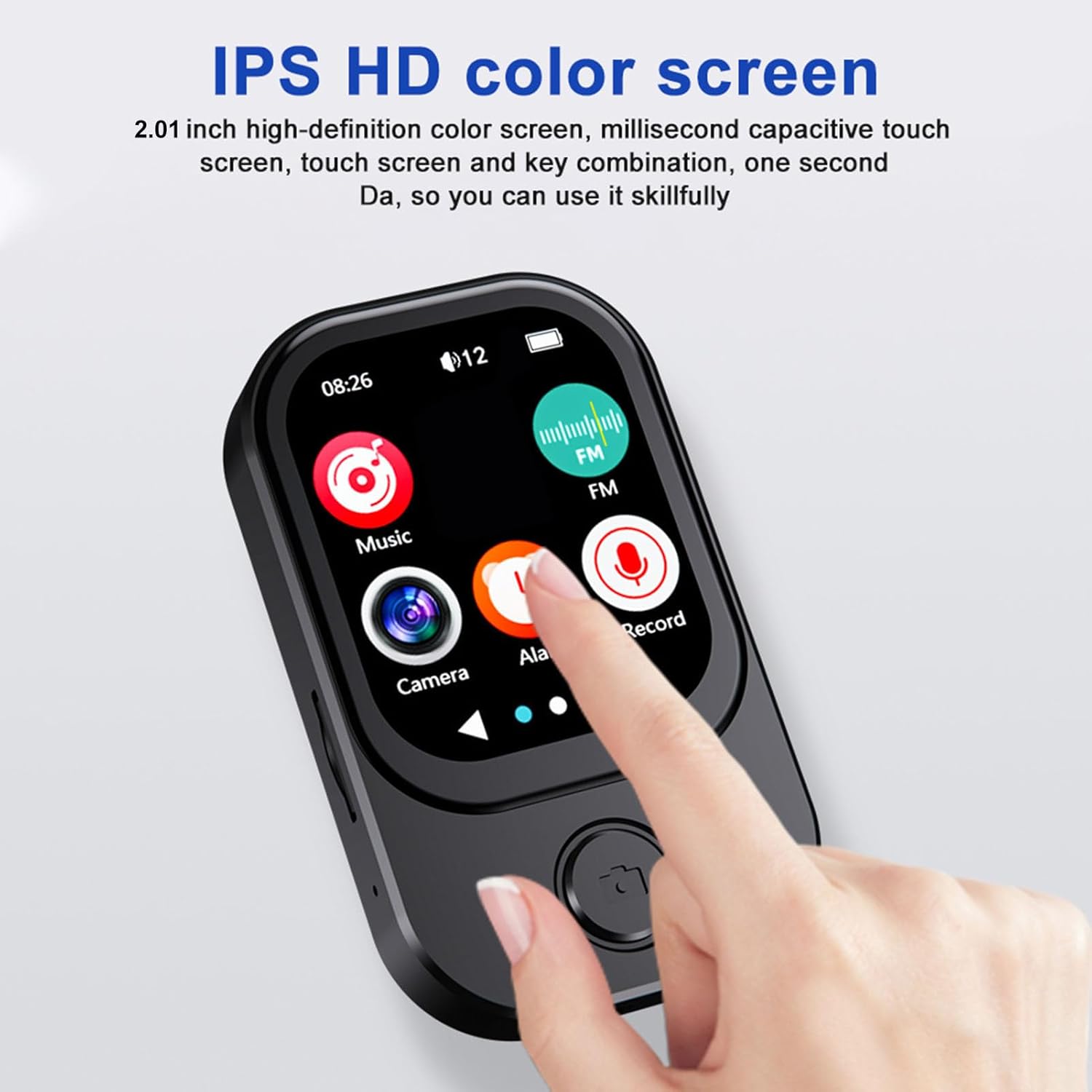
Image 3.1: A finger interacting with the responsive touchscreen interface of the MP3 player.
3.2 Tafaoga Musika
- From the main menu, tap the 'Music' icon.
- Browse your music library by artist, album, genre, or folder.
- Tap a song to begin playback.
- Use the on-screen controls for play/pause, skip tracks, and volume adjustment.
3.3 Fa'aaogaina o le Meapueata
The integrated camera allows for both photo and video recording.
- From the main menu, tap the 'Camera' icon.
- The camera lens can be rotated 90 degrees for flexible shooting angles.
- Tap the screen to take a photo or switch to video recording mode.
- Recorded photos and videos are saved to the memory card.

Image 3.2: The MP3 player highlighting its rotating camera lens and various recording functions.
3.4 Feso'ota'iga Bluetooth
- From the main menu, navigate to 'Settings' and then 'Bluetooth'.
- Fa'aola le Bluetooth ma saili mo masini o lo'o avanoa.
- Select your desired headphones or speaker from the list to pair.
3.5 Isi Galuega
- Leitio FM: Access the FM Radio app to scan for and listen to local radio stations.
- Fa'amaumauga leo: Use the built-in microphone to record voice memos.
- E-tusi: Transfer compatible e-book files to the device and read them using the e-book reader.
- Vitio Toe Taʻalo: Videos may require format conversion before playback on the device. Refer to the device's software for compatible formats.
4. Tausiga
4.1 Fa'amamāina
- Fa'aaogā se ie mālū, mago, leai se liu e fa'amama ai le lau ma le tino o le masini.
- Avoid using abrasive cleaners, solvents, or aerosol sprays, as these can damage the device.
4.2 Teuina
- Teu le masini i se nofoaga malulu, matutu mamao ese mai le susulu o le la ma le vevela tele.
- When not in use for extended periods, ensure the battery is partially charged (around 50%) to prolong its lifespan.
5. Faʻafitauli
5.1 Meafaigaluega e le o Ki
- Ensure the device is fully charged. Connect it to a power source and wait a few minutes before attempting to power on again.
- If the battery is completely drained, it may take a few minutes of charging before the device responds.
5.2 Cannot Connect to Bluetooth Device
- Ensure Bluetooth is enabled on both the MP3 player and the target device.
- Make sure both devices are within the effective Bluetooth range (typically 10 meters).
- Taumafai e fa'a'ese'ese ma toe fa'aigoa masini.
5.3 Le lelei le Lelei o leo
- Siaki le leo file format and ensure it is supported.
- If using wired headphones, ensure they are fully plugged into the 3.5mm audio port.
- If using Bluetooth, ensure a stable connection and that the volume is appropriately set on both devices.
5.4 Storage Issues / Memory Card Not Detected
- Ensure the memory card is correctly inserted into the slot.
- Try removing and reinserting the memory card.
- Verify that the memory card is not damaged and is formatted correctly (e.g., FAT32).
6. Fa'amatalaga
| Fa'aaliga | Fa'amatalaga |
|---|---|
| Numera Fa'ata'ita'i | Bewinner6rb3g52470-13 |
| Fua | Approx. 67.5 x 41 x 13.5mm (2.7 x 1.6 x 0.5in) |
| mamafa | 3.74 aunese |
| Lanu | Lanu uliuli |
| Ma'a | Built-in 500mAh Lithium-ion Battery |
| Mata | 2.01 inisi IPS mata |
| Fa'aliliuga Bluetooth | BT 5.4 |
| I'uga o Ata | 1280x720 |
| I'uga o le Pu'eina o Vitio | 1280x720 |
| Taulaga Totogi | Ituaiga C |
| Uafu Leo | 3.5mm |
| Lagolago Card Memory | E oʻo atu i le 128GB |
| Lagolagoina Fa'alogo leo | MP3, WMA, WAV, APE, FLAC, AAC LC, M4A, OGG |
7. Fa'amaonia ma Lagolago
For warranty information and customer support, please refer to the documentation provided at the time of purchase or contact your retailer. You may also visit the official Bewinner webnofoaga mo nisi fesoasoani.


