Folasaga
This manual provides detailed instructions for the setup, operation, and maintenance of your One Fire Star Projector. This device combines a galaxy projector, night light, white noise generator, and Bluetooth speaker to create a versatile ambiance for any room.
O a mea i totonu o le Pusa
- One Fire Star Projector Unit
- Uaea Malosi
- Pulea Mamao
- Tusi Taiala (Lenei pepa)
Oloa Fa'ailoga
- Galuega 4-i-1: Combines a night light, galaxy projector, white noise generator, and Bluetooth speaker.
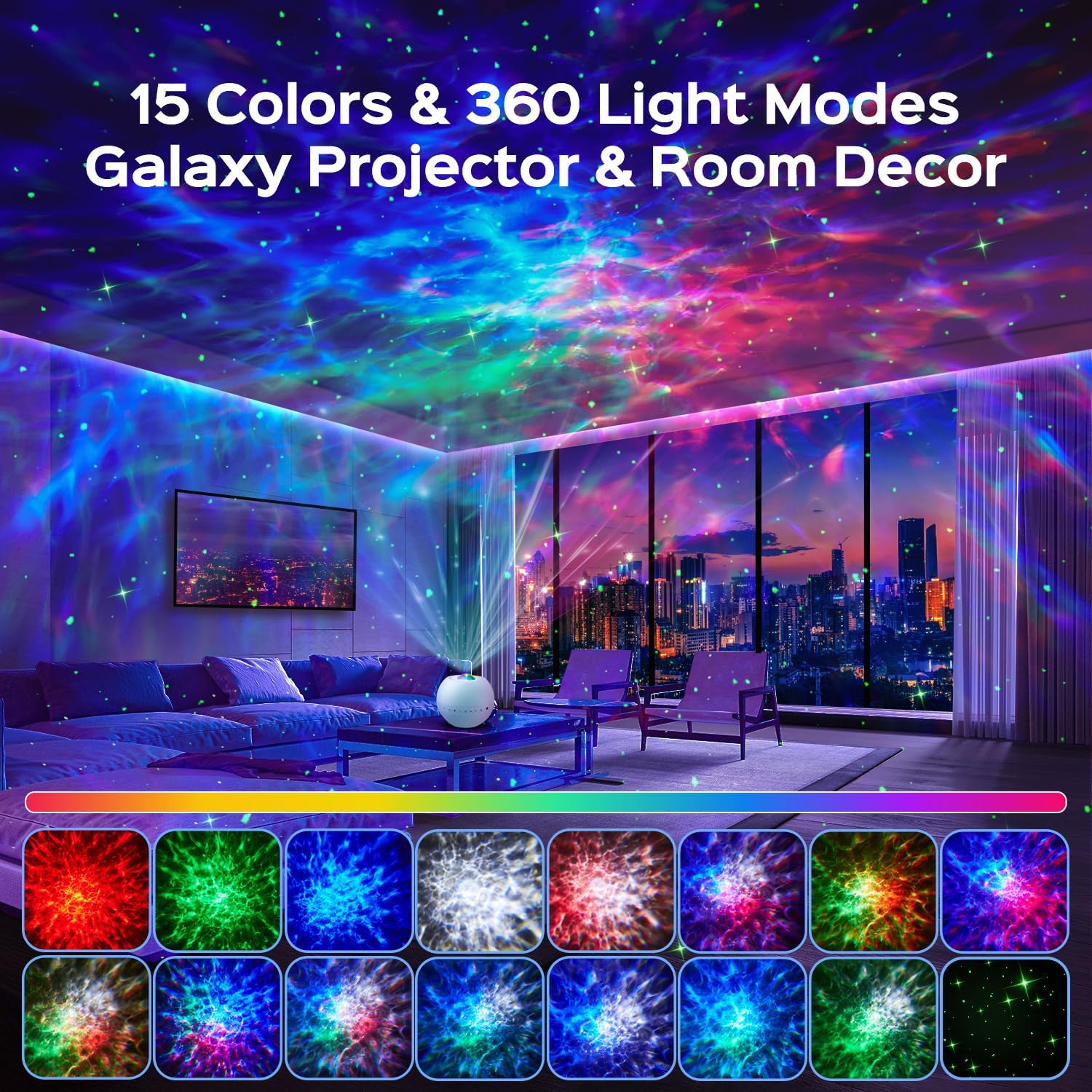
- Dynamic Light Effects: 15 color options, green stars, and 360-degree light effects covering over 250 square meters.
- 3 Projection Modes: Nebula, Nebulae & Stars, and Star modes for varied visual experiences.
- Integrated White Noise: 15 soothing sounds including lullabies, nature sounds (rain, waves, birds), and white noise.
- Bluetooth 5.3 Fofoga Fetalai: Connect your device to play music or stories with HiFi sound quality.
- Pulea Mamao: Full control over colors, music, volume, modes, brightness (7 levels), speed (4 levels), and timers (0.5/1/2/8 hours).
Seti
- Tatala: Aveese ma le faaeteete vaega uma mai le afifiina.
- Tu'uga: Place the projector on a stable, flat surface in the desired room. Ensure there are no obstructions to the projection lens.
- So'oga Malosi: Connect the provided power cable to the projector's power input port and then plug it into a standard electrical outlet.
- Malosiaga Muamua Ki: Press the power button on the device or the remote control to turn on the projector.
Fa'atonuga o Galuega
Pulea o masini
The projector unit features several buttons for direct control:

- Ki Malosi: Ki pe tape le masini masini.
- Light Toggle: Cycles through different light effects.
- Green Star Button: Activates or deactivates the green star projection.
- Pese Muamua / Fa'aitiitia le leo: Oomi puupuu mo le pese muamua, oomi umi e fa'aitiitia ai le leo.
- Pese e Sosoo Ai / Fa'ateleina le Leo: Oomi puupuu mo le isi pese, oomi umi e fa'amalosi ai le leo.
- White Noise / Bluetooth Button: Toggles between white noise modes and Bluetooth pairing mode.
- 2H Timer Function: Activates a 2-hour automatic shut-off timer.
Pulea Mamao
The included remote control provides comprehensive functionality:

- Ki/Peti: Fa'aola le iunite i luga pe tape.
- Green Star On/Off: Toggles green star projection.
- Color Buttons (Red, Green, Blue, White): Select individual colors or combinations.
- Change Light Effect: Cycles through different light patterns.
- Ta'alo/Taofi: Pulea le toe taina o musika.
- Volume +/-: Fa'atonu leo leo.
- Su'ega Muamua/Sosoo: Navigates audio tracks.
- Dynamic Speed: Adjusts the speed of light movement (4 levels).
- Light Modes (F1, F2): Activates preset light modes.
- Fa'aleaogaina le Taimi: Deactivates any active timer.
- Fetuuna'i le malamalama: Changes the projection brightness (7 levels).
- Timers (2H, 4H, 6H): Sets automatic shut-off timers for 2, 4, or 6 hours.
Light Projection Modes
The projector offers three primary dynamic projection modes:
- Nebula Mode: Creates an intense, imaginative nebula atmosphere.
- Nebulae & Stars Mode: Projects realistic skies with shimmering stars and artistic nebula clouds.
- Star Mode: Displays a crystal-clear, fantastic starry sky on the ceiling with surprising depth effects.
Note: Green stars cannot be projected independently in Star Mode.

White Noise and Bluetooth Speaker
The projector includes 15 built-in white noise sounds and a Bluetooth 5.3 speaker for external audio playback.

- White Noise Selection: Press the White Noise / Bluetooth button on the device or use the remote to cycle through the 15 integrated sounds. These include lullabies, nature sounds (rain, waves, bird song), and various white noise types.
- Bluetooth Pairing:
- Ia mautinoa ua ola le masini masini.
- Press and hold the White Noise / Bluetooth button on the device or remote until you hear an audible prompt indicating Bluetooth pairing mode.
- On your mobile device, enable Bluetooth and search for "B0DCYV6CD2" or "One Fire Projector" in the list of available devices.
- Select the projector to pair. A confirmation sound will indicate successful pairing.
- You can now play music or audio from your device through the projector's speaker.

Galuega o le Taimi
The projector features an automatic shut-off timer to conserve energy and assist with sleep.
- Using Device Button: Press the 2H Timer button on the unit to set a 2-hour timer.
- Fa'aaogaina le Pulea Mamao: Use the 2H, 4H, or 6H buttons on the remote to set the desired timer duration. Press the "Cancel Timer" button to deactivate any active timer.

Tausiga
- Fa'amamaina: Use a soft, dry cloth to clean the exterior of the projector. Do not use abrasive cleaners or solvents.
- Tausiga tioata: Gently wipe the projection lens with a microfiber cloth to remove dust or smudges. Avoid touching the lens directly with fingers.
- Teuina: A le fa'aaogaina mo se taimi umi, teu le projector i se nofoaga malūlū ma mago, 'alo'ese mai le susulu sa'o o le la ma le vevela tele.
- Malosiaga: Always disconnect the power cable before cleaning or performing any maintenance.
Fa'afitauli
| Fa'afitauli | Mafuaaga e ono tupu | Fofo |
|---|---|---|
| E le ki le projector. | No power connection; faulty power cable; unit malfunction. | Ensure power cable is securely connected to both the projector and a working outlet. Try a different outlet. Contact support if problem persists. |
| Lights are dim or not projecting clearly. | Brightness setting is low; lens is dirty; room is too bright. | Increase brightness using the remote. Clean the projection lens. Ensure the room is dark for optimal projection. |
| Le feso'ota'i le Bluetooth. | Projector not in pairing mode; device Bluetooth off; too far from projector. | Ensure projector is in Bluetooth pairing mode (indicated by an audible prompt). Turn on Bluetooth on your device. Move your device closer to the projector (within 10 meters). |
| E le o galue le pule mamao. | Batteries are dead or incorrectly inserted; remote is too far or obstructed. | Replace remote control batteries. Ensure batteries are inserted with correct polarity. Point remote directly at the projector. Reduce distance or remove obstructions. |
| No sound from white noise or Bluetooth. | Volume is too low; incorrect mode selected. | Increase volume using the device buttons or remote. Ensure the correct mode (White Noise or Bluetooth) is selected. |
Fa'amatalaga
| Fa'ailoga | Tasi Afi |
| Fa'ata'ita'iga | B0DCYV6CD2 |
| Tufuga | TK CO.,Ltd. |
| Fua o Mea | 10.5 x 10.5 x 10 cm |
| Mea mamafa | 260 kalama |
| Sitaili | Minimalist |
| Lanu | Lanu pa'epa'e |
| Mea | Palasitika, Acrylonitrile Butadiene Styrene (ABS) |
| Faʻamaeʻa Ituaiga | Mata |
| Numera o Molī | 1 |
| Voltage | 5 Volts |
| Fa'aoga Fa'apitoa | Fesoasoani mo le moe, teuteuga |
| Vaega Faaopoopo | Timer, Dimmer |
| Fa'atonuga Malamalama | LED |
| Punavai Malosi | Uaea Eletise |
| Suiga Faiga | Push Button (Integrated) |
| Ma'a e aofia ai | Leai |
| Ma'a Manaomia | Leai |
| Ituaiga Matau | LED |
| Uatage | 10 watts |
| Muamua Avanoa | Setema 10, 2024 |
Fa'amaonia ma Lagolago
One Fire provides a 24-masina fa'amaonia lelei for this product. If you encounter any issues with your galaxy projector, please do not hesitate to contact our customer support team.
Our commitment is to provide world-class quality and customer service. For support, please refer to the contact information provided with your purchase or visit the official One Fire store on Amazon.


Vitio oloa
Video: A general demonstration of the One Fire Star Projector's features and light effects (1 minute 14 seconds).
Vitio: O se aotelega puupuuview of the projector's capabilities and visual output (31 seconds).
Video: An extended demonstration showcasing various light modes, white noise, and Bluetooth functions (3 minutes 14 seconds).


