1. Folasaga
This manual provides essential instructions for the safe and efficient operation of your SHARP SMC1169KS Countertop Microwave Oven. Please read all instructions thoroughly before using the appliance and retain this manual for future reference. This microwave oven features a 1.1 cubic feet capacity, 1000 watts of cooking power, and is compatible with Alexa for voice control. It also includes a removable 12.4-inch carousel turntable and a child lock function.
2. Fa'amatalaga Taua mo le Saogalemu
Pe a fa'aogaina mea tau eletise, e tatau ona mulimulita'i puipuiga fa'avae, e aofia ai mea nei:
- Faitau uma faatonuga a'o le'i fa'aogaina.
- Aua le fa'againa le ogaumu pe a leaga pe fa'aletonu.
- Ia fa'amautinoa le sa'o o le ea ea fa'ata'amilo i le microwave.
- Aua ne'i fa'avevela ni koneteina fa'amaufa'ailoga, ona e ono pa.
- Aua le faʻaaogaina vailaʻau leaga poʻo ausa i lenei masini.
- Supervise children closely when the microwave is in use.
- Do not attempt to service or repair the oven yourself. Contact qualified service personnel.
- Fa'aaoga i taimi uma mea kuka e saogalemu ai le microwave.
- Liquids heated in a microwave oven can boil over unexpectedly. Exercise caution when removing containers.
3. Oloa Ua Ovaview
The SHARP SMC1169KS is a stainless steel countertop microwave oven designed for convenient food preparation. Key features include:
- Malosiaga: 1.1 kupita futu
- Malosiaga e maua ai: 1000 watts
- Roteri: Removable 12.4-inch glass carousel for even cooking
- Pulea: Digital display with touch controls and Alexa voice compatibility
- totonu: Gray interior with LED lighting
- Saogalemu: Child Safety Lock function
- Galuega Fa'avela: 10 power levels, 2-stage cooking, Auto Cook menus, Weight and Time Defrost, Express Cook, +30 seconds key.

Luma view of the SHARP SMC1169KS Countertop Microwave Oven, showcasing lona fa'ai'u uamea ma'ale'ale ma fa'atonu vaega.
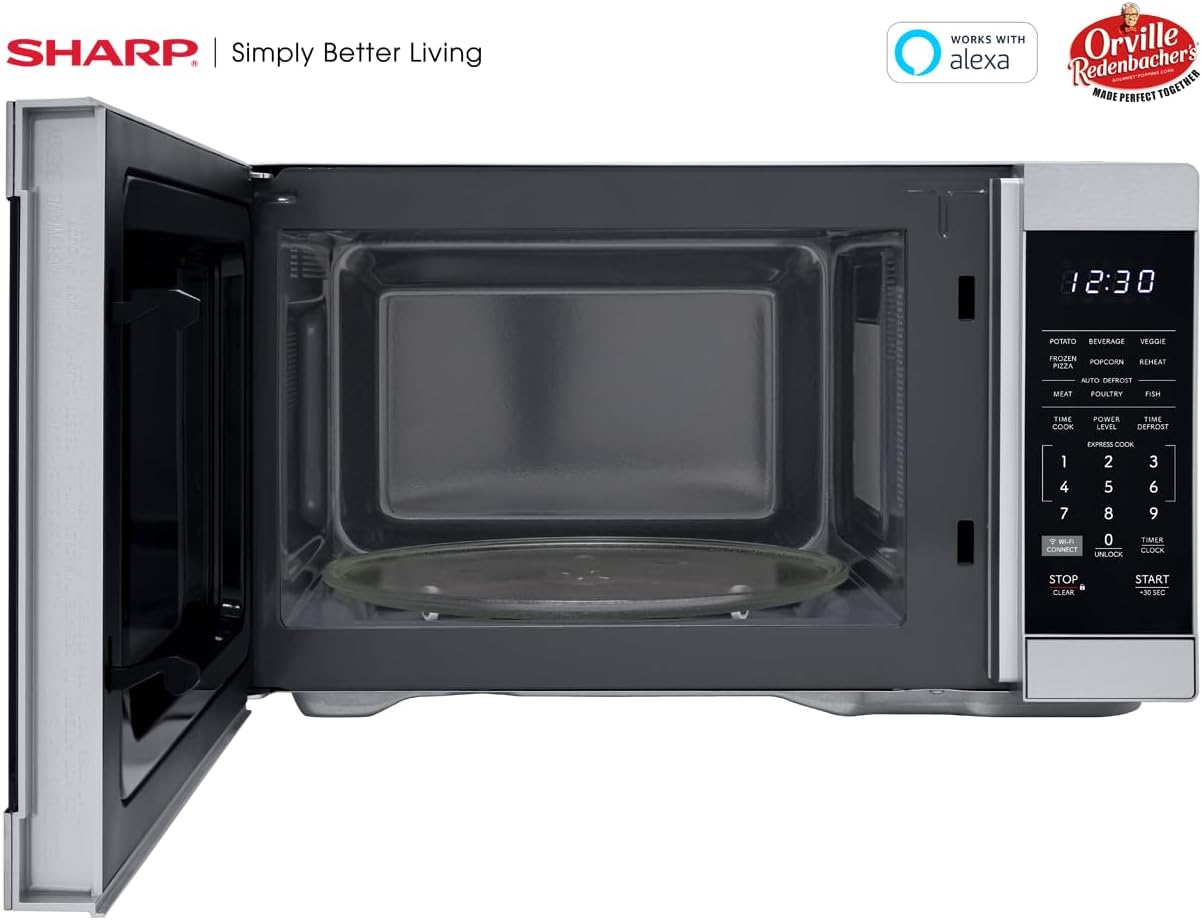
totonu view of the SHARP SMC1169KS microwave oven, highlighting the removable glass carousel turntable for uniform heating.

Close-up of the SHARP SMC1169KS microwave oven control panel, featuring the digital display, number pad, and dedicated function buttons.
4. Seti
4.1 Ta'ese'ese ma Tu'u
- Remove all packing materials from inside and outside the microwave oven.
- Place the microwave on a flat, stable surface that is strong enough to hold the oven and the food being cooked.
- Ensure there is at least 4 inches (10 cm) of space on the top, back, and sides for proper ventilation. Do not block any ventilation openings.
- Keep the microwave away from heat sources and strong magnetic fields.
4.2 Fa'apipi'i Turntable
- Place the turntable ring inside the microwave cavity.
- Position the glass turntable plate securely on top of the turntable ring. Ensure it is centered and sits properly on the coupler.
4.3 So'oga Malosi
Plug the power cord into a standard 3-prong, 120V AC, 60Hz grounded electrical outlet. Do not use an extension cord or adapter.
4.4 Initial Setup (Clock & Wi-Fi/Alexa)
- Seti le Uati: Oomi le TIMA/UITI button once. Use the number pad to enter the current time. Press TIMA/UITI toe fa'amaonia.
- Connecting to Wi-Fi/Alexa: Refer to the separate Alexa setup guide or the Sharp Home Appliances app for detailed instructions on connecting your microwave to your home Wi-Fi network and linking it with your Amazon Alexa account. Press the WI-FI Fesoʻotaʻiga button to initiate pairing mode.
5. Fa'atonuga o Galuega
5.1 Basic Microwave Cooking (Time Cook)
- Tuu mea'ai i totonu o se koneteina saogalemu i le microwave i luga o le laulau.
- Tapuni le faitotoa.
- Oomi le TAIMI kuka faamau.
- Ulufale le taimi e kuka ai e fa'aaoga ai le numera numera.
- Tusitala AMATA/+30 SEC.
5.2 Adjusting Power Level
- After entering cooking time (Step 3 of Basic Cooking), press TULAGA MANA.
- Enter the desired power level from 1 to 10 (10 being 100% power).
- Tusitala AMATA/+30 SEC.
5.3 Express Cook
For quick cooking at 100% power, simply press the number pad (1-6) for 1 to 6 minutes of cooking time. The oven will start immediately.
5.4 Menu Kuka Ta'avale
The microwave includes preset cooking options for common food items:
- PATEKA: Mo le taoina o pateta.
- BEVERAGE: Mo le fa'avevela o meainu.
- VEGGIE: For cooking vegetables.
- PIZZA A'ISA: For heating frozen pizza.
- POPCORN: Optimized for Orville Redenbacher's popcorn (3.3 oz Classic or 1.16 oz Mini Bag).
- FAʻAMATALAGA: For reheating various foods.
- MEAT, POULTRY, FISH: For specific meat types.
To use an Auto Cook menu: Press the desired menu button, then follow the display prompts (e.g., enter quantity) and press AMATA/+30 SEC.
5.5 Fa'a'aisa
The microwave offers two defrost methods:
- Weight Defrost: Tusitala TAIMI DEFROST, enter the food's weight, then press AMATA/+30 SEC.
- Taimi Defrost: Tusitala TAIMI DEFROST fa'alua, ulufale i le taimi e fa'amalo ai, ona fetaomi lea AMATA/+30 SEC.
5.6 Galuega Loka Tamaiti
Ina ia fa'agaoioi le Loka Tamaiti:
- Oomi ma uu le TOTO/MALI button for 3 seconds. The lock indicator will appear on the display.
Ina ia tape le Loka Tamaiti:
- Oomi ma uu le TALA button (0) for 3 seconds. The lock indicator will disappear.
5.7 Alexa Pulea leo
Once connected to Alexa, you can use voice commands for various functions. Exampe aofia ai:
- "Alexa, microwave for 1 minute."
- "Alexa, defrost 1 pound of chicken."
- "Alexa, microwave Classic Popcorn."
Refer to the Alexa app or Sharp's online resources for a comprehensive list of voice commands.
6. Tausiga
6.1 Fa'amamaina o totonu
Regularly clean the interior of the oven to prevent food particles from accumulating. Use a mild detergent and a soft cloth. For stubborn stains, place a cup of water with lemon juice in the microwave and heat for 2-3 minutes, then wipe clean.
6.2 Fa'amamaina o fafo
Solo le pito i fafo i se mea vaivai, oamp cloth. Avoid abrasive cleaners or scouring pads that could scratch the stainless steel finish.
6.3 Tausiga Livi
The glass turntable and turntable ring can be removed and washed in warm, soapy water or in the dishwasher. Ensure they are completely dry before placing them back in the oven.
7. Faʻafitauli
If you encounter issues with your microwave, refer to the table below for common problems and solutions.
| Fa'afitauli | Mafuaaga e ono tupu | Fofo |
|---|---|---|
| E le amataina le ogaumu | E lei tapunia lelei le faitotoa; Ua tatala le uaea eletise; Fuse ua malepe/tape le ta'avale. | Ensure door is securely closed; Check power cord connection; Check household fuse/circuit breaker. |
| Mea'ai e le vela tutusa | Food not stirred/rotated; Turntable not rotating. | Stir or rearrange food during cooking; Ensure turntable and ring are correctly placed and free of obstructions. |
| Display shows "LOCK" | Ua fa'agaoioi le Loka a Tamaiti. | Oomi ma uu le TALA button (0) for 3 seconds to deactivate. |
| Alexa commands not working | No Wi-Fi connection; Microwave not linked to Alexa; Incorrect command. | Check Wi-Fi connection; Re-link microwave in Alexa app; Use correct voice commands. |
Afai e fa'aauau pea le fa'afitauli pe a uma ona taumafai i nei fofo, fa'amolemole fa'afeso'ota'i le lagolago a tagata fa'atau.
8. Fa'amatalaga
| Fa'aaliga | Fa'amatalaga |
|---|---|
| Numera Fa'ata'ita'i | SMC1169KS |
| Malosiaga | 1.1 Kupita Fue |
| Uatage | 1000 watts |
| Voltage | 120 Volts |
| Fua o Mea (D x W x H) | 14.7" x 20.6" x 11.8" |
| Mea mamafa | 34.9 pauna |
| Mea | Apa siliva |
| Fa'apitoa Fa'apitoa | Child Safety Lock, Alexa Compatible |

Dimensional diagram of the SHARP SMC1169KS microwave oven.
9. Fa'amatalaga Fa'amaonia
SHARP products are manufactured to high-quality standards. For specific warranty details, including coverage period and terms, please refer to the warranty card included with your product or visit the official Sharp webnofoaga. Taofi lau lisiti fa'atau e fai ma fa'amaoniga o le fa'atauga mo tagi fa'amaonia.
10. Lagolago Tagata Fa'atau
For further assistance, technical support, or service inquiries, please visit the official Sharp webnofoaga po'o fa'afeso'ota'i le latou matagaluega o auaunaga. E masani ona maua fa'amatalaga fa'afeso'ota'i ile fale gaosi oloa webnofoaga po'o totonu o le afifiina o oloa.


