1. Folasaga
Fa'afetai mo le fa'atauasing the Sharp CP-SS30(BK) Active Bookshelf Speakers. These speakers are designed to provide superior sound reproduction with versatile connectivity options. Please read this manual carefully before using the product to ensure proper operation and to maximize your listening experience.
The CP-SS30(BK) features a robust plywood cabinet, 60W RMS (2 x 30W) two-way active sound, and multiple input options including Bluetooth v5.0, USB, Optical, Auxiliary, and RCA. It also includes an equalizer with preset and custom bass/treble adjustments, and a full-function remote control for convenience.
2. Fa'amatalaga Saogalemu
Please observe the following safety precautions to prevent damage to the product and to ensure your safety:
- Aua le fa'aalia le sipika ile timu po'o le susu.
- Aua ne'i poloka so'o se avanoa e savili ai.
- Aua ne'i fa'apipi'i i tafatafa o so'o se mea fa'avevela e pei o fa'avevela, fa'amau fa'avevela, ogaumu, po'o isi masini (e aofia ai amplifiers) e maua ai le vevela.
- Puipui le uaea eletise mai le savali i luga poʻo le pine, aemaise lava i palaka, pusa faʻaoga faigofie, ma le mea e alu ese ai mai le masini.
- Fa'aaoga na'o mea fa'apipi'i/mea fa'apipi'i ua fa'ailoa mai e le gaosi oloa.
- Aveese le masini lenei i taimi o afa uila poʻo pe a le faʻaaogaina mo se taimi umi.
- Fa'asino atu auaunaga uma i tagata faigaluega agavaa. E manaʻomia le tautua pe a faʻaleagaina le masini i soʻo se auala, e pei o le uaea eletise poʻo le palaka ua faʻaleagaina, ua masaa le vai poʻo mea ua paʻu i totonu o le masini, ua faʻaalia le masini i le timu poʻo le susu, e le galue masani. , pe ua pa'u.
3. Mea i totonu o le afifi
Fa'amolemole siaki pe o iai uma mea ma o lo'o lelei:
- 2 x Sharp CP-SS30(BK) Bookshelf Speakers
- 1 x Pulea Mamao (e aofia ai maa)
- 1 x RCA Audio Cable (3 meters)
- 1 x AUX Audio Cable (1.2 meters)
- 1 x Power Cable (1.2 meters)
- 1 x Uaea Feso'ota'i o le Sipika
- Fa'amaumauga a le Tagata Fa'aaoga

Image: All components included in the Sharp CP-SS30(BK) package, including two speakers, remote control, and various cables.
4. Vaega o Oloa
The Sharp CP-SS30(BK) speakers offer a range of features for an enhanced audio experience:
- Malosi Leo Sau: 60W RMS (2 x 30W) two-way active speakers for clear and dynamic sound.
- Faufau fa'apitoa: Plywood cabinet design ensures superior sound reproduction and durability.
- Fesoʻotaʻiga uaealesi: Seamless audio streaming with Bluetooth v5.0.
- Tele mea e fai: Connect various devices via Bluetooth, USB, Optical, Auxiliary (AUX), and RCA inputs.
- Leo fa'apitoa: Built-in equalizer with five preset settings and independent bass and treble adjustment.
- Fuafuaga Fa'aonaponei: Removable speaker grilles allow for a contemporary aesthetic.
- Pulea lelei: Full-function remote control for easy operation from a distance.

Ata: Luma view of the Sharp CP-SS30(BK) speakers with the remote control, showcasing their design and compact size.

Ata: Se va'aiga view of the front panel of one Sharp CP-SS30(BK) speaker with the grille removed, highlighting the tweeter, woofer, indicator light, and volume/input knob.
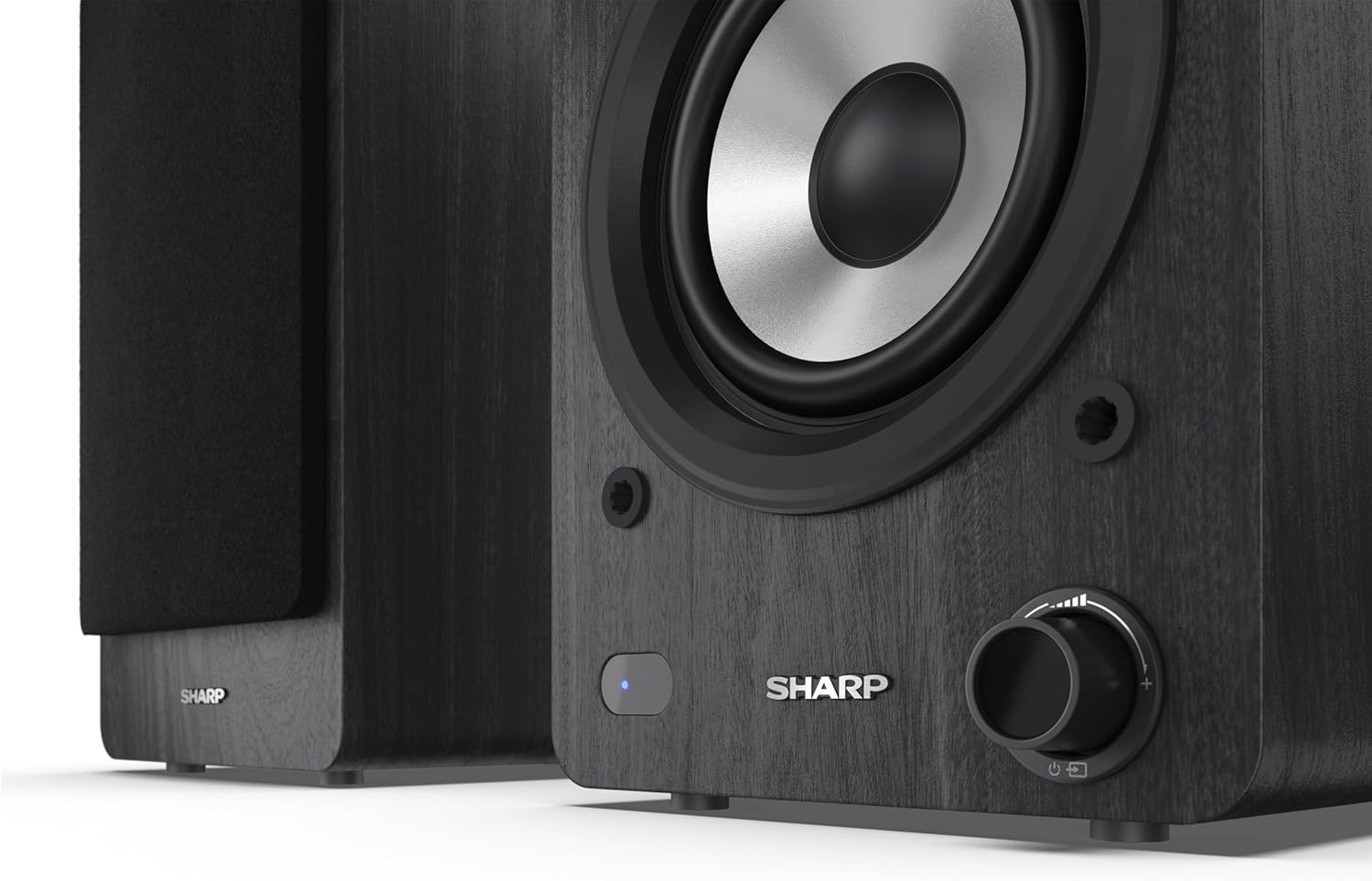
Image: A detailed shot of the control knob and the blue indicator light on the Sharp CP-SS30(BK) speaker, showing the subtle branding.
5. Seti
5.1 Tulaga o le Fofoga Fetalai
For optimal sound quality, place the speakers on a stable, flat surface. Position them at an equal distance from your listening position, forming an equilateral triangle for the best stereo imaging. Ensure there is adequate space behind the speakers for ventilation and cable connections.
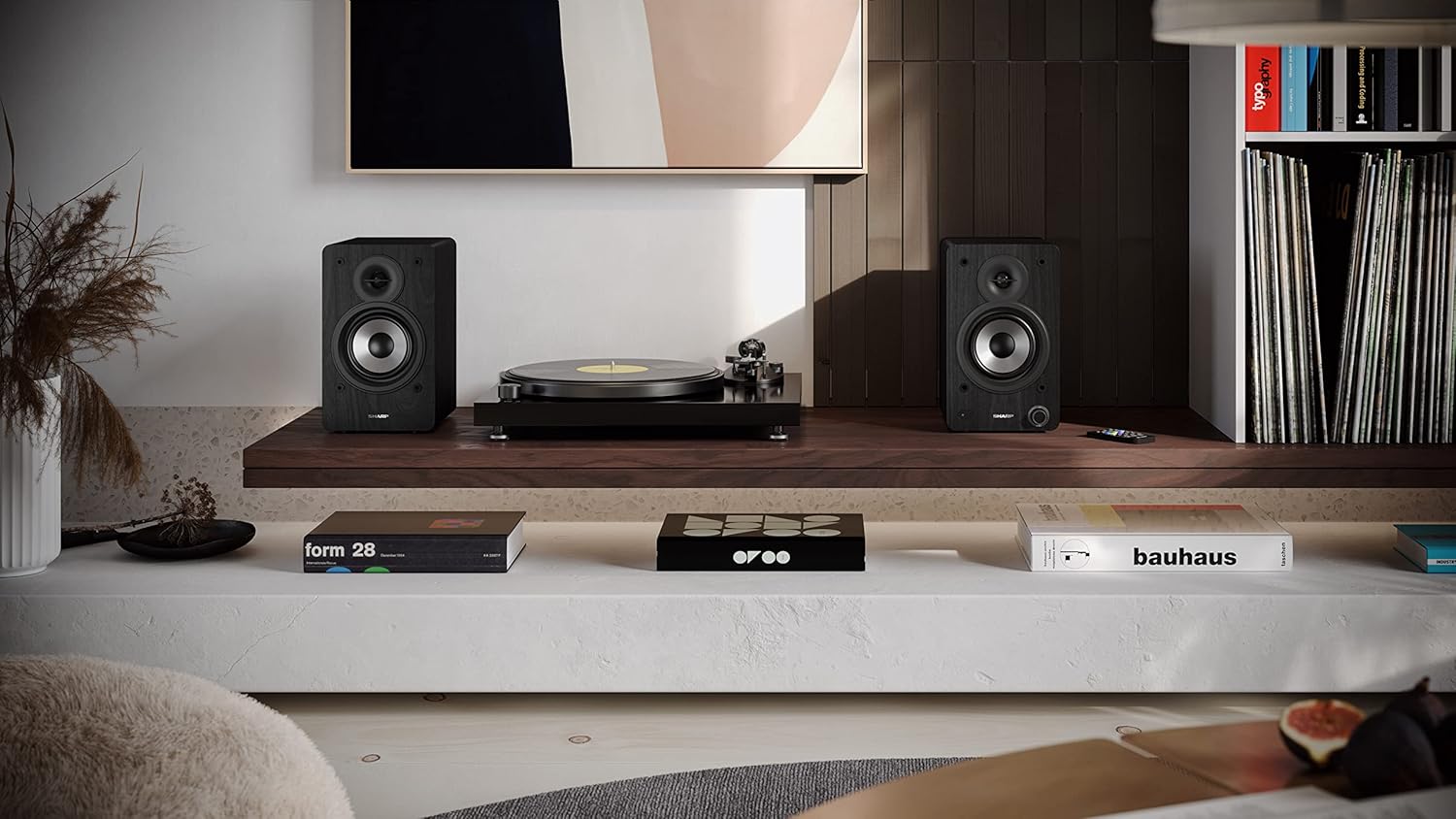
Image: The Sharp CP-SS30(BK) speakers positioned on a shelf in a living room setting, demonstrating a typical setup with a turntable.
5.2 Fa'afeso'ota'i o Sipika
The CP-SS30(BK) consists of one active (main) speaker and one passive (secondary) speaker. Connect them using the provided speaker connection cable.
- Identify the active speaker (with controls and input ports) and the passive speaker.
- Connect one end of the speaker connection cable to the speaker terminals on the active speaker, ensuring correct polarity (+ to + and - to -).
- Connect the other end of the speaker connection cable to the speaker terminals on the passive speaker, maintaining correct polarity.

Image: The rear panel of the Sharp CP-SS30(BK) speakers, illustrating the various input ports (USB, Optical, RCA, AUX) and the speaker connection terminals.
5.3 So'oga Malosi
- Ensure the power switch on the active speaker is in the OFF position.
- Connect the provided power cable to the AC input on the active speaker.
- Fa'apipi'i le isi pito o le uaea eletise i totonu o se palaka eletise talafeagai i le puipui.
6. Fa'atonuga o Galuega
6.1 Fa'aola i luga/Pepe
To power on the speakers, flip the power switch on the active speaker to the ON position. The indicator light on the front will illuminate. To power off, flip the switch back to OFF.
6.2 Filifiliga o mea e fai
You can select the input source using the remote control or the knob on the front of the active speaker. Available inputs include Bluetooth, USB, Optical, Auxiliary (AUX), and RCA.
- Bluetooth: Select Bluetooth input. The indicator light will flash, indicating pairing mode. Saili mo "SHARP CP-SS30(BK)" on your device and connect. The light will become solid once paired.
- USB: Fa'aofi se ta'avale USB ma fa'alogo files into the USB port on the active speaker.
- mata'imata: Connect an optical cable from your audio source (e.g., TV, game console) to the Optical input.
- AUX: Connect an AUX cable from your audio source (e.g., smartphone, tablet) to the AUX input.
- RCA: Connect RCA cables from your audio source (e.g., turntable, CD player) to the RCA inputs.
6.3 Pulea le Volume
Adjust the volume using the remote control's volume buttons or by rotating the knob on the front of the active speaker.
6.4 Equalizer Settings
The speakers feature an equalizer to tailor the sound to your preference. Use the remote control to:
- Select from five preset equalizer modes (e.g., Flat, Rock, Pop, Classical, Jazz).
- Adjust bass and treble levels independently for a customized sound profile.
7. Tausiga
To ensure the longevity and optimal performance of your Sharp CP-SS30(BK) speakers, follow these maintenance guidelines:
- Fa'amamaina: Use a soft, dry cloth to clean the speaker cabinets. Do not use liquid cleaners or aerosol sprays, as they may damage the finish or internal components.
- mea'ai: The speaker grilles are removable for cleaning. Gently pull them off to clean any dust accumulation on the drivers. Reattach them carefully.
- Savili: Ensure that the ventilation openings on the back of the active speaker are not obstructed to prevent overheating.
- Teuina: If storing the speakers for an extended period, disconnect them from power and store them in a cool, dry place away from direct sunlight and extreme temperatures.
8. Faʻafitauli
If you encounter any issues with your speakers, please refer to the following common problems and solutions:
| Fa'afitauli | Mafuaaga e ono tupu | Fofo |
|---|---|---|
| Leai se mana | Power cable not connected; Power outlet not active; Power switch off. | Ensure power cable is securely connected. Check power outlet with another device. Flip power switch to ON. |
| Leai se leo | Incorrect input selected; Volume too low; Cables not connected properly; Source device issue. | Select the correct input source. Increase volume. Check all audio cables (RCA, AUX, Optical, USB) and speaker connection cable for secure fit and correct polarity. Test with a different audio source. |
| Ua le manuia le feso'ota'iga Bluetooth | Speakers not in pairing mode; Device too far; Interference. | Ensure Bluetooth input is selected and indicator light is flashing. Move device closer to speakers. Avoid strong electromagnetic interference. Try unpairing and re-pairing. |
| Leo sese | Volume too high; Source audio quality is poor; Speaker placement. | Reduce volume. Check the audio source quality. Adjust speaker placement to avoid reflections or resonance. |
| E le o galue le pule mamao | Batteries depleted; Obstruction between remote and speaker; Remote not pointed correctly. | Replace remote control batteries. Remove any obstructions. Point the remote directly at the active speaker's sensor. |
9. Fa'amatalaga
| Fa'aaliga | Fa'amatalaga |
|---|---|
| Numera Fa'ata'ita'i | CP-SS30(BK) |
| Malosiaga o Galuega | 60 Watts RMS (2 x 30W) |
| Ituaiga Fofoga Fetalai | Active Bookshelf, 2-Way |
| Mea a le Kapeneta | Wood (Plywood) |
| Tekinolosi Feso'ota'i | Bluetooth v5.0, USB, Optical, Auxiliary (AUX), RCA |
| Fa'aliliuga Bluetooth | v5.0 |
| Leo Faʻalauiloa Galuega | Leitio (Auala 2.0) |
| Tali Faatele | 60 Hz |
| Ituaiga Pule | Ki, Pulea Mamao |
| Fua o le Oloa (sipika ta'itasi) | 19D x 15.8W x 24.8H cm (7.5D x 6.2W x 9.8H inisi) |
| Mea mamafa | 4.3 Kilokalama (9.5 lbs) |
| Lanu | Lanu uliuli |
| Fa'aoga Fautuaina | Gaming console, Music player, Smartphone/Tablet, Ambient sound system, Television |
| Masini Fegalegaleai | Laptop, Smartphone, Tablet |

Image: Diagram showing the dimensions of one Sharp CP-SS30(BK) speaker (Height: 248mm, Width: 158mm, Depth: 190mm).
10. Fa'amaonia ma Lagolago
Fa'amaonia: This product comes with a 1-year warranty for spare parts availability from the date of purchase. Please retain your proof of purchase for warranty claims.
For technical support, troubleshooting assistance beyond this manual, or warranty inquiries, please contact Sharp customer service. Refer to the contact information provided in the user documentation included in your package or visit the official Sharp webnofoaga.
Note: Software updates guaranteed until information is not available.


