1. Folasaga
The Sharp Aquos 40FG2EA is a 40-inch Full HD Android LED TV designed for an enhanced viewing experience. It features a modern frameless design and offers extensive multimedia capabilities with a wide range of connectivity options. This manual provides essential information for setting up, operating, maintaining, and troubleshooting your television.

Ata 1: Luma view of the Sharp Aquos 40FG2EA Android TV, highlighting its 40-inch screen size.
2. Fa'amatalaga Saogalemu
Please read all safety instructions carefully before operating your TV. Keep this manual for future reference.
- Aua le tu'u le TV ile timu po'o le susu.
- Ia mautinoa lelei le ea savili faataamilo i le TV.
- Do not block ventilation openings with items such as newspapers, table-cloths, curtains, etc.
- Do not place the TV on unstable carts, stands, tripods, brackets, or tables.
- Aveese le TV i taimi o afa uila po'o le le fa'aaogaina mo se taimi umi.
- Fa'asino atu auaunaga uma i tagata faigaluega agavaa.
3. Mea i totonu o le afifi
Fa'amautinoa o lo'o aofia uma aitema i lau afifi:
- Sharp Aquos 40FG2EA TV Unit
- Pulea Mamao
- Uaea Malosi
- Tu'u TV (2 vaega)
- Siu mo Tulaga TV
- Tusi Lesona a le Tagata (lenei pepa)
- Taiala vave amata
4. Seti
4.1 Assembling the Stands
To attach the stands to your TV:
- Tu'u ma le faaeteete le TV e fa'asaga i lalo i luga o se mea malu ma mama e puipuia ai le faaleagaina o lau.
- Fa'asa'o tulaga ta'itasi ma pu fa'a sikula fa'atatau ile pito i lalo ole TV.
- Fa'amautu tulaga ta'itasi i fa'ailoga ua tu'uina atu.
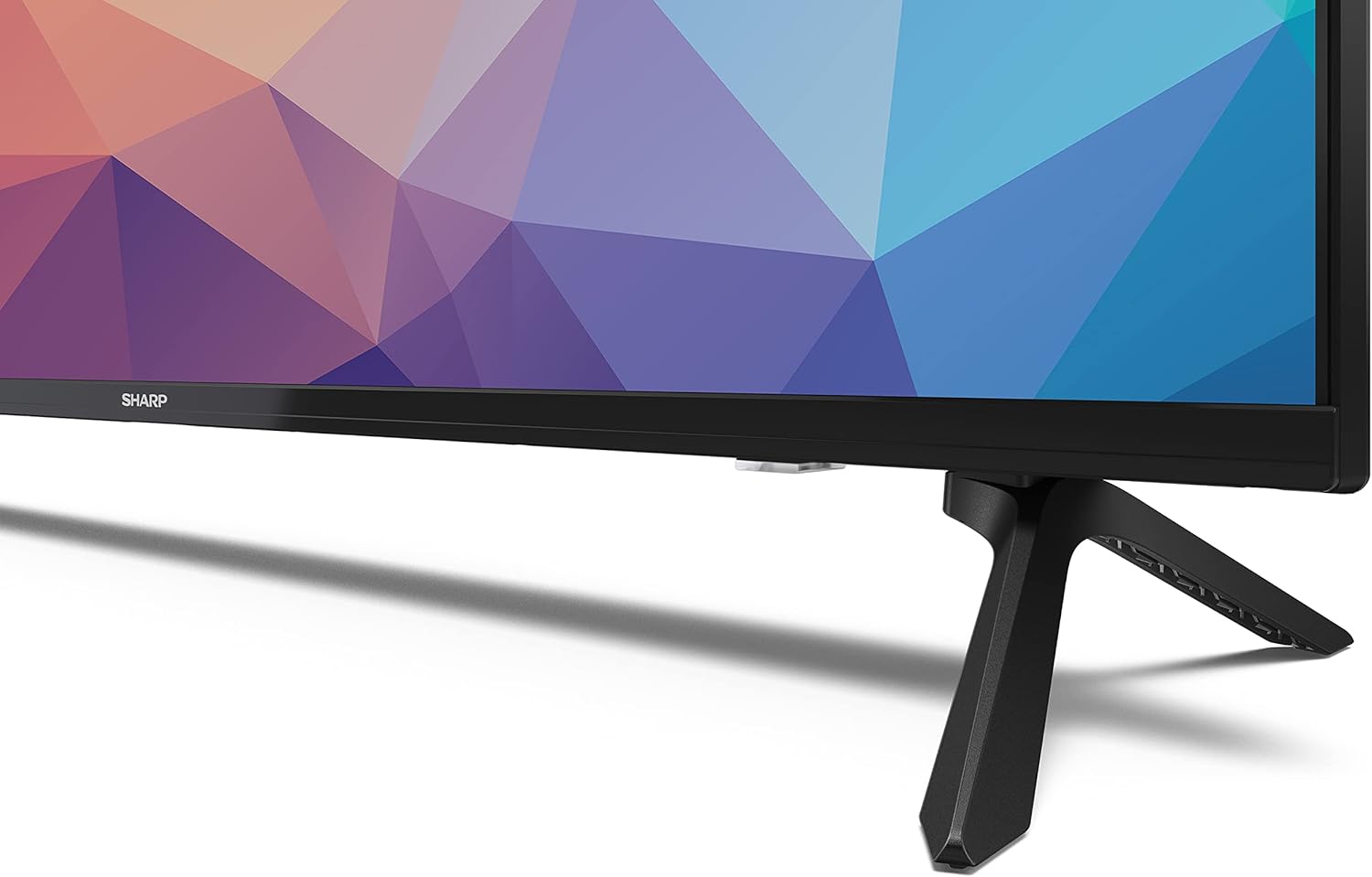
Figure 2: Detail of the TV stand assembly.
4.2 Fa'apipi'i i luga o le puipui (filifiliga)
If you prefer to wall mount your TV, ensure you use a VESA compatible wall mount (VESA 300 x 100). Consult a professional for installation to ensure safety.

Figure 3: TV dimensions for placement and wall mounting considerations.
4.3 Feso'ota'i masini
The Sharp Aquos 40FG2EA offers various connection ports:
- Taulaga HDMI (2x): Connect Blu-ray players, gaming consoles, streaming boxes, or digital receivers. Supports HDMI ARC-CEC.
- USB Ports (2x): Mo le fa'afeso'ota'i masini e teu ai USB e ta'alo ai ala fa'asalalau.
- 3.5mm Siaki Ulufale: Mo le fa'afeso'ota'i taliga.
- Wi-Fi and RJ45 (Ethernet): For internet connectivity.

Ata 4: Tua view o le TV faʻatasi ai ma uafu fesoʻotaʻi.

Ata 5: Itu view of the TV showing accessible ports.
After connecting all desired devices, plug the power cable into the TV and then into a wall outlet.
5. Faʻagaioiga
5.1 Android TV Features
Your Sharp Aquos TV runs on Android TV, providing access to a vast array of entertainment options:
- Au'aunaga Fa'asalalau: Directly access various streaming services with over 400,000 movies and programs.
- Google Fesoasoani: Use integrated voice control to search for programs, control smart home devices, and get answers.
- Google PlayStore: Download and install additional apps, games, and content.
5.2 Chromecast Fausia i totonu
With Chromecast built-in, you can wirelessly cast content from your mobile phone, tablet, or laptop directly to your TV screen. This includes movies, videos, apps, games, and even photos.
5.3 Active Motion 400
Experience smooth and clear motion with Active Motion 400 technology. This feature uses high-performance processors to calculate intermediate frames, combined with a powerful LCD panel with low response time, ensuring sharp and blur-free images, ideal for sports, movies, and action content.
5.4 Android TV Remote Control App
Control your TV using your smartphone or tablet by downloading the Android TV Remote Control App (available for iOS/Android). You can use the D-pad, touchpad mode, voice function, or text input via the keyboard.
6. Tausiga
To ensure the longevity and optimal performance of your TV:
- Fa'amama le Mata: Solo lemu le lau i se ie vaivai e leai se liu. Mo fa'ailoga fa'ama'a'a, fa'aaoga se vaifofo fa'amama lau e fa'apitoa mo TV, fa'aoga i le ie, ae le sa'o i le lau.
- Fa'amamaina o le Kapeneta: Use a soft, dry cloth to clean the TV cabinet. Do not use abrasive cleaners or solvents.
- Savili: Ensure the ventilation openings are not blocked and are free of dust.
- Uaea Malosi: Siaki e le aunoa le uaea eletise mo so'o se fa'aletonu.
7. Faʻafitauli
Afai e te feagai ma faʻafitauli i lau TV, vaʻai i faʻafitauli masani nei ma fofo:
| Fa'afitauli | Mafua'aga Mafai / Fofo |
|---|---|
| Leai se mana | Siaki pe o mau le uaea eletise i le TV ma le pa puipui. Ia mautinoa o loʻo i ai le malosi o le pusa puipui. |
| Leai se ata, ae o lo'o iai le leo | Check the input source. Ensure the connected device is turned on and functioning correctly. |
| Leai se leo, ae o loʻo iai le ata | Check the volume level. Ensure mute is not activated. Check audio cables if using external speakers. |
| E le o galue le pule mamao | Check the batteries. Ensure there are no obstructions between the remote and the TV's IR sensor. |
| Le mafai ona feso'ota'i ile Wi-Fi | Ia mautinoa o loʻo ola lau Wi-Fi router ma o loʻo galue lelei. Toe ulufale i le upu faʻalilolilo o le Wi-Fi. Taumafai e toe amata le TV ma le router. |
A fa'aauau pea le fa'afitauli, fa'amolemole fa'afeso'ota'i le lagolago a tagata fa'atau.
8. Fa'amatalaga
Detailed technical specifications for the Sharp Aquos 40FG2EA TV:
| Fa'aaliga | Fa'amatalaga |
|---|---|
| Igoa Fa'ata'ita'iga | Aquos 40FG2EA |
| Tele lau | 40 Inisi |
| Fa'aaliga Tekonolosi | LED |
| I'ugafono | 1080p (1920 x 1080) |
| Fua Fa'afouina | 60 Hz |
| Faiga Fa'atonu | Android 11.0 |
| Malosi o Fa'alogo | 2x 6W |
| HDMI Taulaga | 2 (with ARC-CEC) |
| Taulaga USB | 2 |
| Feso'ota'i | Wi-Fi, RJ45 (Ethernet), Bluetooth |
| Siaki Ulufale | 3.5mm |
| VESA Fegalegaleaiga | 300 x 100 |
| Vasega Malosiaga (2021) | E |
| Fua (fa'atasi ai ma tulaga) | 900 x 572 x 202 mm |
| Fua (e aunoa ma se tulaga) | 900 x 514 x 70 mm |
| mamafa | 6 kilokalama |
| Fa'aaofia Vaega | Remote control, power cable, TV stands |
9. Fa'amaonia ma Lagolago
For warranty information and technical support, please refer to the warranty card included with your product or visit the official Sharp website. Information regarding spare parts availability and software updates is not available at this time.
Tufuga: Ma'ai
ASIN: B0BHH3WXZ9
Date First Available on Amazon.com.be: Oketopa 16, 2022


