1. Folasaga
Fa'afetai mo le fa'atauasing the Blaupunkt BSR 20 Portable Bluetooth Jobsite Radio. This device is designed to provide robust and reliable audio entertainment in demanding environments. It features FM radio, Bluetooth connectivity, and an AUX-IN port, all housed in a durable, splash-proof casing. Please read this manual thoroughly to ensure proper use and to maximize the lifespan of your product.
2. Faatonuga Saogalemu
- Punavai Malosi: Fa'aaoga na'o le mea fa'apipi'i eletise po'o maa. Ia mautinoa le voltage fetaui ma manaoga o le masini.
- Suavai ma Susū: While the device is IPX5 splash-proof, do not immerse it in water or expose it to heavy rain. Keep the battery compartment dry.
- Savili: Aua le poloka avanoa e fa'aoso ai le ea. Ia mautinoa e lava le tafe o le ea i totonu o le masini.
- Avela: Taofi le masini mamao ese mai mea e maua ai le vevela e pei o radiators, masini fa'amau vevela, ogaumu, po'o isi masini (e aofia ai amplifiers) e maua ai le vevela.
- Fa'amamaina: Disconnect the power before cleaning. Use a soft, dry cloth. Do not use liquid cleaners or aerosol cleaners.
- Au'aunaga: Aua le taumafai e tautuaina oe lava ia oloa. Faʻasino uma auaunaga i tagata agavaʻa tautua.
- Ma'a: Dispose of used batteries according to local regulations. Do not expose batteries to excessive heat or fire.
3. Vaega o Oloa
- Malosi leo: 5W RMS output for clear sound in noisy environments.
- Fesoʻotaʻiga uaealesi: Bluetooth 4.2 for streaming music from smartphones and other compatible devices.
- Feso'ota'i uaea: Integrated AUX-IN (3.5mm jack) for connecting MP3 players or other audio sources.
- Leitio FM: Digital FM tuner with up to 20 station presets.
- Fuafuaga Tumau: Shock-resistant, splash-proof, dust-proof, and dirt-resistant (IPX5 rated).
- feavea'i: Lightweight (2.5 kg) with an integrated foldable carrying handle.
- Pulea fa'aoga-tagata: Robust buttons designed for use even with work gloves.
- Filifiliga Malosiaga: Operates via mains power or 6x LR14 (1.5V) C-cell batteries.
4. Seti
4.1 Malosiina o le Masini
The Blaupunkt BSR 20 can be powered by either mains electricity or batteries.
Malosiaga autu:
- Su'e le uafu fa'aoga eletise i luga o le masini.
- Fa'afeso'ota'i le feso'ota'iga eletise ua tu'uina atu i le masini.
- Fa'afeso'ota'i le eletise i totonu o se pa puipui talafeagai.
Malosi o le ma'a:
For portable use, the radio requires 6x LR14 (1.5V) C-cell batteries (not included).
- Locate the battery compartment on the back or bottom of the radio.
- Tatala le ufiufi o le vaega o maa.
- Insert 6x LR14 (1.5V) C-cell batteries, ensuring correct polarity (+/-).
- Close the battery compartment cover securely to maintain IPX5 rating.
4.2 Malosiaga Muamua i luga
Oomi le Malosiaga faamau (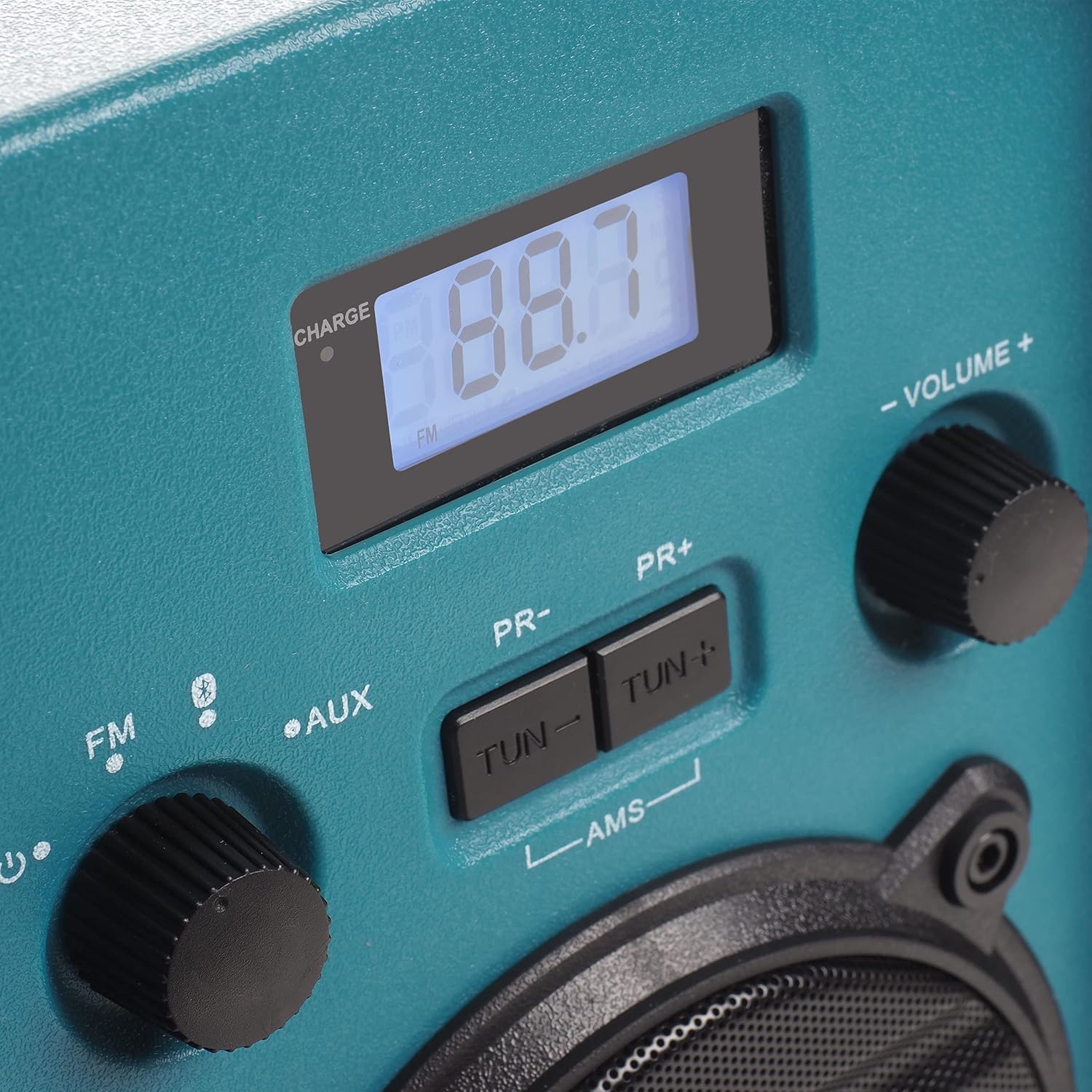 ) to turn on the radio. The display will illuminate.
5. Fa'atonuga o Galuega
5.1 Filifiliga Faiga
Rotate the left knob to select between FM Radio, Bluetooth (), and AUX-IN modes.
5.2 FM Leitio Galuega
- Filifili FM mode using the left knob.
- Extend the antenna for optimal reception.
- Fa'aaoga le TUN- ma TUN + fa'amau e fa'atulaga lima ai i le televave e te mana'omia.
- To automatically scan and store stations, press and hold the AMS button. The radio will scan for available FM stations and store them as presets.
- Fa'aaoga le PR- ma PR+ buttons to navigate through stored preset stations.
5.3 Fa'atasiga Bluetooth
- Filifili Bluetooth mode using the left knob. The display will show "BT" and flash, indicating it is in pairing mode.
- I luga o lau telefoni po'o isi masini Bluetooth, fa'agaoioi le Bluetooth ma saili mo masini avanoa.
- Select "Blaupunkt BSR 20" from the list of devices.
- Once paired, the display will show a steady "BT" and you can play audio from your connected device.
5.4 Feso'ota'iga AUX-IN
- Filifili AUX mode using the left knob.
- Connect one end of a 3.5mm audio cable (not included) to the AUX-IN port on the radio.
- Connect the other end of the audio cable to the headphone jack or audio output of your external device (e.g., MP3 player, smartphone).
- Ta'alo leo mai lau masini fafo.
5.5 Pulea le Volume
Rotate the right knob labeled TUSI +/- to adjust the audio output level.
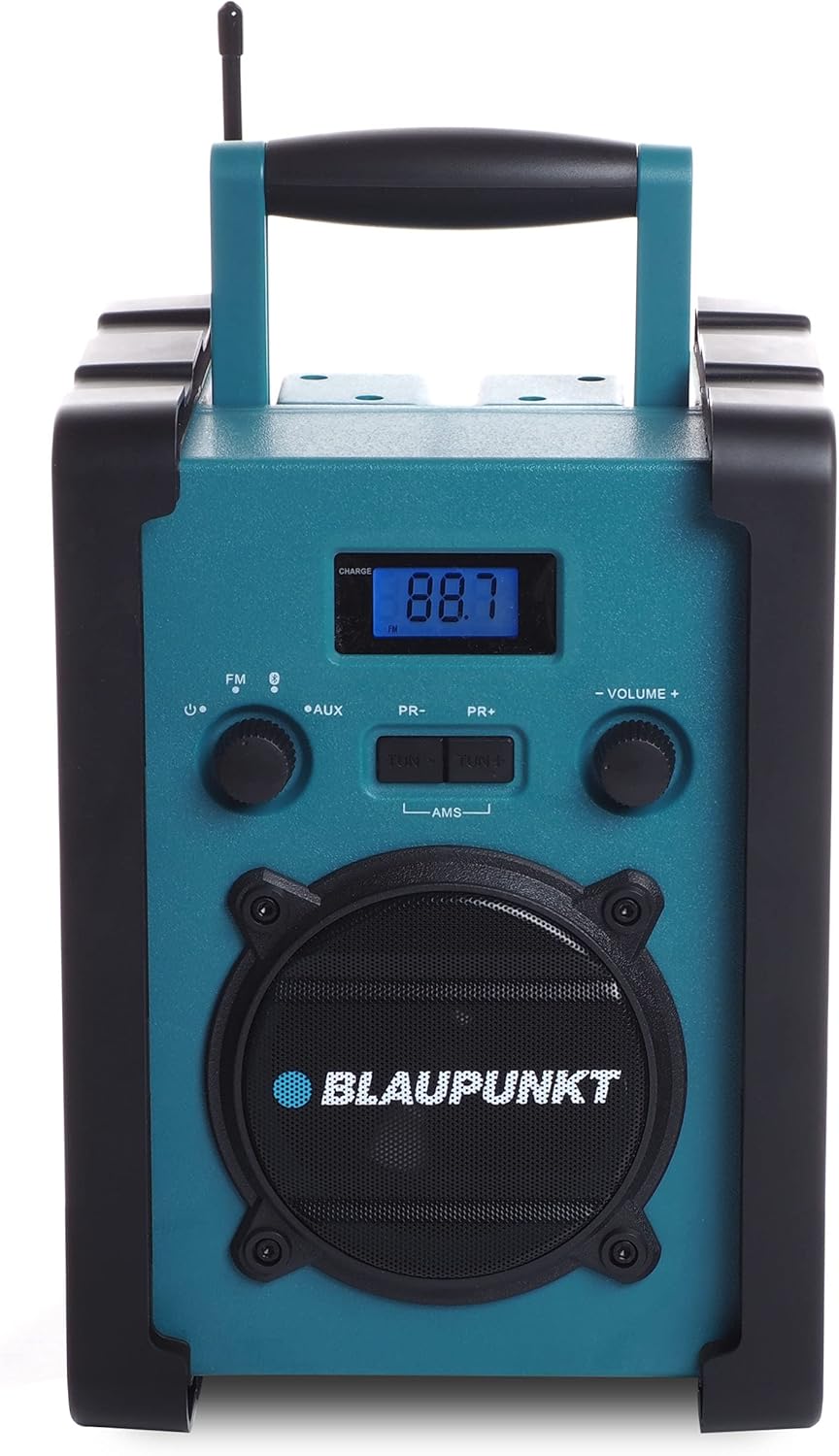
Ata 1: Luma view of the Blaupunkt BSR 20 jobsite radio, showing the display, controls, and speaker.
Figure 2: Close-up of the control panel, showing the digital display, FM/AUX/Bluetooth selection, tuning buttons, and volume knob.
6. Tausiga
6.1 Fa'amamāina
To clean the radio, ensure it is powered off and disconnected from the mains. Use a soft, slightly damp cloth to wipe down the exterior. Do not use abrasive cleaners, solvents, or strong chemicals, as these may damage the surface.
6.2 Teuina
When not in use for extended periods, store the radio in a cool, dry place. If using batteries, remove them to prevent leakage and potential damage to the device.
7. Faʻafitauli
| Fa'afitauli | Mafuaaga e ono tupu | Fofo |
|---|---|---|
| Leai se mana | E le'i feso'ota'i le adapter eletise; Ua uma le maa pe ua sese le fa'apipi'iina. | Check power adapter connection; Replace batteries or ensure correct polarity. |
| Leai se leo | Volume too low; Incorrect mode selected; Device not paired (Bluetooth); AUX cable not connected properly. | Increase volume; Select correct mode (FM, BT, AUX); Re-pair Bluetooth device; Check AUX cable connection. |
| Le lelei le taliaina o FM | E le'i fa'aloaloa le antenna; Eria vaivai le fa'ailo. | Fully extend the antenna; Try repositioning the radio. |
| Le feso'ota'i le Bluetooth | Radio not in pairing mode; Device too far; Bluetooth disabled on external device. | Ensure radio is in Bluetooth pairing mode; Move device closer; Enable Bluetooth on external device. |
8. Fa'amatalaga
- Fa'ailoga: BLAUPUNKT
- Fa'ata'ita'iga: BSR 20
- Lanu: Lanu moaga
- Tekinolosi Feso'ota'i: Bluetooth
- Mea Fa'apitoa: Shock-resistant, Portable, IPX5 Splash-proof
- Meafaigaluega talafeagai: Telefonipoto, Tableti, MP3 Player
- Fua o Mea (L x W x H): 19.8 cm x 18.8 cm x 27.4 cm
- Tekonolosi Fa'asa'o: Faafuainumera
- Punavai Malosi: Mains / Battery powered
- Vaega Leitio Lagolago: FM
- Ituaiga maa: 6x LR14 (1.5V) C-cell batteries (not included)
- Fa'amatalaga RMS: 5W
9. Fa'amaonia ma Lagolago
This product is covered by a manufacturer's warranty. Please refer to the warranty card included with your purchase for specific terms and conditions. For technical support, service, or warranty claims, please contact your retailer or the official Blaupunkt customer service. Keep your proof of purchase for warranty validation.