Folasaga
Thank you for choosing the August MB225 Portable DAB+/DAB/FM RDS Radio. This manual provides essential information for setting up, operating, and maintaining your device. Please read it carefully to ensure optimal performance and longevity of your radio.
Ua Umaview
The August MB225 is a compact and versatile portable radio offering DAB+, DAB, and FM reception. It features a built-in rechargeable battery, dual alarm functions, a sleep timer, and an easy-to-read LCD display.
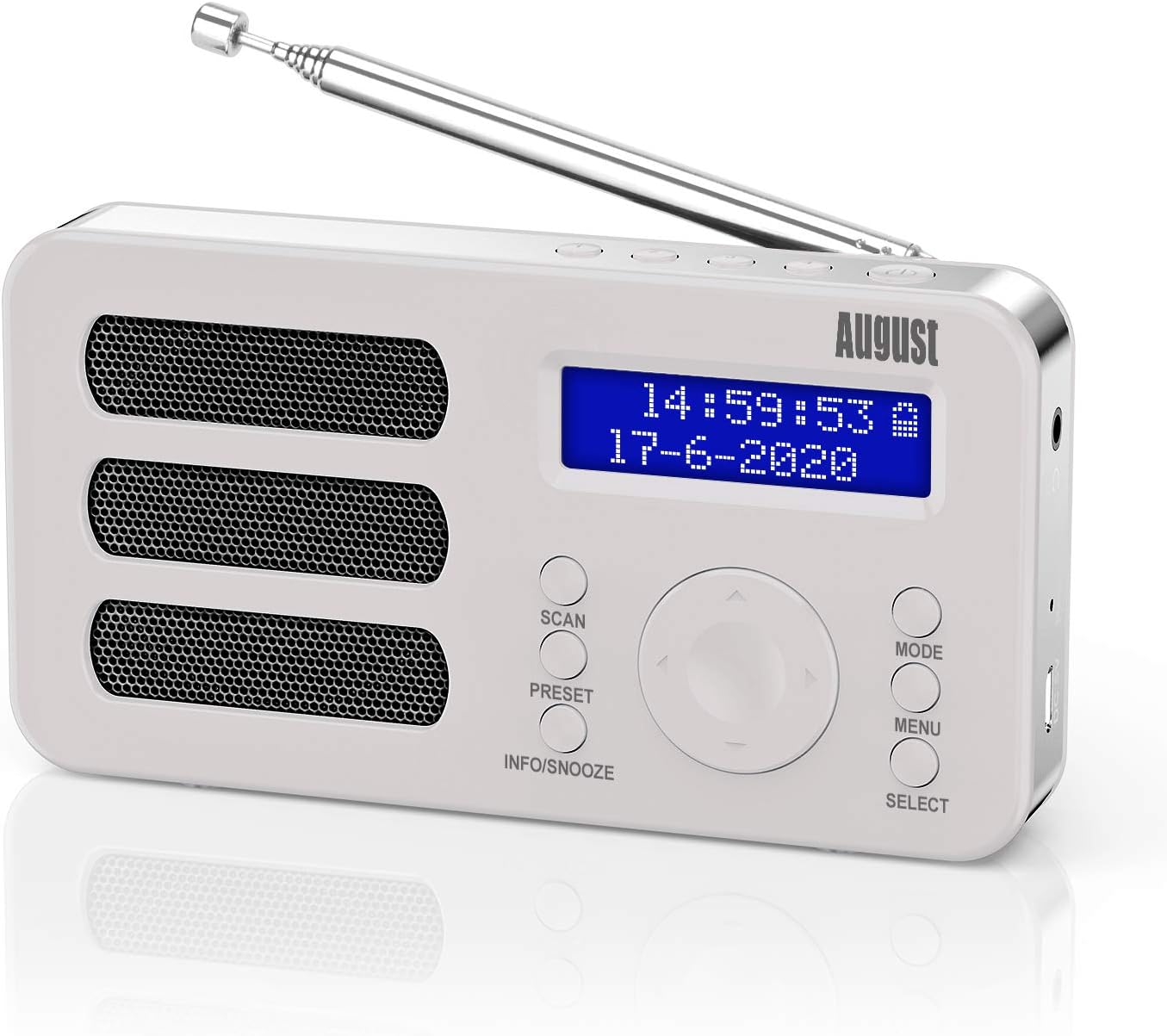
The August MB225 portable radio, showcasing its compact design and clear LCD display.
Vaega Autu:
- DAB+, DAB, and FM RDS radio reception.
- 40 station presets (20 DAB, 20 FM) with 4 quick access buttons.
- Dual alarm clock with snooze function.
- Integrated 2000 mAh rechargeable Lithium-ion battery for up to 20 hours of playback.
- Two-line LCD display with blue backlight, showing time, date, and station information.
- Manual mono/stereo switching for FM mode.
- Earphone jack for private listening.

Visual representation of the MB225's core features, including DAB/FM, presets, alarm, and USB charging.
Vaega ma Pulea:

Detailed diagram illustrating the various parts and controls of the August MB225 radio.
- Antenna
- Favorite Channel 1
- Favorite Channel 2
- Favorite Channel 3
- Favorite Channel 4
- Pule Malosi
- Siaki taliga taliga
- Toe Seti ki
- Uafu Malosi (USB-C)
- Fa'amau Fa'amatalaga
- Faʻamau Muamua
- Info/Snooze Button
- Fa'amau Fa'ailoga
- Fa'amau Fa'amau
- Select/Volume/Previous/Next Dial
Seti
Tatalaina:
Carefully remove the radio and all accessories from the packaging. Ensure all components are present: August MB225 radio, USB charging cable, and user manual.
Totogiina le Maa:
The MB225 features a built-in rechargeable Lithium-ion battery. Before first use, fully charge the radio. Connect the provided USB charging cable to the Power Port (9) on the radio and to a USB power adapter (not included) or a computer's USB port. The battery indicator on the LCD display will show charging status. A full charge provides up to 20 hours of playback.

The MB225 offers extended listening with its 2000 mAh battery, providing up to 20 hours of use.
Antenna Fetuunaiga:
For optimal reception, fully extend the telescopic Antenna (1) when listening to DAB+ or FM radio. Adjust its position to improve signal strength if needed.
Fa'atonuga o Galuega
Malosi/Pepe:
Press and hold the Power Button (6) to turn the radio on or off.
Filifiliga ala:
Press the Mode Button (13) to switch between DAB+, DAB, and FM radio modes. The current mode will be displayed on the LCD screen.

The radio operates in two main modes: Standby Time Mode (buttons locked) and Radio Mode (all buttons active).
Su'esu'ega mo Nofoaga:
- DAB/DAB+ Mode: In DAB mode, press the Scan Button (10) to perform an automatic scan for available digital radio stations. The radio will store all found stations.
- Faiga FM: In FM mode, press the Scan Button (10) to automatically scan and store available FM stations. You can also manually tune by rotating the Select Dial (15).

The MB225 supports DAB frequencies from 174-240MHz and FM frequencies from 87.5-108MHz.
Saving and Recalling Presets:
The radio allows you to save up to 40 stations (20 DAB, 20 FM) and has 4 quick access buttons.
- Fa'asaoina: Tune to your desired station. Press and hold the Preset Button (11) until 'Preset Store' appears. Rotate the Select Dial (15) to choose a preset number, then press the dial to confirm. For quick access, press and hold one of the Favorite Channel Buttons (2-5) to save the current station directly.
- Ia manatua: Briefly press the Preset Button (11) to enter 'Preset Recall'. Rotate the Select Dial (15) to browse saved stations, then press the dial to select. Alternatively, press one of the Favorite Channel Buttons (2-5) to instantly recall a saved station.
Pulea le Volume:
Rotate the Select Dial (15) left or right to adjust the volume level.
Alarm, Snooze, and Sleep Timer:
- Fa'atonu Fa'ailoga: Access alarm settings via the Menu Button (14). You can set two independent alarms with customizable sound sources (buzzer or radio station) and duration.
- Snooze Galuega: When an alarm sounds, press the Info/Snooze Button (12) to activate snooze. The alarm will temporarily pause and sound again after a set interval.
- Taimi moe: The sleep timer allows the radio to turn off automatically after a set period. Access this function through the Menu Button (14) and select your desired duration.
Fa'atonu leo:
In FM mode, you can switch between mono and stereo audio output. Access this option through the Menu Button (14) to optimize sound quality based on signal strength.
Fa'aaogā Telefoni:
Connect standard 3.5mm headphones to the Earphone Jack (7) for private listening. When headphones are connected, the internal speaker will be muted.

Connect earphones to the MB225 for personal listening without disturbing others.
Tausiga
Fa'amamaina:
Wipe the radio with a soft, dry cloth. Do not use abrasive cleaners, waxes, or solvents as they may damage the surface. Avoid exposing the radio to water or excessive moisture.
Tausiga maa:
- Ina ia faaumiumi le ola o le maa, aloese mai le lafoaia atoatoa o le maa i taimi uma.
- If the radio will not be used for an extended period, charge it fully before storage and recharge every few months.
- Aua ne'i fa'ailoa le maa i le vevela tele.
Fa'afitauli
| Fa'afitauli | Mafuaaga e ono tupu | Fofo |
|---|---|---|
| No power / Radio does not turn on | Ua alu le maa. | Connect the radio to a power source using the USB cable and allow it to charge. |
| Poor reception / No stations found | Antenna e le fa'alautele pe leaga le vaega fa'ailo. | Fully extend the telescopic antenna and adjust its position. Try moving the radio to a different location. Perform a full scan for stations. |
| Ua fa'api'opi'o pe pa'ō le leo | Vaivai le faailoilo po'o le fa'alavelave. | Adjust antenna position. In FM mode, try switching between mono and stereo settings. Move away from other electronic devices. |
| E le leo le faailo | Alarm not set correctly or volume too low. | Check alarm settings in the menu. Ensure alarm volume is audible. |
| Ua le tali mai ki | Fa'aletonu polokalame le tumau. | Press the Reset Button (8) using a thin object (e.g., paperclip). This will reset the radio to factory settings. |
Fa'amatalaga
- Fa'ailoga: Aukuso
- Numera Fa'ata'ita'i: MB225W
- Lanu: Lanu pa'epa'e
- Tekinolosi Feso'ota'i: Ausilali
- Mea Fa'apitoa: Rechargeable, Portable, Integrated Clock
- Tuning Technology: Faafuainumera
- Vaega Leitio Lagolago: DAB, FM
- Punavai Malosi: Battery Powered (Lithium-ion, 2000 mAh)
- itu: 20L x 9.6W x 3.8H senitimita
- Tufuga: Aukuso
- Atunuu na afua mai ai: Saina
Fa'amaonia ma Lagolago
The August MB225 radio comes with a 2-tausaga le fa'amaoniaga a le gaosiga. O lenei tusi saisai e aofia ai fa'aletonu i meafaitino ma galuega i lalo ole fa'aoga masani. E le aofia ai le fa'aleagaina e mafua mai i le fa'aoga sese, fa'alavelave, suiga e le'i fa'atagaina, po'o le ofuina masani.
For technical support, warranty claims, or further assistance, please refer to the contact information provided with your purchase or visit the official August web'upega tafaʻilagi. Faʻamolemole taofi lau faʻamaoniga o le faʻatau mo le faʻamoemoega o le tusi saisai.


