1. Folasaga
This manual provides essential information for the safe and effective operation of your SHARP FPK50UW Plasmacluster Air Purifier. This air purifier is designed to improve indoor air quality through a triple filtration system and Plasmacluster Ion Technology, covering areas up to 1,253 sq. ft. (based on 1 air change per hour).
Fa'amolemole faitau mae'ae'a lenei tusi lesona a'o le'i fa'aogaina le masini ma teu ai mo fa'amatalaga i le lumana'i.
2. Fa'atonuga Taua mo le Saogalemu
- Always unplug the air purifier before cleaning, performing maintenance, or when not in use.
- Do not operate the unit with a damaged cord or plug. If the cord or plug is damaged, contact customer support for assistance.
- Do not block air inlets or outlets. Ensure adequate space around the unit for proper airflow.
- Keep the unit away from water or other liquids. Do not use in wet environments such as bathrooms.
- O lenei masini e le o faamoemoe mo le faʻaaogaina e tagata (e aofia ai tamaiti) e faʻaitiitia le malosi o le tino, lagona, poʻo le mafaufau, poʻo le leai o se poto masani ma le malamalama, seivagana ua tuʻuina atu ia i latou le vaavaaiga poʻo le faʻatonuga e uiga i le faʻaaogaina o le masini e se tagata e nafa ma lo latou saogalemu. .
- Use only genuine SHARP replacement filters.
3. Vaega o oloa
Familiarize yourself with the main parts of your SHARP FPK50UW Air Purifier.
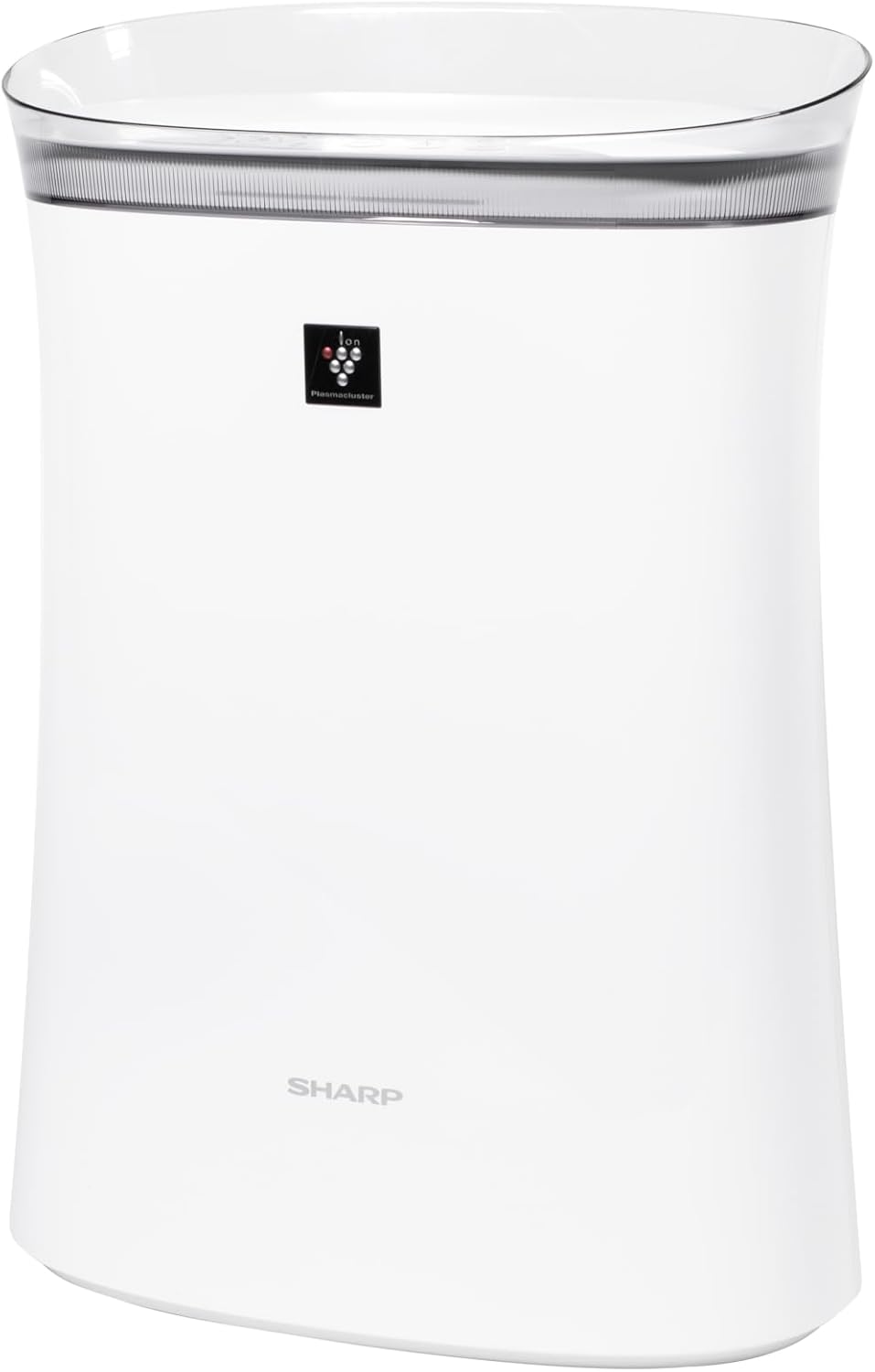
Ata 3.1: Luma view of the SHARP FPK50UW Air Purifier. This image displays the sleek, white design of the unit with the SHARP logo and Plasmacluster indicator on the front panel.

Ata 3.2: Tua view of the SHARP FPK50UW Air Purifier. The rear panel features the air intake grille and the power cord.

Ata 3.3: Control Panel. This image shows the touch-sensitive buttons for power, fan speed, Plasmacluster, Express Clean, and timer functions.
Lisi o Vaega:
- Vaega Autu
- Washable Microscreen Pre-filter (installed)
- Activated Carbon Deodorizing Filter (installed)
- True HEPA Filter (installed)
- Uaea Malosi (fa'apipi'i)
4. Fa'atonu ma Fa'apipi'i Fa'amau
Before operating your air purifier, ensure all filters are properly installed and packaging removed.
Laasaga Muamua o le Seti:
- Tatala le Vaega: Aveese ma le faaeteete le ea faamama mai lona afifiina.
- Remove Back Panel: Gently pull the back panel of the unit to detach it.
- Aveese filiga: Take out the pre-filter, activated carbon filter, and True HEPA filter.
- Remove Plastic Packaging: Remove all plastic bags and protective wrapping from the activated carbon filter and True HEPA filter. The pre-filter does not have plastic wrapping.
- Toe Fa'apipi'i Fa'amama: Insert the True HEPA filter first, followed by the activated carbon filter, and then the pre-filter. Ensure they are oriented correctly as indicated on the filters or unit.
- Reattach Back Panel: Securely reattach the back panel.
- Tu'uga: Place the air purifier on a firm, level surface, ensuring at least 8 inches of clearance from walls or furniture for optimal airflow.
- Sulu i totonu: Connect the power cord to a standard electrical outlet.

Ata 4.1: Tua view with the back panel removed, revealing the pre-filter and main filters inside the unit.

Ata 4.2: The True HEPA filter and Activated Carbon filter are shown removed from the air purifier, with the internal fan visible.
5. Galuega
The control panel allows you to manage the air purifier's functions.
Galuega Fa'atonu:
- ON/OFF Button (Power): Oomi e ki pe tape le iunite.
- Ki Saosaoa ili: Cycles through fan speeds: Max, Med, and Sleep.
- Plasmacluster ON/OFF Button: Activates or deactivates the Plasmacluster Ion Technology.
- Express Clean Button: Initiates a 60-minute high-speed cleaning cycle before returning to the previous setting.
- Ki o le Taimi: Sets the operating timer for 2, 4, or 8 hours. The unit will automatically turn off after the selected time.
- Light ON/OFF (Press 3 sec.): Press and hold the Timer button for 3 seconds to turn the display lights on or off.
- Filter Reset (Press 3 sec.): After replacing filters, press and hold the Plasmacluster button for 3 seconds to reset the filter indicator.
6. Tausiga
O le tausiga faifaipea e mautinoa ai le fa'atinoga sili ona lelei ma fa'alautele le ola o lau fa'amamā ea.
Filifiliga Tausiga:
- mua'i filiga: The washable microscreen pre-filter should be cleaned regularly (e.g., monthly) by vacuuming or rinsing with water. Ensure it is completely dry before reinstalling.
- Activated Carbon Deodorizing Filter & True HEPA Filter: These filters are designed for long life, lasting up to 2 years depending on the environment and usage. Replace them when the filter indicator light illuminates or when you notice a decrease in performance or increased odors. These filters are not washable.
Fa'amamaina o le Iunite:
- fafo: Solo le pito i fafo o le iunite i se ie vaivai ma mago. Mo ila faigata, fa'aaoga le adamp ie i se vai fufulu mama, ona solo lea mago.
- Air Outlets/Inlets: Periodically vacuum or wipe the air outlets and inlets to remove dust accumulation.
7. Faʻafitauli
If you encounter issues with your air purifier, refer to the following table for common problems and solutions.
| Fa'afitauli | Mafuaaga e ono tupu | Fofo |
|---|---|---|
| E le kilia le iunite | Power cord not plugged in; Power outage; Unit malfunction | Ensure power cord is securely plugged in; Check household circuit breaker; Contact customer support if issue persists. |
| Fa'aletonu le ea | Filters are dirty or clogged; Air inlets/outlets blocked | Clean or replace filters; Ensure no obstructions around the unit. |
| manogi e le masani ai | Activated carbon filter needs replacement; New unit odor | Replace activated carbon filter; New unit odor typically dissipates within a few days of use. |
| Plasmacluster indicator not lit | Plasmacluster function is off; Ion generator needs cleaning | Press the Plasmacluster button to activate; Refer to maintenance section for ion generator cleaning (if applicable to model). |
Afai e faʻaauau pea le faʻafitauli pe a uma ona e taumafai i nei fofo, faʻamolemole faʻafesoʻotaʻi le tautua a tagata faʻatau a le SHARP.
8. Fa'amatalaga
| Fa'aaliga | Fa'amatalaga |
|---|---|
| Numera Fa'ata'ita'i | FPK50UW |
| Fa'ailoga | Ma'ai |
| Fua o Mea | 8.2"D x 15.1"W x 21.3"L |
| Fuafuaga o le Folafola | Up to 1,253 sq. ft. (1 air change/hr); 259 sq. ft. (4.8 air changes/hr) |
| Tulaga Pio | 22 dB (Sleep mode) |
| Ituaiga Pule | Pule Pule |
| Uatage | 50 watts |
| Mea mamafa | 11 pauna |
| Faiga Fa'amama | Washable Pre-filter, Activated Carbon Filter, True HEPA Filter |
| Fa'apitoa Fa'apitoa | Plasmacluster Ion Technology, Express Clean Mode, Timer Function |
| Tusipasi | Ua fa'avasegaina le ENERGY STAR, ua fa'amaonia e le AHAM, ua fa'amaonia e le CARB |
| UPC | 074000663794 |
9. Fa'amaonia ma le Fesoasoani mo Tagata Fa'atau
Your SHARP FPK50UW Air Purifier comes with a 1-year limited parts and labor warranty.
For warranty claims, technical assistance, or to purchase replacement filters, please contact SHARP customer support:
- Webnofoaga: Asiasi i le ofisa aloaia a le SHARP webnofoaga mo punaoa lagolago ma faʻamatalaga faʻafesoʻotaʻi.
- Telefoni: Refer to your product registration card or the SHARP website for the appropriate customer service number.
Please have your model number (FPK50UW) and proof of purchase ready when contacting support.


