1. Folasaga
This manual provides detailed instructions for the installation, operation, and maintenance of your Ecolight 12-inch Battery-Operated LED Tap Bar Light. This product is designed to provide convenient, wire-free illumination for various indoor applications such as under cabinets, workspaces, closets, and recreational areas. Please read this manual thoroughly before use and retain it for future reference.
2. Fa'amatalaga Saogalemu
- This product is intended for indoor use only. Do not expose to moisture or extreme temperatures.
- Aua le fa'afefiloi ni maa tuai ma ni maa fou, po'o ni ituaiga eseese o maa (e pei o le alkaline ma le rechargeable).
- Ensure batteries are inserted with correct polarity (+/-). Incorrect insertion can cause damage.
- Remove batteries if the light will not be used for an extended period to prevent leakage.
- Taofi ma'a ia aua ne'i maua e tamaiti.
- Do not attempt to disassemble or modify the light bar. This will void the warranty and may cause damage or injury.
- Use only the mounting hardware provided or suitable alternatives for secure installation.
3. O Mea e Aofia ai
Fa'amautinoa o lo'o iai vaega uma a'o le'i amata fa'apipi'i:
- 1 x Ecolight 12-inch LED Tap Bar Light
- 6 x AA maa
- 4 x Command™ Picture Hanging Strips
- 2 x Fa'amau Fa'amau
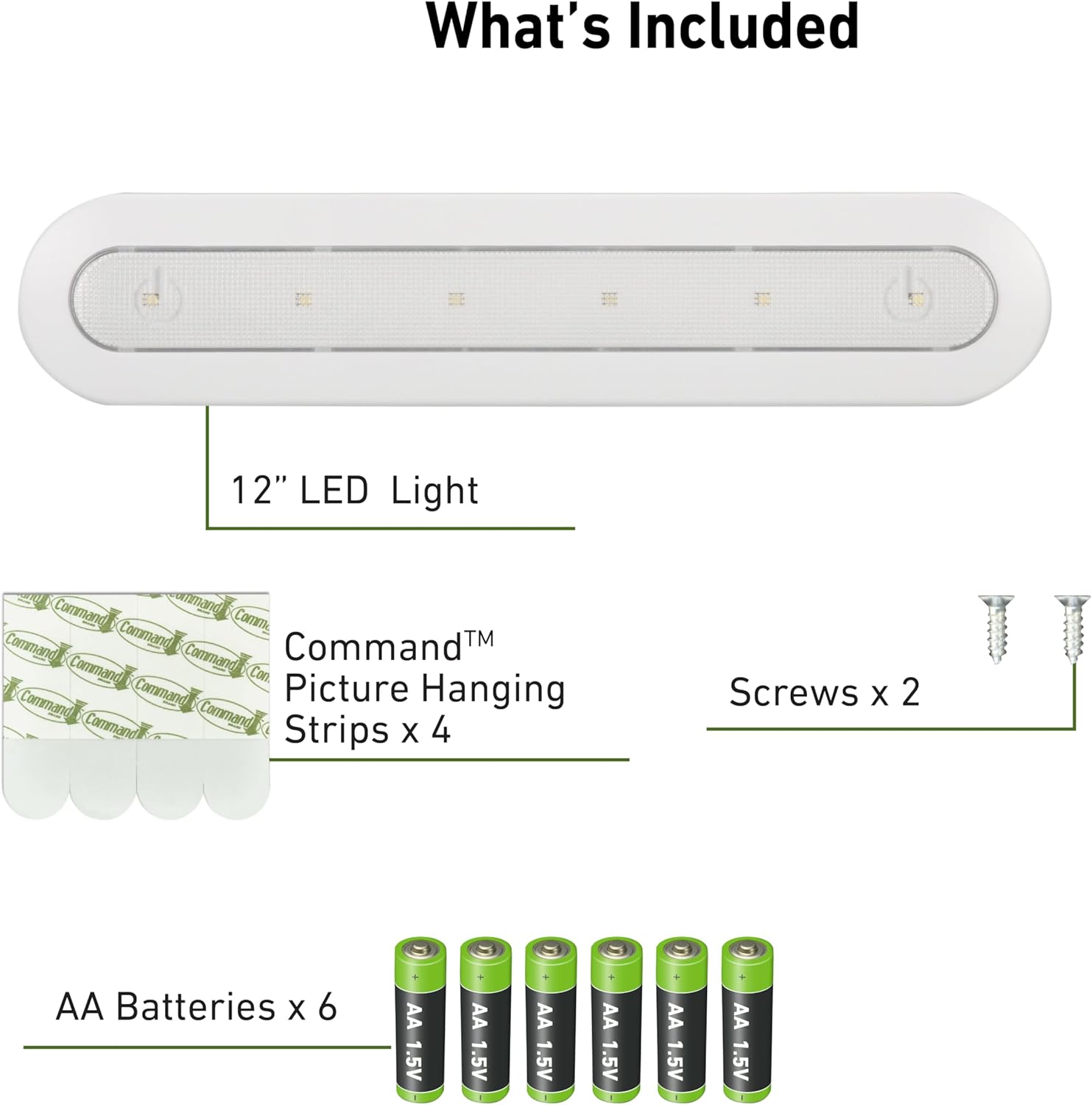
Image 3.1: Contents of the package, including the light bar, batteries, Command strips, and screws.
4. Fa'apipi'i
4.1 Fa'apipi'i ma'a
- Locate the battery compartment cover on the back of the light bar.
- Fa'ase'e pe tatala le ufiufi e tatala ai le vaega.
- Insert 6 AA batteries, ensuring correct polarity (+ and -) as indicated inside the compartment.
- Su'e lelei le ufiufi o le vaega maa.
4.2 Filifiliga Fa'apipi'i
The Ecolight LED Tap Bar Light offers two mounting methods:
- Temporary/Damage-Free Mounting: Using Command™ Picture Hanging Strips. Ideal for surfaces where you want to avoid holes.
- Fa'amau tumau: Using the provided screws. Provides a more secure, long-term installation.
4.2.1 Mounting with Command™ Strips
- Clean the mounting surface with rubbing alcohol and let it dry completely. Do not use household cleaners.
- Separate the Command™ Strips. Press two strips together until they click. Repeat for the other two strips.
- Remove the red liner from one side of each pair of strips and press them firmly onto the back of the light bar.
- Remove the black liner from the other side of each pair of strips.
- Align the light bar with the desired mounting location and press firmly against the surface for 30 seconds.
- To ensure adhesive strength, remove the light bar by pulling it up and away from the strips. Press the strips firmly against the wall for another 30 seconds.
- Wait 1 hour before reattaching the light bar to the strips.
4.2.2 Mounting with Screws
- Identify the two keyhole slots on the back of the light bar.
- Hold the light bar in the desired mounting location and mark the positions for the two screws through the keyhole slots.
- Drill pilot holes at the marked locations if necessary.
- Insert the provided screws into the pilot holes, leaving a small portion of the screw head exposed.
- Align the keyhole slots on the back of the light bar with the exposed screw heads and slide the light bar down to secure it.
- Tighten the screws if the light bar feels loose, but do not overtighten.

Image 4.1: Product dimensions for planning installation space.

Ata 4.2: Esoample of the light bar installed under a cabinet.
5. Galuega
5.1 Kiina/Tape
The Ecolight LED Tap Bar Light features a simple tap activation. To turn the light ON or OFF, gently tap the translucent lens on the front of the light bar.

Image 5.1: Tap On/Off activation method.
5.2 Fa'atulagaina o le Taimi
The light bar includes a built-in auto-off timer to conserve battery life. The timer switch is located on the side of the unit. You can select from the following modes:
- IA: The light remains continuously on until manually turned off.
- 1 MIN: The light automatically turns off after 1 minute.
- 5 MIN: The light automatically turns off after 5 minutes.
- 15 MIN: The light automatically turns off after 15 minutes.
To manually turn off the light when a timer setting is active, tap the bar a second time.

Image 5.2: Timer setting switch on the light bar.
6. Tausiga
6.1 Fa'amamāina
To clean the light bar, wipe it gently with a soft, dry cloth. Do not use abrasive cleaners, solvents, or sprays, as these may damage the finish or internal components.
6.2 Suiga maa
When the light output diminishes, it is time to replace the batteries. Follow the battery installation steps (Section 4.1) to replace all 6 AA batteries with new ones. Always replace all batteries at the same time and use the same type of battery.
7. Faʻafitauli
| Fa'afitauli | Mafuaaga e ono tupu | Fofo |
|---|---|---|
| E le ola le moli. | Ua mate maa pe ua sese foi le faapipiiina. | Suia maa, ia mautinoa le polarity sa'o. |
| Ua pogisa le malamalama. | Ua vaivai maa. | Sui uma maa i maa fou. |
| Light turns off too quickly. | Timer is set to a short duration. | Adjust the timer switch to a longer duration or 'ON' mode. |
| Light does not respond to tap. | Sensor obstruction or internal issue. | Ensure the lens is clean. If problem persists after battery replacement, contact customer support. |
8. Fa'amatalaga
| Numera Fa'ata'ita'i | BO1063-WHG-12LF6-E |
| Fua (L x W x H) | 12" x 2.5" x 1.1" (30.5 cm x 6.35 cm x 2.8 cm) |
| Punavai Malamalama | LED |
| Malamalama | 80 lumens |
| Lanu Tevela | 4000K (Pae Malūlū) |
| Punavai Malosi | 6 x AA maa (aofia ai) |
| Ola ma'a | Up to 44 hours (at full charge) |
| Lamp Olaga | 30,000 itula |
| Metotia Pulea | Tap On/Off, Timer Switch |
| Ituaiga Fa'amau | Surface Mount (Screws or Command™ Strips) |
| Mea | palasitika |
| Fa'aoga i totonu/I fafo | Na'o totonu lava |
9. Fa'amaonia ma Lagolago
9.1 Fa'amatalaga Fa'amaonia
This Ecolight product is covered by a 6-tausaga tapulaa faatapulaaina from the date of purchase. This warranty covers defects in materials and workmanship under normal use. It does not cover damage resulting from misuse, accident, modification, or unauthorized repair. Please retain your proof of purchase for warranty claims.
9.2 Fesoasoani mo Tagata Fa'atau
If you have any questions, require assistance, or encounter issues not covered in this manual, please contact Ecolight customer support. Refer to the product packaging or the official Ecolight webnofoaga mo faʻamatalaga faʻafesoʻotaʻi o loʻo iai nei.