1. Folasaga
This manual provides essential instructions for the safe and efficient operation of your BenQ MX520 DLP Projector. Please read this manual thoroughly before using the projector and retain it for future reference.
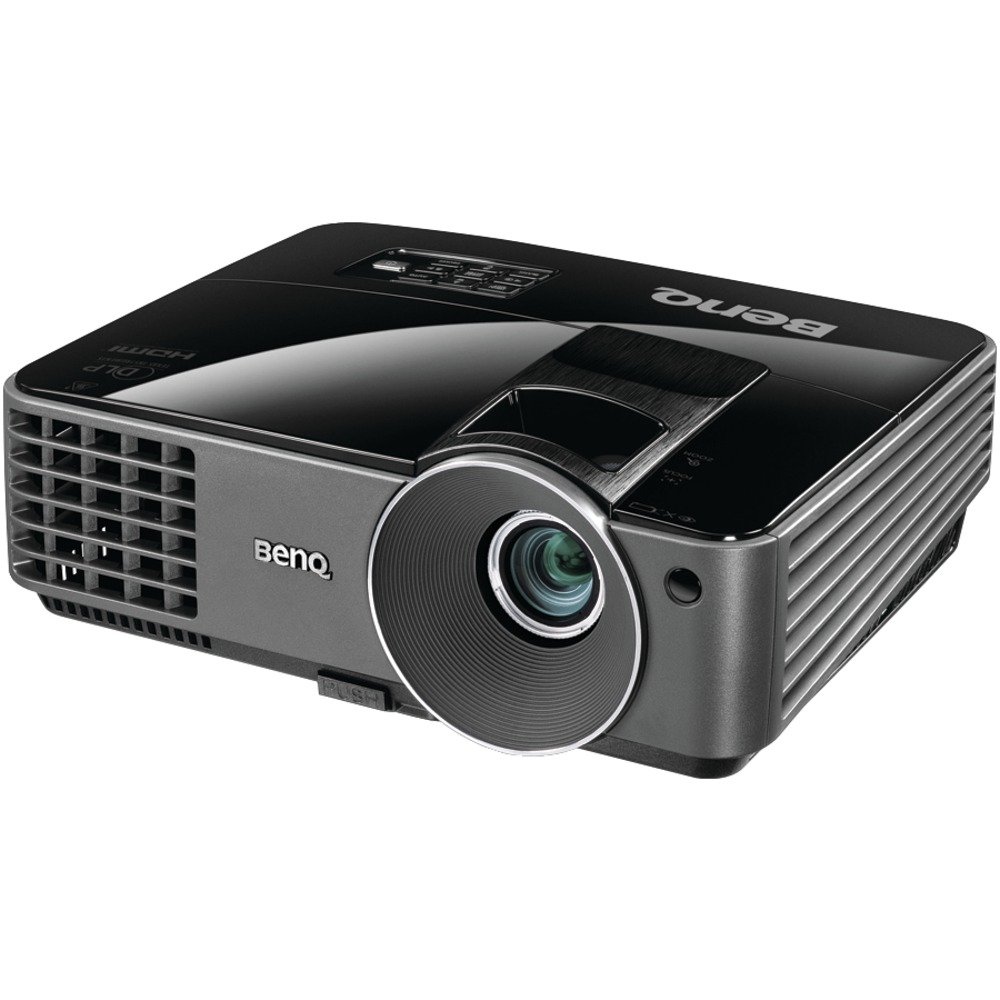
Image 1.1: BenQ MX520 DLP Projector. This image displays the projector from a front-right angle, highlighting its compact design, the main projection lens, and the BenQ logo.
The BenQ MX520 is a DLP projector designed for various projection needs, offering 3000 ANSI lumens brightness, a 13000:1 contrast ratio, and XGA (1024x768) resolution. It supports multiple 3D formats and incorporates SmartEco Technology for optimized lamp life and power efficiency.
2. Vaega o Oloa
- High Brightness and Contrast: 3000 ANSI lumens and a 13000:1 contrast ratio for clear and vibrant images.
- XGA I'uga: Native 1024 x 768 resolution for detailed presentations.
- SmartEco Tekinolosi: Optimizes lamp power for energy savings and extended lamp ola e oo atu i le 6500 itula.
- 3D Sauni: Supports DLP Link 3D projection, including field-sequential, frame packing, top-and-bottom, and side-by-side 3D formats.
- Fuafuaga e Sa'oloto: Reduces maintenance requirements by eliminating the need for filter cleaning or replacement.
- Advanced Power Management:
- Faiga Fa'alekosi: Allows blanking the screen to redirect audience focus or save power when not in use.
- No Source Detected Mode: Automatically switches to Eco Blank Mode if no display source is detected for three minutes.
- 0.5W Standby Power: Minimizes power consumption when inactive.
- Otometi le Malosi Automatically powers off if no signal is detected for a set period.
- Signal Power On: Automatically turns on the projector when an input signal is detected.
- Fa'asa'o le Malosiaga: Powers on automatically when connected to a power source.
- Reduced Cooling Time: Cooling time has been significantly reduced for quicker shutdown.
- HDTV Fegalegaleai: Supports 480i, 480p, 576i, 576p, 720p, 1080i, 1080p.
3. Seti
3.1 Ta'ese'ese ma Tu'u
- Aveese ma le faaeteete le masini komepiuta ma mea uma mai le afifiina.
- Place the projector on a stable, flat surface in the desired projection area. Ensure adequate ventilation around the unit.
- ʻAloʻese mai le tuʻuina o le projector i le la saʻo pe latalata i mea e maua ai le vevela.
3.2 Mana Feso'ota'i
- Fa'afeso'ota'i le uaea eletise i le paipa eletise e alu a'e ai le projector.
- Fa'afeso'ota'i le isi pito o le uaea eletise i se so'o eletise ua fa'avae.
- E tatau ona moli le moli faailoilo o le eletise i luga o le masini fa'ata'ita'i.
3.3 Fa'afeso'ota'i Puna'oa Fa'aofi
The BenQ MX520 supports various input sources. Connect your device (e.g., computer, Blu-ray player) to the projector using the appropriate cable.
- HDMI: Mo le fa'amalamalamaga maualuga ata vitio ma leo.
- VGA (D-Sub): Mo fa'ailoilo fa'a-analog a le komepiuta.
- S-Vitio: For standard definition video.
- Vitio tu'ufa'atasi (RCA): For standard definition video.
- Leo i totonu/Ofo: Mo le fa'afeso'ota'i masini fa'alogo fafo.
- Mini-USB: Mo le tautua po'o le fa'atonuga.
Fa'aaliga: For optimal picture quality with HDMI, use a High-Speed HDMI cable.
3.4 Fetuunaiga o Ata
- Sa'o: Adjust the zoom ring on the lens to achieve the desired image size on your screen.
- Taulai: After adjusting the zoom, rotate the focus ring on the lens until the image appears sharp and clear.
- Fa'asa'oga ma'a 'au'au: Use the projector's menu or dedicated buttons to correct any trapezoidal distortion if the projector is not perfectly perpendicular to the screen.
4. Fa'atonuga o Galuega
4.1 Fa'aola i luga/Pepe
- Malosiaga: Press the power button on the projector or remote control. The lamp will take a moment to warm up before the image appears.
- Tapē le eletise: Press the power button again. The projector will enter a cooling cycle. Do not unplug the projector during this cycle. Wait for the cooling fan to stop before disconnecting power.
4.2 Filifiliga o Punaoa Ulufale
Use the "Source" button on the projector or remote control to cycle through available input sources (HDMI, VGA, S-Video, etc.) until your desired source is displayed.
4.3 SmartEco Modes
The BenQ MX520 features SmartEco Technology to optimize power consumption and extend lamp ola:
- SmartEco Mode: Automatically adjusts lamp power based on content to deliver optimal brightness and contrast while maximizing energy savings.
- Faiga Fa'alekosi: Activates a blank screen, reducing lamp power to 30% when the projector is not actively displaying content. This can be manually activated or automatically engaged if no source is detected.
- No Source Detected Mode: If the projector remains on for over three minutes without an active input signal, it will automatically switch to Eco Blank Mode to conserve energy.
4.4 3D Projection
To enjoy 3D content, ensure your source device is outputting a compatible 3D signal and you are using DLP Link compatible 3D glasses. Refer to your 3D source device's manual for specific setup instructions.
5. Tausiga
5.1 Lamp Olaga
O le masini komepiuta lamp has an estimated life of up to 6500 hours, depending on usage mode. When the lamp a oo i le iuga o lona olaga, o le a aliali mai se feʻau lapatai, ma o le lamp indicator will illuminate. Refer to the service section for lamp replacement instructions (if applicable, or contact support).
5.2 Tausiga Filter
The BenQ MX520 features a filter-free design, eliminating the need for regular filter cleaning or replacement. This reduces ongoing maintenance costs and effort.
5.3 Fa'amama tioata
To clean the projector lens:
- Ensure the projector is turned off and cooled down.
- Use a soft, lint-free lens cloth. Gently wipe the lens surface.
- If the image appears blurred after cleaning, re-adjust the focus using the focus ring on the lens. Applying pressure during cleaning can temporarily shift the focus.
5.4 Fa'amama Lautele
Solo le masini komepiuta iasini se ie vaivai ma mago. Aua le fa'aaogaina ni mea fa'amama po'o ni vaila'au fa'amama.
6. Faʻafitauli
- Leai se ata ua fa'aalia:
- Ensure the projector is powered on and the lamp ua mafanafana.
- Verify that the input source cable is securely connected to both the projector and the source device.
- Select the correct input source using the "Source" button.
- Check if the source device is powered on and outputting a signal.
- Ata faanenefu:
- Fetuuna'i le mama taula'i i le tioata o le masini komepiuta.
- Ia mautinoa e mafolafola le mea o loʻo faʻaalia ai le ata ma ia talafeagai le mamao o loʻo i ai le ata.
- Projector Shuts Down Unexpectedly:
- Check for proper ventilation; ensure vents are not blocked.
- If the projector enters "No Source Detected Mode," it will go into Eco Blank mode. If no signal is detected for a longer period, it may auto power off.
- Allow sufficient cooling time after shutdown before restarting.
- Pulea mamao e le o galue:
- Ia mautinoa e leai ni mea fa'alavelave i le va o le remote ma le IR receiver a le projector.
- Toe sui maa i le masini mamao.
7. Fa'amatalaga
| Numera Fa'ata'ita'i | MX520 |
| Fa'aaliga Tekonolosi | DLP |
| I'ugafono a le Atunu'u | XGA (1024 x 768) |
| Malamalama | 3000 ANSI Lumens |
| Fa'atusatusaga Fa'atusatusa | 13000:1 |
| Lamp Life (Normal/Eco/SmartEco) | Up to 6500 hours (SmartEco Mode) |
| Tekinolosi Feso'ota'i | HDMI, VGA, S-Video, Composite Video, Audio In/Out, Mini USB |
| Fa'apitoa Fa'apitoa | 3D-Ready, SmartEco Technology, Filter-Free Design |
| Oloa Fua (W x H x D) | 11.3 x 4.5 x 9.2 inisi (pe tusa) |
| Mea mamafa | 5.3 pauna |
| Tufuga | BenQ |
8. Fa'amaonia ma Lagolago
For detailed warranty information, please refer to the warranty card included with your product or visit the official BenQ website. Technical support and service contact information can also be found on the BenQ support pages.
For further assistance, please contact BenQ customer support.


