1. Introduction to Super Mario Kart
Super Mario Kart is a go-kart racing game released for the Super Nintendo Entertainment System (SNES). It features characters from the Super Mario universe, including Mario, Luigi, King Koopa, Toadstool, and Donkey Kong Jr., competing in races across various tracks. This title introduced the Mario Kart series, combining strategic item usage with racing elements.
Players can collect power-ups such as mushrooms for speed boosts, or deploy items like Koopa shells and banana peels to affect opponents. The game includes a Battle Mode for two players, utilizing a split-screen view. Super Mario Kart employs Mode 7 graphics to create its racing environments.
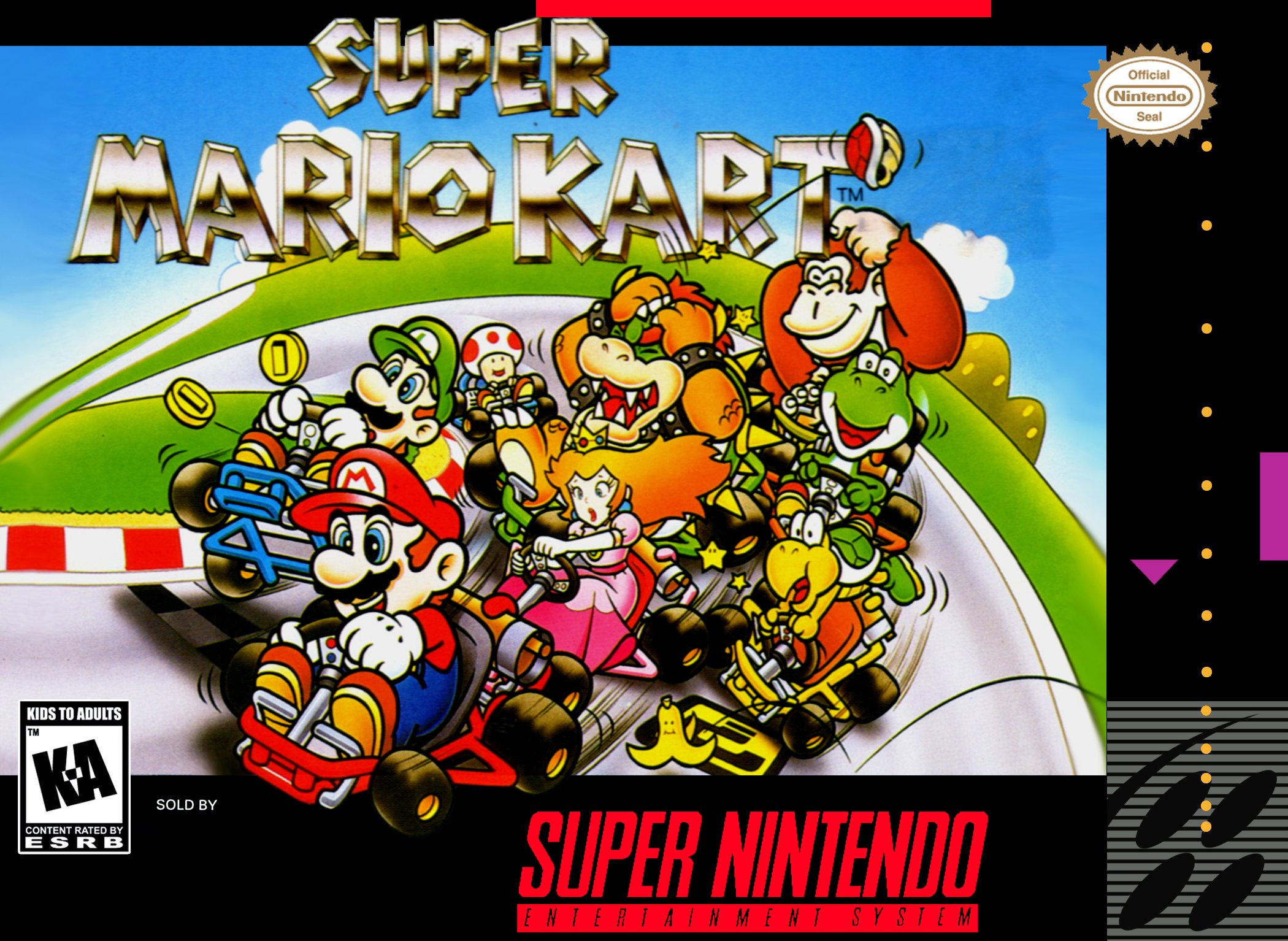
Image: Super Mario Kart game cartridge and its original packaging for the Super Nintendo Entertainment System.
2. Fa'atonu Fa'atonu
- Connect Your SNES Console: Ensure your Super Nintendo Entertainment System (SNES) console is properly connected to your television and power source. Refer to your SNES console's manual for detailed connection instructions if needed.
- Fa'aofi le Cartridge Ta'aloga: Gently insert the Super Mario Kart game cartridge into the cartridge slot on your SNES console. Ensure it is fully seated.
- Feso'ota'i Pule: Plug your SNES controllers into the controller ports on the front of the console.
- Malosiaga: Turn on your television and select the correct input source. Then, power on your SNES console. The Super Mario Kart title screen should appear.
- Amata Taaloga: Press the START button on your controller to begin the game.
3. Fa'atonuga o Galuega
3.1. Pulea Autu
- Papa Fa'atonu (D-Pad): Steer your kart left or right.
- Se faamau: Fa'avavevave.
- B faamau: Brake/Reverse.
- Y faamau: Use item.
- Fa'amau L/R: Hop/Drift (useful for tight turns).
- faamau AMATA: Pause game/Access menu.
3.2. Faiga Taaloga
- Mario Kart GP: Compete in a series of races across different cups (Mushroom Cup, Flower Cup, Star Cup, Special Cup) to earn points and win the championship. Available in 50cc, 100cc, and 150cc classes, affecting kart speed and difficulty.
- Time Trial: Race against the clock on any track to set the fastest lap times.
- Match Race: A head-to-head race against another player or a computer-controlled opponent.
- Faiga Taua: A two-player mode where players try to pop each other's balloons using items. The last player with balloons remaining wins.
3.3. Characters
Choose from eight iconic characters, each with unique handling characteristics:
- Mario
- Luigi
- Princess Peach
- Yoshi
- Toad
- Koopa Troopa
- Donkey Kong Jr.
- Bowser
3.4. Items and Power-ups
Collect item boxes on the track to receive various power-ups that can help you or hinder your opponents:
- Mushroom: Provides a temporary speed boost.
- Green Shell: Fires straight forward or backward, bouncing off walls.
- Red Shell: Homing missile that targets the kart in front of you.
- Banana Peel: Can be dropped behind your kart or thrown forward to make opponents spin out.
- Fetu: Grants temporary invincibility and increased speed.
- Fulu: Allows for a high jump, useful for shortcuts or avoiding obstacles.
- Uila Uila: Shrinks all opponents, making them slower and vulnerable.
- Agaga: Steals an item from an opponent and makes you temporarily invisible.
4. Tausia ma Tausiga
- Cartridge Storage: Store the game cartridge in its original case or a protective sleeve when not in use to prevent dust and damage.
- Fa'amama Feso'ota'iga: If the game does not start, gently clean the gold connector pins on the bottom of the cartridge with a cotton swab lightly dampfa'atasi ma le isopropyl alcohol. Fa'ataga e fa'amamago atoa a'o le'i toe tu'u.
- Aloese mai Tulaga Tulaga: Do not expose the cartridge to extreme temperatures, direct sunlight, or moisture.
- Taulima ma le Fa'aeteete: Avoid dropping the cartridge or applying excessive force when inserting or removing it from the console.
5. Faʻafitauli
- E lē Amata le Ta'aloga/Lau Uliuli:
- Ensure the cartridge is fully and correctly inserted into the SNES console.
- Fa'amamā pine fa'afeso'ota'i o le katiriti e pei ona fa'amatalaina i le vaega Tausiga.
- Verify that your SNES console is properly connected to the TV and power, and that the TV is on the correct input.
- Pule Le Tali:
- Check that the controller is securely plugged into the console.
- Try a different controller if available to rule out a faulty controller.
- Graphics Glitches/Sound Issues:
- Remove and reinsert the cartridge.
- Clean the cartridge pins.
- Ensure all cables (AV, power) are securely connected.
6. Fa'amatalaga o oloa
| Ituaiga | Kart Racing and Flying Games |
| Numera o Tagata Ta'alo | 2 |
| Fa'a komepiuta | Nintendo Super NES |
| UPC | 045496830144 |
| ASIN | B00002SVFR |
| Fua o Mea | 5.9 x 5.9 x 1 inisi |
| Mea mamafa | 4 aunese |
| Gagana | Igilisi |
| Fa'atauaina | Tagata uma |
| Numera Fa'ata'ita'i Mea | 83014 |
| Tufuga | Nintendo |
| Aso Muamua Maua | Ianuari 1, 2000 |
7. Fa'amaonia ma Lagolago
For information regarding warranty, repairs, or technical support for your Super Mario Kart game or Super Nintendo Entertainment System, please contact Nintendo Customer Support directly.
You can find contact information and support resources on the official Nintendo webnofoaga: www.nintendo.com/support/.
Please note that for vintage products like the Super Nintendo Entertainment System and its games, specific warranty terms may vary or be expired. However, Nintendo's support resources can still provide valuable assistance for common issues.


