
Folasaga
Thank you for choosing the JUOVI 65W 20000mAh Portable Power Bank. This device is designed to provide fast and efficient charging for a wide range of electronic devices, including laptops, smartphones, tablets, and more. Please read this manual carefully to ensure proper use and to maximize the lifespan of your power bank.
Ua Umaview
The JUOVI 65W 20000mAh Portable Power Bank is a compact and powerful charging solution featuring:
- 65W Totogi vave: Supports up to 65W fast charging, compatible with various laptops including MacBook, Dell, and Thinkpad, ensuring your productivity never pauses.
- 2 USB-A and 2 USB-C Ports: Equipped with multiple ports to charge your laptop, phone, and tablet simultaneously, reducing clutter and simplifying your carry.
- Travel-Friendly and Airline-Approved: Designed for seamless travel, compliant with airline regulations, allowing you to carry it through security worldwide.
- Feso'ota'i lautele: Supports various fast-charging protocols including PD, PPS, QC, FCP, and SCP, making it compatible with common devices like iPhone series, other smartphones, tablets, and earbuds.
- Multi-protection: Built-in safeguards protect your devices from overvoltage, overload, overheating, overcurrent, and short circuits. The power bank automatically shuts off when devices are fully charged to prevent overcharging and protect battery health.
O mea o lo'o i totonu
Pe a tatala le pusa, faamolemole ia mautinoa o loʻo iai mea uma:
- JUOVI 65W 20000mAh Portable Power Bank (Model J2931)
- USB-C to USB-C Charging Cable (approx. 13 inches)
- Tusi Taiala
Seti
Before initial use, it is recommended to fully charge your JUOVI Power Bank.
- Connect the provided USB-C to USB-C cable to one of the USB-C IN/OUT ports on the power bank.
- Connect the other end of the cable to a compatible USB-C wall charger (not included).
- The digital display on the power bank will show the charging percentage, and the last digit will flash, indicating it is charging.
- Once the display shows 100% and stops flashing, the power bank is fully charged and ready for use.
Fa'atonuga o Galuega
Totogiina o Au Masini
E fa'atumu au masini faaeletonika:
- Connect your device to one of the available USB-A or USB-C output ports on the power bank using an appropriate charging cable.
- Press the power button on the side of the power bank once to activate charging. The digital display will show the remaining battery percentage.
- For fast charging, a green light indicator will illuminate next to the percentagu faʻaaliga.
- The power bank will automatically detect your device and deliver the optimal charging speed.
Low Current Mode for Small Devices
For charging low-power devices such as Bluetooth earbuds or smartwatches, activate the low current mode:
- Ensure the power bank is powered on.
- Double-press the power button on the side of the power bank. The green light indicator will turn off, signifying entry into low current mode.
- Connect your low-power device to the power bank.
- To exit low current mode, double-press the power button again.
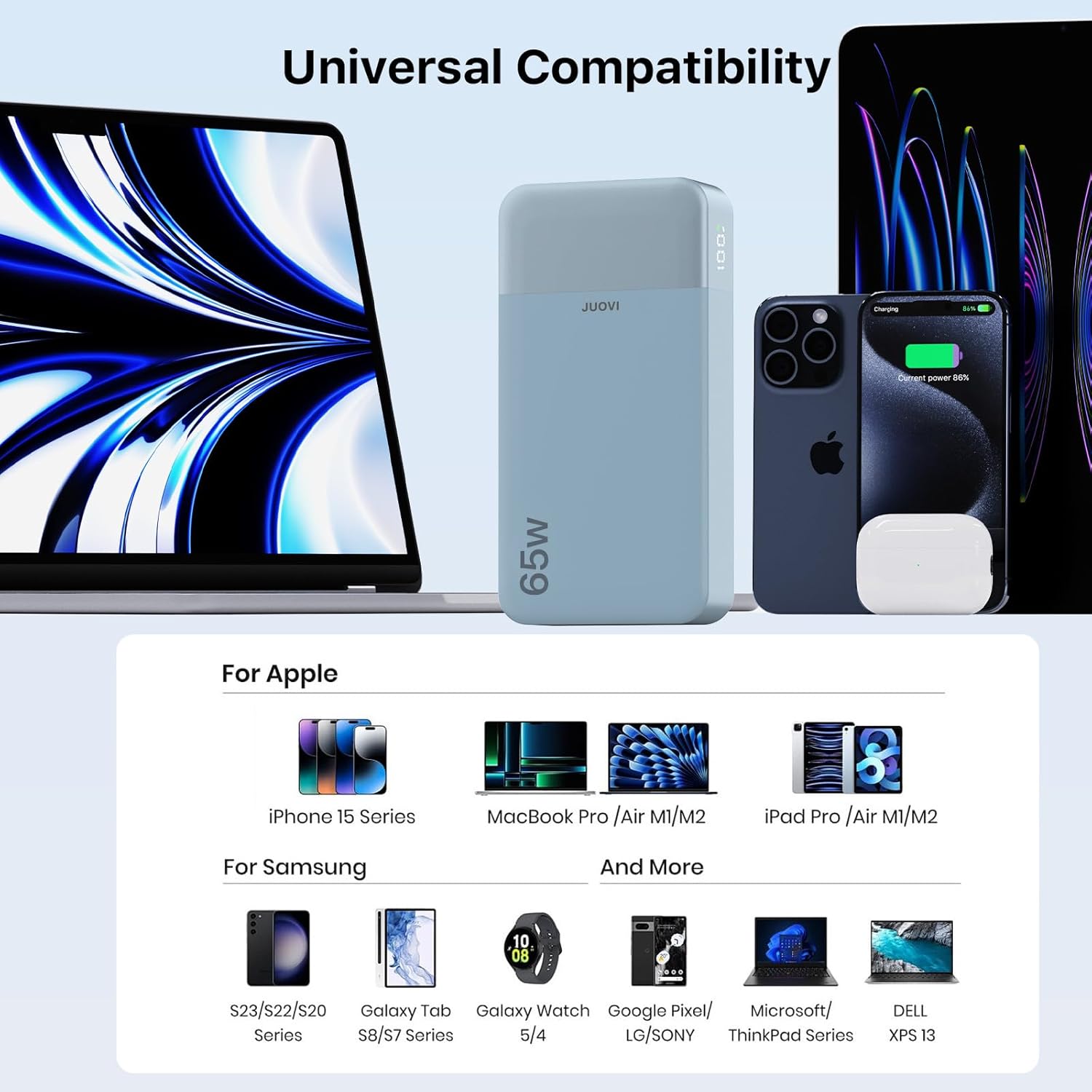
Image: The JUOVI 65W 20000mAh Portable Power Bank simultaneously charging a smartphone and a laptop via its USB-C ports, demonstrating its multi-device charging capability.
Fegalegaleaiga
The JUOVI Power Bank is designed for broad compatibility:
- Laptops: Compatible with MacBook, Dell XPS, ThinkPad, and other laptops supporting USB-C Power Delivery up to 65W.
- Telefonitelefoni: Supports iPhone series (17/16/15/14), Samsung Galaxy series (S23/S22/S20), Google Pixel, and other Android phones.
- Papamaa: Works with iPad Pro/Air M1/M2, Galaxy Tab S8/S7 Series, and other USB-C enabled tablets.
- Isi masini: Charges Steam Deck, earbuds, smartwatches, and other small electronic devices.

Image: A visual representation of the JUOVI Power Bank's universal compatibility, displaying various Apple devices (iPhone 15 Series, MacBook Pro/Air M1/M2, iPad Pro/Air M1/M2) and Samsung devices (S23/S22/S20 Series, Galaxy Tab S8/S7 Series, Galaxy Watch 5/4), alongside other compatible brands like Google Pixel/LG/Sony, Microsoft/ThinkPad Series, and Dell XPS 13.
Fa'amatalaga Saogalemu
Your safety and the longevity of your devices are paramount. The JUOVI Power Bank incorporates multiple protection features:
- Fouvaletagu Puipuiga: Puipuia le faaleagaina mai le soona voltagu fa'aoga.
- Puipuiga ovata: Safeguards against drawing too much current.
- Puipuiga ole vevela: E mata'ituina le vevela i totonu e puipuia ai le soona vevela.
- Puipuiga ole A'a: Protects against excessive current output.
- Puipuiga Fa'a Pi'i: E otometi lava ona tipi le paoa pe a tupu se ta'avale pu'upu'u.
- Taofi-Tapunia Taavale: The power bank will automatically turn off once a connected device is fully charged to prevent overcharging and preserve battery health.
Fa'amatalaga
| Fa'aaliga | Fa'amatalaga |
|---|---|
| Numera Fa'ata'ita'i | J2931 |
| Malosiaga ma'a | 20000mAh |
| Malosi o Fa'aaogāga | 65W |
| Taulaga Ulufale | USB Type C (C1/C2 IN/OUT) |
| Taulaga o Galuega | USB Type C (C1/C2 IN/OUT), USB Type A (USB1/USB2 OUT) |
| Fua o Mea | 5.4 x 1 x 2.8 inisi |
| Mea mamafa | 14.1 aunese |
| Fa'apitoa Fa'apitoa | Auto Shut-Off, Digital Display, Fast Charging, Over Charging Protection, Short Circuit Protection |
| Faamaonia le Vaalele | Yes (under 100Wh) |

Image: A visual comparison of the JUOVI Power Bank's dimensions (13.7cm x 7cm) against a typical smartphone (16.3cm x 7.9cm), highlighting its compact size.
Fa'afitauli
Reduced Charging Speed with Multiple Devices
When multiple devices are connected to the power bank, the total available wattage (65W) is distributed among them. This may result in individual devices charging at a slower rate than if they were charged alone. For example, if you plug in a laptop and a smartphone, the 65W output will be shared, potentially reducing the fast charging speed for each device. This is normal behavior for multi-port power banks to ensure stable power delivery across all connected devices.
Device Not Charging or Slow Charging
- Siaki Uaea: Ia mautinoa o loʻo e faʻaaogaina se uaea faʻatumu e maualuga le lelei ma fetaui lelei.
- Fa'agaoioiga Faletupe Malosiaga: Press the power button once to ensure the power bank is active.
- Lelei Faʻatonuga Nei: If charging a small device (e.g., earbuds), ensure Low Current Mode is activated by double-pressing the power button. If a small device is connected while in standard fast-charging mode, it might not charge or charge very slowly due to excessive power delivery.
- Power Bank Charge Level: Ia mautinoa o loʻo lava le malosi e teu ai le power bank.
Fa'amaonia ma Lagolago
For warranty claims, technical support, or any inquiries regarding your JUOVI 65W 20000mAh Portable Power Bank, please refer to the contact information provided on the product packaging or visit the official JUOVI web'upega tafaʻilagi. Taofi lau lisiti faʻatau e fai ma faʻamaoniga o le faʻatauga mo auaunaga faʻamaonia.