
1. Folasaga
Thank you for choosing the Jesebang AI Translation Earbuds YT18. These earbuds are designed to provide instant voice translation, high-quality audio, and comfortable wear for various communication and entertainment needs. This manual provides detailed instructions for setup, operation, and maintenance to ensure optimal performance.
2. Mea i totonu o le afifi
Fa'amolemole siaki le afifi mo mea nei:
- Jesebang AI Translation Earbuds (L/R)
- Totogi Fua
- USB-C Uaea Fa'atau
- User Guide for YT18

Image: Contents of the Jesebang AI Translation Earbuds package, including the earbuds, charging case, USB-C cable, and user guide.
3. Oloa Ua Ovaview
The Jesebang AI Translation Earbuds YT18 feature an ergonomic design for comfortable wear and integrate advanced technology for clear audio and accurate translation.
Noise Reduction and Microphones
The earbuds are equipped with Feedforward and Feedback ENC (Environmental Noise Cancellation) microphones to ensure clear audio input and output, crucial for accurate translation and calls.

Ata: O se auiliiliga view of the earbud, indicating the locations of the Feedforward and Feedback ENC microphones, essential for noise reduction and multi-language translation.
Ergonomic Design
The earbuds feature an ear hook design that adapts to various ear shapes, providing a secure and comfortable fit even during extended use.

Image: A woman wearing the earbuds, illustrating their comfortable and secure fit. A diagram shows the four steps for correctly placing the earbuds in the ear.
4. Totogiina le Earbuds ma Case
The earbuds and charging case provide extended battery life. Ensure both are charged before first use.
Ola ma'a
- Single Listening Battery Life: E oʻo atu ile 8 itula.
- Total Battery Life with Charging Case: E oʻo atu ile 48 itula.
Fa'atonuga o Totogi
Place the earbuds into the charging case. Connect the USB-C cable to the charging case and a power source. The charging case features a power display, and the earbuds have a charging display to indicate their status.

Image: The charging case with earbuds, illustrating the 8-hour single listening battery life and 48-hour total battery life with the case. Charging indicators for both earbuds and the case are shown.
5. Fa'apipi'i App ma Fa'atasi
To utilize the full translation capabilities, you need to install the 'Ear Dance' application on your smartphone and pair the earbuds.
Polokalama Download
- Method 1 (QR Code): Scan the QR code provided in the user manual or on the product packaging to download the 'Ear Dance' app.
- Method 2 (App Stores): Saili mo 'Ear Dance' on major app stores (Google Play Store for Android, Apple App Store for iOS) and download the application.
Pairing Bluetooth
- Tatala le tulaga Bluetooth i lau telefoni ma saili mo masini Bluetooth lata ane.
- Select 'YT18' from the list of available devices to complete the connection.
- Launch the 'Ear Dance' app. The device should connect automatically within the app.

Image: Instructions for downloading the 'Ear Dance' app via QR code or app stores, and steps for connecting the YT18 earbuds via Bluetooth and within the application.
For direct app download, visit: https://earjoy.watchfun.cn/app-download-h5?appCode=eardance
6. Operating Modes and Translation Functions
The Jesebang AI Translation Earbuds YT18 offer 7 distinct modes for various scenarios, supporting translation in 164 languages with up to 98% accuracy.

Ata: Ua umaview of the seven operational modes available with the earbuds, including AI Chat, Free Talk, and various translation functionalities.
Faiga Faaliliuga
- Faiga Talanoaga AI: Open this mode via the app to get immediate answers to daily or work-related questions and quickly find solutions to problems.
- Auala Talanoaga Sa'oloto: Enables natural, continuous conversation with real-time translation.
- Faiga Fa'aliliuga o Masini: Functions as a dedicated translation device.
- Headphones + Phone Mode: One person double-clicks the earbud, and the other person taps a button on the phone to start a smooth two-way conversation.
- Voice Note Mode: For recording and translating voice notes.
- Audio and Video Translation Mode: Understand spoken language in audio and video content instantly, regardless of the language spoken by the other person.
- Faiga Faaliliuga Ata: Recognizes and instantly translates text through the camera.
- Fa'amatalaga Fa'atasi: Ideal for meetings or lectures where real-time interpretation is needed.
- Fa'amaumauga Ola: Records conversations and provides translated text.
- In-person Translation: Facilitates direct communication between two individuals speaking different languages.

Image: Demonstrates the earbuds in use for translation, listening to audio, and making phone calls.
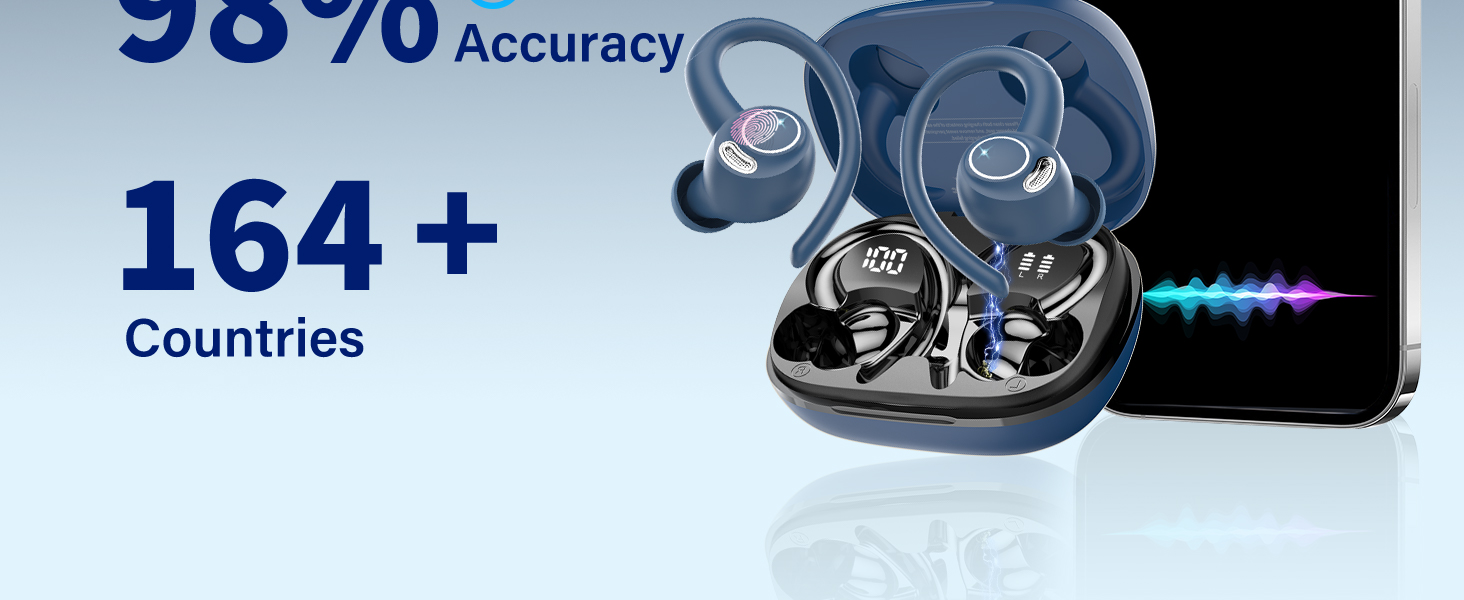
Image: A visual representation of the real-time translation feature within the app, displaying a conversation translated between English and Spanish.

Image: The app interface demonstrating the voice and video translation mode during a video call, allowing users to understand different languages instantly.

Image: A user demonstrating the photo translation feature by scanning text from a book with their smartphone camera.

Image: Depicts various translation scenarios including simultaneous interpretation, live recording, and in-person translation, highlighting the versatility of the earbuds.
7. Mea Fa'alogo
Tulaga maualuga leo
The integrated 14.2mm speaker allows for an advanced sound experience, ensuring clear audio for music and calls.

Image: An exploded diagram of the earbud, showcasing its internal components, particularly the 14.2mm speaker responsible for high-definition sound.
Ultra-clear and Noise-free Calls
Thanks to an advanced voice signal processing system, the sound during calls is crisp and free from unwanted noise.

Image: An earbud placed in an ear, with visual sound waves indicating the clarity and noise-free nature of calls.
8. Pulea Pa'i Atamai
The earbuds feature intuitive touch controls for managing calls, music, and activating voice assistants.

Image: A visual guide to the smart touch controls on the earbud, detailing actions such as answering calls, changing tracks, adjusting volume, and activating Siri.
- Tali/Ta'u Valaau: Pa'i tasi.
- Pese muamua/sosoo: Double tap (specific earbud for each).
- Volume +/-: Triple tap (specific earbud for each).
- Fa'agaoioi le Leo Fesoasoani (Siri/Google Fesoasoani): Fetaomi umi.
9. Durability and Water Resistance
The earbuds are designed with IPX7 water resistance, which helps reduce corrosion caused by sweat and rain, ensuring normal operation during light exposure to moisture.

Image: The earbuds shown with water droplets, signifying their IPX7 water resistance rating, which protects against sweat and rain.
10. Fa'amatalaga
| Fa'aaliga | Fa'amatalaga |
|---|---|
| Fa'ailoga | Jesebang |
| Fa'ata'ita'iga | YT18 |
| Feso'ota'i | Bluetooth 5.3 |
| Gagana Faaliliu | 164 |
| Translation Accuracy | E oo atu ile 98% |
| Taimi Ta'aloga Fa'alogo Ta'itasi | E oʻo atu ile 8 itula |
| Aofa'i Taimi Ta'alo (fa'atasi ai ma atigipusa) | E oʻo atu ile 48 itula |
| Taulaga Totogi | USB-C |
| Ituaiga maa | Lithium Polymer (rechargeable) |
| Suavai Tetee | IPX7 |
| Mea mamafa | 140 g |
| Fuafuaga Mea | 10 x 9.7 x 3.9 cm |
11. Faʻafitauli
If you encounter issues with your Jesebang AI Translation Earbuds YT18, please refer to the following common problems and solutions:
- E le fetaui taliga taliga: Ensure both earbuds are charged and within range of your device. Turn off and on your device's Bluetooth, then try pairing again.
- Leai se leo: Check the volume levels on both your device and the earbuds. Ensure the earbuds are correctly connected to your device.
- Translation not working: Verify that the 'Ear Dance' app is installed, updated, and the earbuds are connected within the app. Check your internet connection, as translation often requires online processing.
- Le lelei leo: Ensure the earbuds are clean and properly seated in your ears. Try resetting the earbuds and reconnecting.
- Ua vave ona alu le maa: Ensure the charging case is fully charged. Reduce usage of high-power features if possible.
12. Tausiga ma Tausiga
To ensure the longevity and optimal performance of your earbuds, follow these care guidelines:
- Ia mama ma mago le taliga ma le pusa e fa'atumu ai le telefoni. Faaaoga se ie vaivai ma mago e solo ai.
- ʻAloʻese mai le faʻaalia o earbuds i le vevela tele poʻo le susulu saʻo o le la mo se taimi umi.
- Aua ne'i fa'aogaina ni mea e fa'amama fa'amama po'o ni so'o.
- Teu fa'alogo taliga i totonu o le pusa o lo'o molia pe a le fa'aogaina e puipui ai ma fa'aola pea.
- Aloese mai le pa'u pe tu'u le taliga i ni aafiaga malolosi.
13. Lagolago Tagata Fa'atau
For further assistance, warranty information, or technical support, please contact Jesebang customer service through the retailer where you purchased the product or refer to the contact details provided in the original product packaging.