
eKids 115
eKids Dora Karaoke Microphone with Boombox Instruction Manual
Model: 115 | Brand: eKids
1. Folasaga
Welcome to the eKids Dora Karaoke Microphone with Boombox. This device is designed to provide an interactive and engaging musical experience. It features a wired microphone, built-in music, and Bluetooth connectivity for streaming audio from compatible devices. This manual provides essential information for setup, operation, maintenance, and troubleshooting to ensure optimal performance and enjoyment.
2. Oloa Ua Ovaview
The eKids Dora Karaoke Microphone with Boombox is a portable audio device shaped like Dora's backpack, designed for children aged 3 and up. It combines a speaker with a wired microphone, allowing users to sing along to pre-loaded songs or music streamed via Bluetooth.
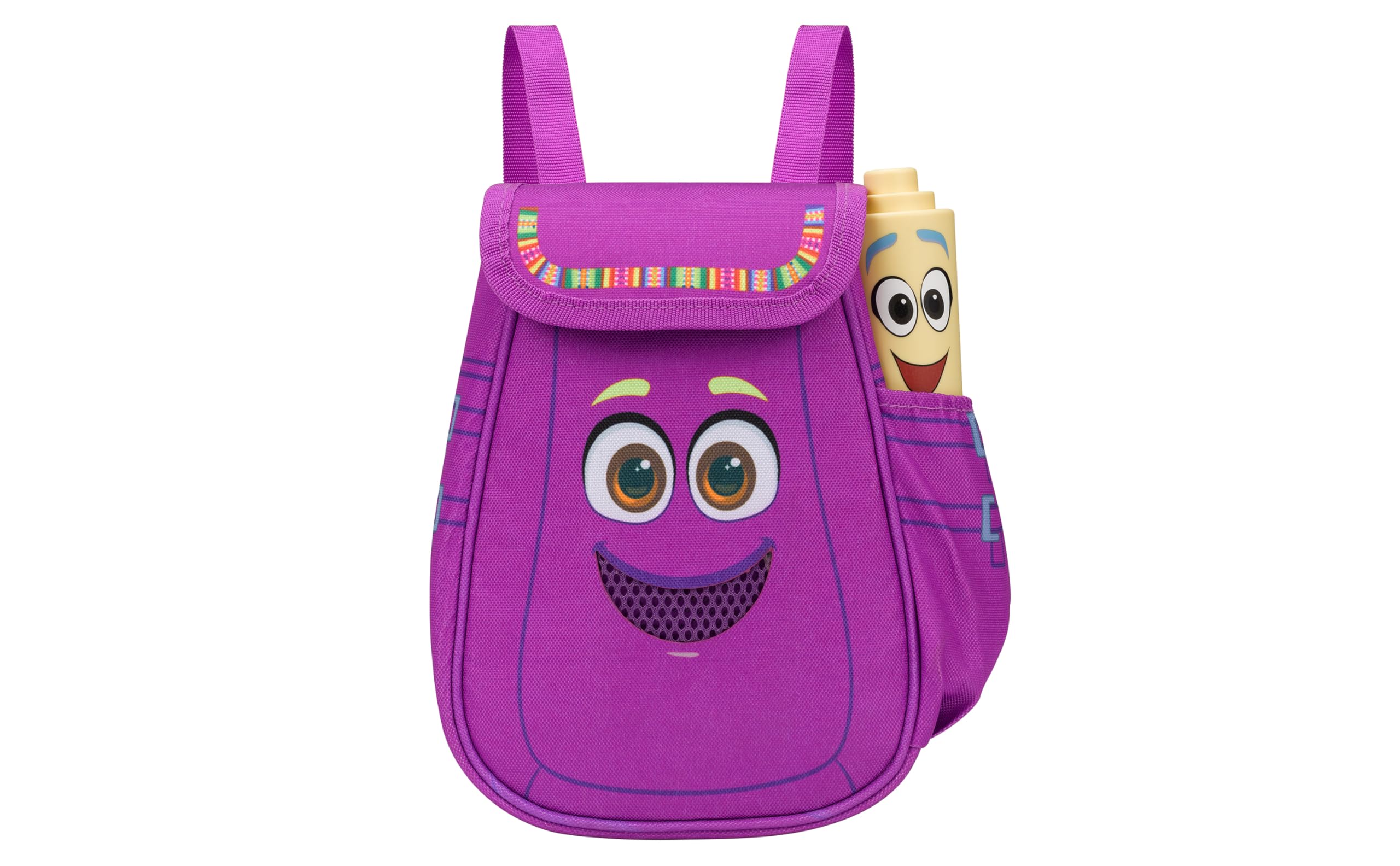
Figure 1: eKids Dora Karaoke Microphone with Boombox.
Vaega Autu:
- Fofoga Fetalai Bluetooth: Connects to any music device via Bluetooth to stream popular karaoke playlists and more. Lightweight and portable, this karaoke boombox is designed for kids aged 3 and up.
- Karaoke Microphone: Includes a wired microphone to amplify your voice for singing.
- Dora Backpack Design: Features cute and colorful graphics inspired by the popular Nickelodeon series.
- Musika ua fausia i totonu: Contains extended clips of the songs ‘Rainforest Ritmo’, ‘Cake’, and ‘Empanada’.
- feavea'i: Lightweight design with a built-in handle for easy transport.
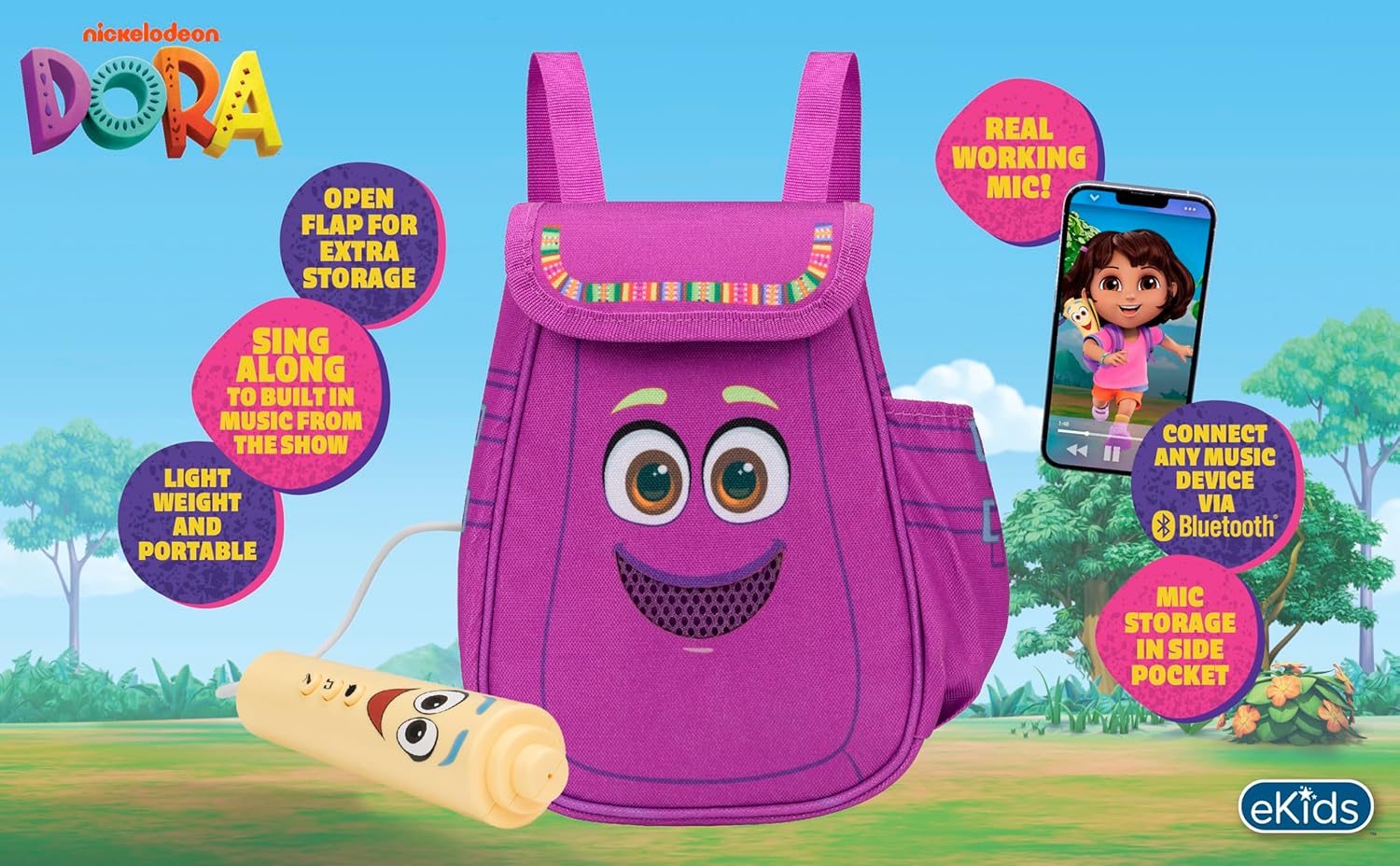
Ata 2: Va'aiga ua umaview of the product's key features.
3. Mea i totonu o le afifi
Ia mautinoa o lo'o iai mea uma pe a tatala le pusa:
- Dora Karaoke Microphone with Boombox (main unit)
- Uaea faaleotele leo
- Tusi Faʻatonuga (lenei pepa)
- 3 x 'AA' Batteries (included)

Figure 3: Product as packaged, showing the boombox and microphone.
4. Seti
4.1 Fa'apipi'i ma'a
- Locate the battery compartment on the back or bottom of the boombox unit.
- Using a Phillips head screwdriver (not included), open the battery compartment cover.
- Insert 3 'AA' batteries, ensuring correct polarity (+/-).
- Toe sui le ufiufi o le vaega o le maa ma fa'amau i le sikulima.
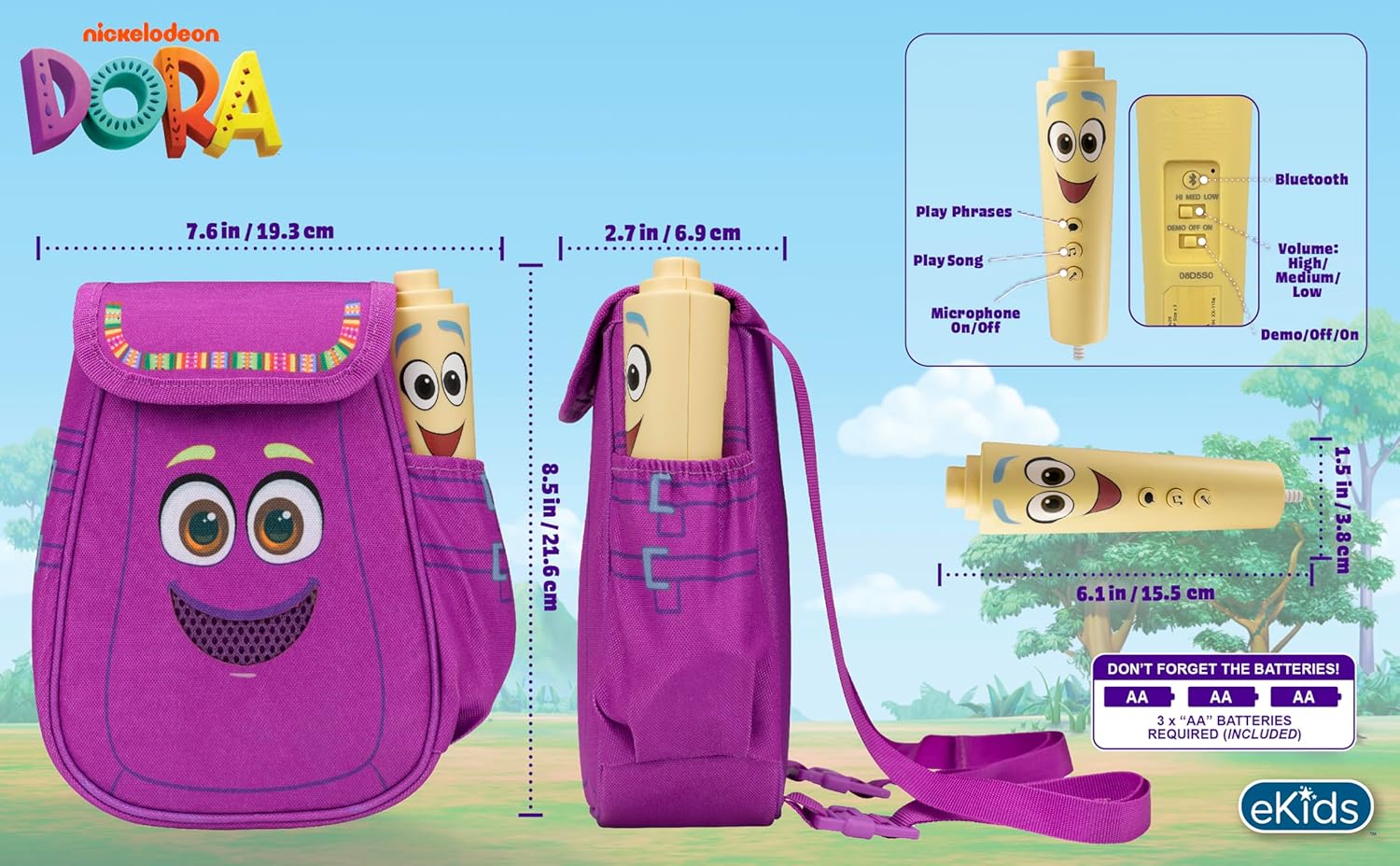
Ata 4: Tua view of the boombox, indicating battery compartment and control buttons.
4.2 So'oga Microphone
The wired microphone is typically pre-connected or plugs into a dedicated port on the boombox. Ensure the microphone cable is securely plugged in.
5. Fa'atonuga o Galuega
5.1 Malosi / Malosi
Locate the Power switch (often labeled ON/OFF or with a power symbol) on the unit. Slide it to the 'ON' position to power on the device. Slide it to 'OFF' to power off.
5.2 Playing Built-in Music
Press the designated 'Play Song' button (refer to Figure 4 for button layout) to cycle through the pre-loaded songs. The unit includes extended clips of 'Rainforest Ritmo', 'Cake', and 'Empanada'.
5.3 Using the Microphone
To use the microphone, ensure the 'Microphone On/Off' switch (refer to Figure 4) is in the 'On' position. Speak or sing into the microphone to amplify your voice through the boombox speaker.
5.4 Feso'ota'iga Bluetooth
To stream music from an external device:
- Ia mautinoa o lo'o ola le boombox.
- Activate Bluetooth on your external music device (e.g., smartphone, tablet, computer).
- Saili mo available Bluetooth devices and select "eKids Dora" or a similar name.
- Once paired, you can stream audio from your device to the boombox.

Figure 5: Bluetooth connectivity allows streaming from various compatible devices.
5.5 Pulea le Volume
Adjust the volume using the 'Volume: High/Medium/Low' switch on the unit (refer to Figure 4).
5.6 Fa'aaliga Fa'aalia
The unit may include a 'Demo/Off/On' switch (refer to Figure 4). Set it to 'Demo' for a brief demonstration of features, or 'On' for full functionality.
6. Tausiga
- Fa'amamaina: Solo le masini i se ie vaivai ma mago. Aua le fa'aaogaina ni mea fa'amama e olo ai pe fa'asusu le masini i le vai.
- Tausiga maa: Aveese maa pe afai o le a le fa'aogaina le iunite mo se taimi umi e puipuia ai le lepa.
- Teuina: Teu le iunite i se nofoaga malulu, matutu mamao ese mai le susulu o le la ma le vevela tele.
7. Faʻafitauli
| Fa'afitauli | Fofo |
|---|---|
| Leai se mana | Check battery installation and ensure batteries are fresh. Confirm the power switch is in the 'ON' position. |
| Leai se leo mai le sipika | Increase the volume. Ensure the microphone is switched 'ON' if using it. If using Bluetooth, check device volume and connection. |
| Ua le aoga le masini faaleotele leo | Ensure the microphone is securely plugged in and its 'On/Off' switch is in the 'On' position. |
| Le feso'ota'i le Bluetooth | Ensure the boombox is in Bluetooth pairing mode (if applicable, check manual for specific instructions). Turn off and on Bluetooth on your external device. Move devices closer together. |
8. Fa'amatalaga
- Fa'ailoga: eKids
- Igoa Fa'ata'ita'i: 115
- Lanu: Dora
- Punavai Malosi: Battery Powered (3 x 'AA' batteries)
- Faitauga o le Fofoga Fetalai: 1
- Tekinolosi Feso'ota'i: Bluetooth, 3.5mm audio jack (for wired microphone)
- Mea mamafa: 0.52 kilokalama
- Ituaiga Mea (D x W x H): 10.63"D x 2.24"W x 8.17"L
- UPC: 092298961934
- Tufuga: KIDdesigns
9. Fa'amaonia ma Lagolago
O lenei oloa e sau ma se 1-tausaga tapulaa faatapulaaina from the manufacturer, KIDdesigns. For warranty claims or technical support, please refer to the contact information provided with your purchase documentation or visit the eKids official webnofoaga.
For additional product information or to explore other eKids products, visit the eKids Brand Store.
Ask a question about this manual
Ask about setup, troubleshooting, compatibility, parts, safety, or missing instructions. Manuals+ will review the question and use this page’s manual context to help answer it.