
1. Oloa Ua Ovaview
The Baseus Mini MagSafe Powerbank 5000 mAh is a compact, Qi2 certified portable charger designed for convenience and efficiency. It features a 5000 mAh capacity, 20W Power Delivery (PD) via USB-C, and 15W wireless charging. The integrated foldable stand allows for hands-free viewing while charging. Its strong magnetic attachment ensures secure connection to compatible devices.
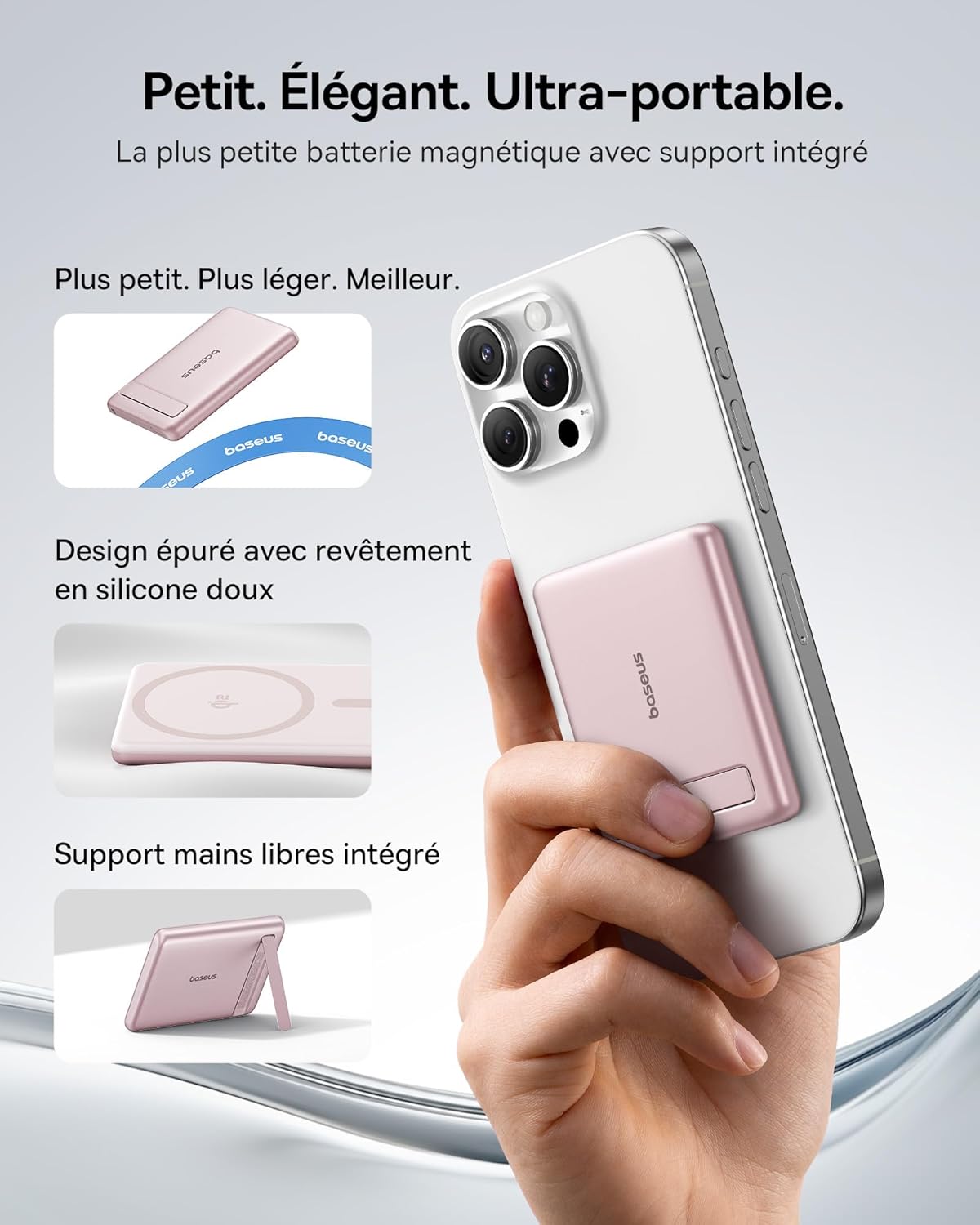
Image: The Baseus Mini MagSafe Powerbank securely attached to an iPhone, demonstrating its compact form factor and the convenience of the integrated kickstand for hands-free use.
2. Mea i totonu o le afifi
- Baseus Mini MagSafe Powerbank (Model: PPKPC-0520S)
- USB-C to USB-C Charging Cable (30 cm)
- Tusi Taiala

Image: The Baseus Mini MagSafe Powerbank and its accompanying USB-C charging cable, highlighting the included accessories.
3. Vaega o Oloa
- Compact and Premium Design: Smaller than a credit card with a 5000 mAh capacity, featuring a thin aluminum casing and soft-touch silicone finish. Ergonomic curved edges enhance grip, and an LED display indicates battery status.
- Qi2 Fast Charging: Provides up to 15W wireless fast charging for iPhones and other Qi2-compatible devices. Qi2 technology ensures secure magnetic alignment for faster and more reliable power delivery.
- Integrated Foldable Stand: The built-in aluminum kickstand allows for hands-free viewing in both portrait and landscape modes while your phone charges wirelessly.
- Fa'apipi'i Malosi Fa'amagnetika: Equipped with N52 rubidium magnets offering 3500 GS magnetic power, ensuring a secure lock for instant charging without obstructing the camera lens.
- Wired and Wireless Charging with Advanced Cooling: Charge two devices simultaneously via wireless and USB-C. A three-layer cooling system maintains optimal temperature during extended use.

Image: An iPhone receiving 15W wireless fast charging from the Baseus MagSafe Powerbank, demonstrating the Qi2 certification and efficient power transfer.
4. Seti
- Totogi Muamua: Before first use, fully charge the power bank using the included USB-C cable and a compatible power adapter (not included). The LED indicators will show the charging progress.
- Malosiaga: The power bank typically activates automatically when a device is attached or connected. Some models may have a power button to initiate charging.
5. Fa'atonuga o Galuega
5.1 Totogiina le Faletupe Malosiaga
- Connect the included USB-C cable to the power bank's USB-C port.
- Connect the other end of the cable to a USB-C power adapter (e.g., 20W PD charger) or a computer's USB-C port.
- The LED indicators will illuminate to show the current battery level and charging status.
5.2 Wireless Charging (MagSafe/Qi2)
- Ensure your device is compatible with MagSafe or Qi2 wireless charging (e.g., iPhone 12 series and newer).
- Align the back of your compatible device with the magnetic surface of the power bank. The magnets will snap into place, ensuring proper alignment.
- Wireless charging will begin automatically. The LED indicators may show charging activity.
5.3 Fa'atumuina i Uaea (USB-C)
- Connect your device to the power bank's USB-C port using a compatible USB-C to USB-C cable (or your device's charging cable).
- Wired charging will begin automatically, supporting up to 20W Power Delivery.
5.4 Using the Foldable Stand
- Toso mālie i fafo le kickstand ua tu'ufa'atasia mai le pito i tua o le power bank.
- Place your wirelessly charging device onto the power bank.
- Fetuuna'i le tulaga e te mana'o ai viewing angle for portrait or landscape orientation.

Image: The Baseus MagSafe Powerbank simultaneously charging two iPhones, one via USB-C cable and another wirelessly, demonstrating its dual-charging capability.
6. Tausiga
- Fa'amamaina: Wipe the power bank with a soft, dry cloth. Avoid using harsh chemicals or abrasive materials.
- Teuina: Teu le pusa eletise i se nofoaga malulu, matutu mamao ese mai le susulu o le la ma le vevela tele.
- Tausiga maa: For optimal battery life, fully charge and discharge the power bank at least once every three months if not in regular use.
- Aloese mai Mata'u: Puipui le masini mai pa'u ma a'afiaga, e mafai ona fa'aleagaina vaega i totonu.
7. Faʻafitauli
- E le o totogi le masini:
- Ensure the power bank is sufficiently charged.
- Check cable connections for wired charging.
- For wireless charging, ensure proper alignment and that your device is Qi2/MagSafe compatible. Remove any thick phone cases that might interfere.
- Totogi lemu:
- Ensure you are using a compatible cable and power adapter for optimal charging speeds (e.g., PD 20W for wired, Qi2 for wireless).
- O le fa'apipi'iina o masini e tele i le taimi e tasi e ono fa'aitiitia ai le saosaoa o le ta'iina o tagata ta'ito'atasi.
- Magnetic attachment is weak:
- Ensure your phone or case has MagSafe compatibility.
- Remove any non-MagSafe compatible cases or accessories that might block the magnetic connection.
- Fa'avevela tele o le power bank:
- While the power bank has advanced cooling, prolonged high-power usage can generate heat. If it becomes excessively hot, disconnect it and allow it to cool down.
- Avoid charging in direct sunlight or enclosed spaces.
8. Fa'amatalaga
| Numera Fa'ata'ita'i | PPKPC-0520S |
| Ituaiga maa | Lithium Polymer |
| Malosiaga | 5000mAh |
| Wired Output (USB-C) | Up to 20W Power Delivery (PD) |
| Fa'amatalaga uaealesi | E o'o atu ile 15W (Qi2 Fa'amaonia) |
| Sao Voltage | 20 Volts (Max) |
| Fua (L x W x H) | 10 x 6.7 x 0.9 cm |
| mamafa | 180 kalama |
| Masini Fegalegaleai | Smartphones (iPhone 12-17 Pro/Pro Max, Android compatible) |
| Wireless Charging Standard | Qi |

Image: The Baseus Mini MagSafe Powerbank positioned next to an iPhone and a soda can, illustrating its ultra-compact and portable size.
9. Fa'amatalaga Saogalemu
Please read and follow these safety guidelines to prevent damage to the product or injury to yourself:
- Do not expose the power bank to water, moisture, or extreme temperatures.
- Avoid disassembling, puncturing, or modifying the device.
- Taofi ese mai tamaiti.
- Do not use if the power bank is visibly damaged or swollen.
- Lafoa'i lelei le oloa e tusa ai ma tulafono fa'alotoifale.
10. Fa'amaonia ma Lagolago
This Baseus Mini MagSafe Powerbank comes with a 2 tausaga fa'amaonia mai le aso na fa'atau ai. O lenei fa'amaonia e aofia ai fa'aletonu o gaosiga ma le fa'aogaina i lalo ole fa'aoga masani.
For technical support, warranty claims, or any product-related inquiries, please contact Baseus customer service through the retailer where you purchased the product or visit the official Baseus webnofoaga mo faʻamatalaga faʻafesoʻotaʻi.

Image: A display of various iPhone models and Android devices, all compatible with the Baseus MagSafe Powerbank, highlighting its broad device compatibility.