
1. Fa'atonuga Taua mo le Saogalemu
Please read this manual carefully before operating your Daitsu Alisios Premium APD09FX2 portable air conditioner. Keep it for future reference.
- Ia mautinoa o loʻo tuʻu le iunite i luga o se mea mafolafola ma mautu e puipuia ai le paʻu.
- Aua ne'i poloka le ea i totonu po'o fafo. Fa'atumauina lelei le kilia fa'ata'amilo i le iunite mo le sa'o o le ea.
- Always use a grounded power outlet. Do not use extension cords or adapters.
- Aua le faagaoioia le iunite i se uaea eletise ua faaleagaina po o se palaka.
- Taofi tamaiti ma fagafao mai le iunite i le taimi o le taotoga.
- Before cleaning or maintenance, always unplug the unit from the power supply.
- If the unit has been tilted or laid on its side during transport, allow it to stand upright for at least 12-24 hours before plugging it in. This allows the refrigerant and oils to settle, preventing damage to the compressor.
- This appliance uses R290 refrigerant, which is flammable. Handle with care and ensure proper ventilation during installation and maintenance.
2. Oloa Ua Ovaview
The Daitsu Alisios Premium APD09FX2 is a versatile portable air conditioner designed for cooling, dehumidifying, and ventilation in rooms up to 22 m². It features Wi-Fi connectivity for smart control and a compact design for easy portability.
Vaega Autu
- Main Unit (Portable Air Conditioner)
- Fa'asu'a'au
- Window Kit (Adjustable Panel)
- Pulea Mamao
- Fa'avaivai
Oloa Views


3. Seti
3.1 Ta'ese'ese ma Tu'u
- Aveese ma le faaeteete le iunite ma mea uma mai le afifiina.
- Place the unit on a firm, level surface. The integrated wheels allow for easy movement.
- Ia mautinoa e iai se avanoa e le itiiti ifo i le 30 cm i autafa o le masini mo le tafe lelei o le ea.
3.2 Fa'apipi'i Fa'a'au'au Usu ma Pusa Fa'amalama
The exhaust hose is crucial for expelling hot air outside the room, ensuring efficient cooling.
- Attach the exhaust hose to the designated outlet on the back of the air conditioner.
- Assemble the adjustable window kit panels to fit your window opening.
- Insert the exhaust hose adapter into the opening of the window kit.
- Secure the window kit in your window frame, ensuring a tight seal to prevent hot air from re-entering the room.


3.3 Drainage Hose Connection
For continuous dehumidification or in high humidity environments, connect the drainage hose for continuous water removal.
- Locate the drainage outlet on the back of the unit.
- Connect the provided drainage hose to this outlet.
- Direct the other end of the hose to a suitable drain or collection container.
3.4 Visual Guide: Product Features and Setup
4. Fa'atonuga o Galuega
4.1 Vaega Pulea
The intuitive control panel on top of the unit allows direct access to all functions. The LED display shows the current temperature and selected settings.
4.2 Pulea Mamao
Use the remote control for convenient operation from a distance. It allows you to adjust temperature, mode, fan speed, and timer settings.
4.3 Faiga Fa'atino
- Faiga mālūlū: Provides powerful cooling to maintain a comfortable room temperature.
- Faiga Fa'amama Reduces excess humidity in the air, improving air quality and comfort.
- Faiga Fan: Circulates air without cooling, providing a constant fresh breeze.
4.4 Smart Control (Wi-Fi)
The unit includes integrated Wi-Fi, allowing you to control it remotely via the Daitsu Connect application on your smartphone or tablet. Download the app to configure temperature, set the 24-hour timer, or select your preferred mode from anywhere.
4.5 Galuega Fa'apitoa
- Taimi 24-itula: Polokalama le iunite e ki pe tape otometi.
- Moe moe: Adjusts temperature and fan speed for quiet, comfortable sleep.
- Auto Fan: Automatically adjusts fan speed based on ambient temperature for energy efficiency.
- Automatic Swing: Ensures uniform air distribution throughout the room.

5. Tausiga
O le tausiga faifaipea e fa'amautinoa ai le fa'atinoina lelei ma le umi o le ola o lau ea malulu.
5.1 Fa'amamāina o le Fa'amama o le Ea
- The unit features an easy-to-wash air filter.
- Periodically remove the air filter (located on the back or side of the unit).
- Clean it with warm water and a mild detergent. Rinse thoroughly and allow it to dry completely before reinserting.
5.2 Fa'amama le tane vai
- The unit has an internal water tank that collects condensed water.
- When the tank is full, the unit will stop operating and an indicator light will illuminate.
- To drain, place a shallow pan or container under the drainage outlet.
- Aveese le taofi pa'u mai le alavai e tafe ai le vai.
- Replace the stopper once the tank is empty.
5.3 Teuina
- Before long-term storage, ensure the water tank is completely drained.
- Clean the air filter and allow the unit to dry for a few hours in fan-only mode.
- Teu le iunite i se nofoaga malulu, matutu, e sili i lona uluai afifiina.
6. Faʻafitauli
Afai e te feagai ma faʻafitauli i lau iunite, tagaʻi i faʻafitauli masani nei ma fofo:
| Fa'afitauli | Mafuaaga e ono tupu | Fofo |
|---|---|---|
| E le kilia le iunite | No power supply; Water tank full | Check power connection; Empty water tank. |
| Le lava le mālūlū | Blocked air filter; Room too large; Doors/windows open | Clean air filter; Ensure room size is within unit capacity; Close all doors/windows. |
| Leotetele leo i le taimi o le taotoga | Vaega e le i luga o se tulaga laugatasi; Fa'alavelave ile ili | Tu'u le iunite i luga o se tulaga laugatasi; Siaki ma aveese so'o se fa'alavelave. |
| Lisi vai | Drainage hose not properly connected or blocked | Check drainage hose connection; Clear any blockages. |
7. Fa'amatalaga
Detailed technical information for the Daitsu Alisios Premium APD09FX2.
| Fa'aaliga | Fa'amatalaga |
|---|---|
| Numera Fa'ata'ita'i | APD09FX2 |
| Malosiaga malūlū | 2.6 Kilowatts |
| Avanoa Avanoa | E oʻo atu i le 22 m² |
| Puaisa | R-290 |
| Malosiaga (SEER) | 3.5 |
| Tulaga Pio | 53 Tesipela |
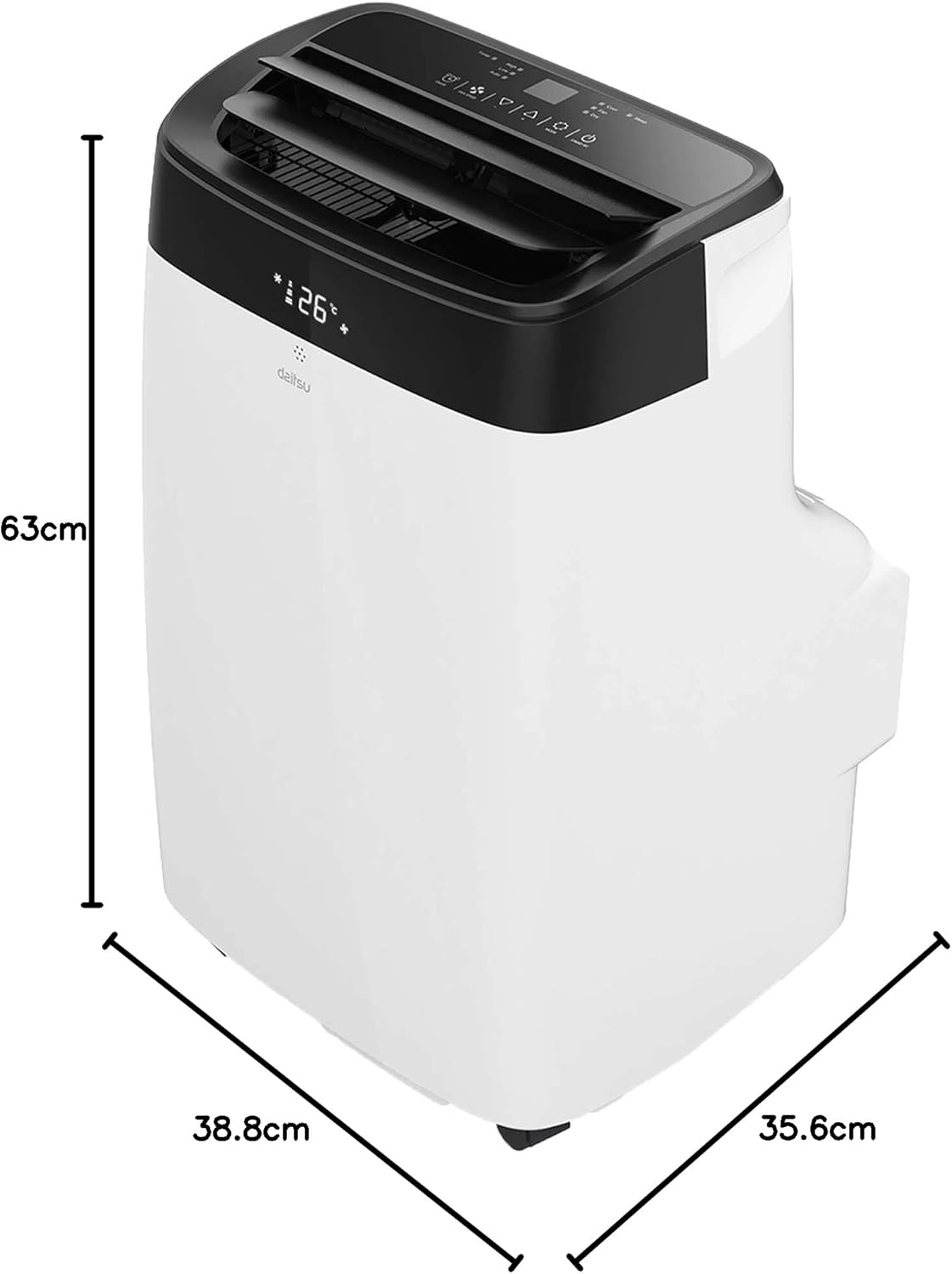
| Fua (D x W x H) | 35.6 x 38.8 x 63 cm |
| mamafa | 25 kilokalama |
| Paoa sapalai | 230 Volts (Wired Electric) |
| Metotia Pulea | App, Remote Control, Touch |
| Fa'apitoa Fa'apitoa | Remote control, Dehumidifier, Silent mode, Wi-Fi enabled |
8. Fa'amaonia ma Lagolago
The Daitsu Alisios Premium APD09FX2 comes with a two-year manufacturer's warranty.
- For warranty claims or technical support, please contact Daitsu customer service or your retailer.
- Taofi lau fa'amaoniga o le fa'atau mo le fa'amaoniaina o le fa'amaonia.
- Refer to the full warranty terms and conditions provided in the separate warranty document.