
Folasaga
The CalDigit TS5 Thunderbolt 5 Dock is a high-performance docking station designed to expand the connectivity and capabilities of your computer. Featuring Thunderbolt 5 technology, it offers increased bandwidth, robust power delivery, and a wide array of ports to streamline your workflow and enhance your desktop experience. This manual provides essential information for setting up, operating, and maintaining your TS5 dock.
O a mea i totonu o le Pusa
- 1 x CalDigit TS5 Thunderbolt 5 Dock
- 1 x Faititili 5 Uaea Filo (1.0m)
- 2 x Pa'u Vae Fa'ailoga
- 1 x Power Cord and Power Supply (240W)
Ua Umaview
The CalDigit TS5 offers 15 ports of connectivity, providing a comprehensive solution for connecting all your peripherals. Its robust design ensures efficient heat dissipation and stable performance.
Taulaga i luma
- 1 x USB-C 3.2 Gen 2 (10Gb/s, 20W)
- 1 x USB-A 3.2 Gen 2 (10Gb/s, 7.5W)
- 1 x Audio Combo Jack (3.5mm)
- 1 x SD 4.0 UHS-II Card Reader
- 1 x microSD 4.0 UHS-II Card Reader
Taulaga Tua
- 1 x Thunderbolt 5 Host Port (up to 140W charging)
- 3 x Downstream Thunderbolt 5 Ports (80Gb/s, 15W each)
- 2 x USB-C 3.2 Gen 2 (10Gb/s, 7.5W each)
- 1 x USB-A 3.2 Gen 2 (10Gb/s, 7.5W)
- 1 x USB-A 2.0 (480Mb/s, 7.5W)
- 1 x DisplayPort 2.1
- 1 x 2.5 Gigabit Ethernet
- 1 x Audio In (3.5mm)
- 1 x Audio Out (3.5mm)
- 1 x DC In (20V, 12A)
- 1 x Security Slot
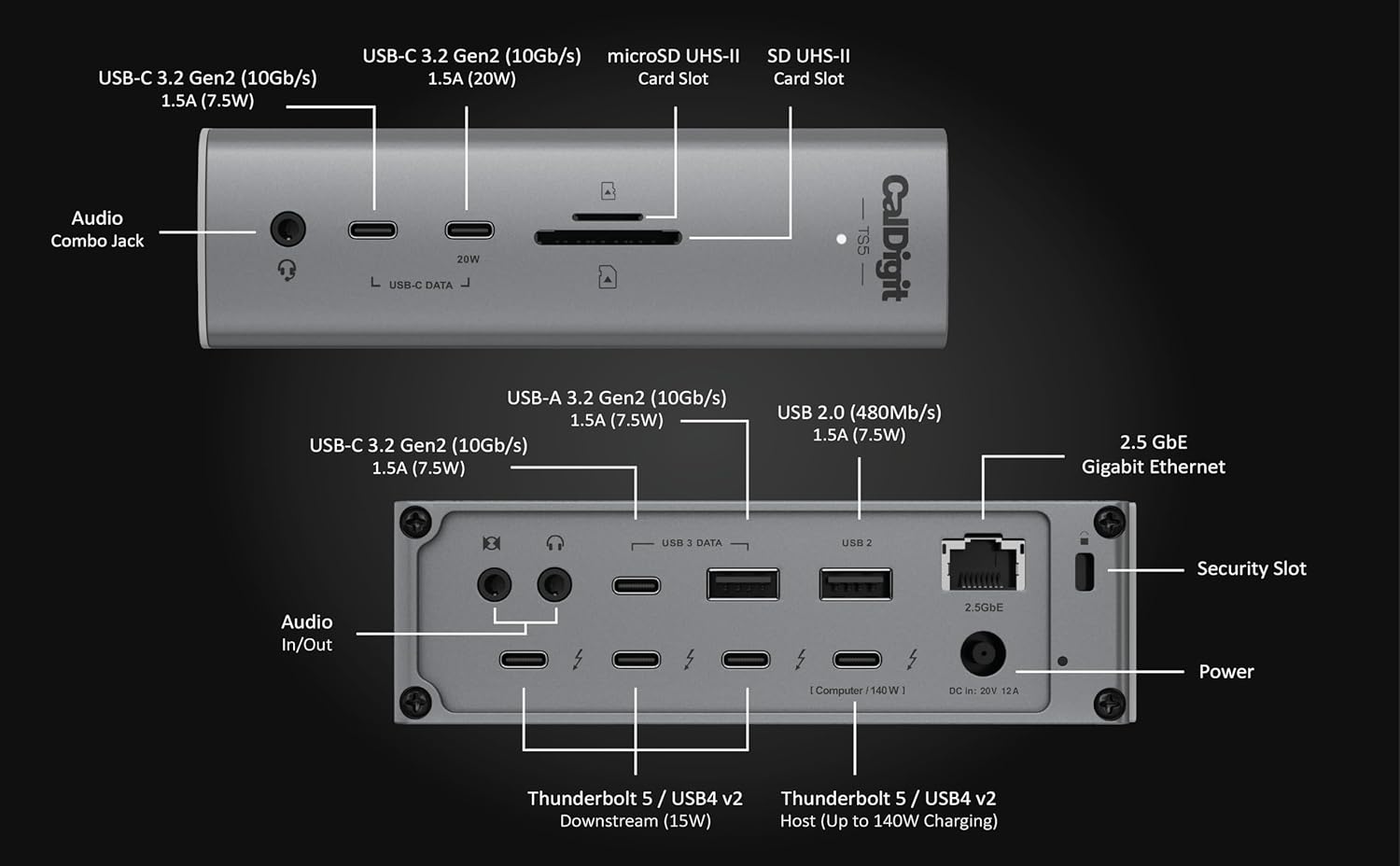
Ata 1: Ua Ovaview of CalDigit TS5 front and rear ports with labels.
Seti ma Fa'apipi'i
- Fesoʻotaʻi le Mana: Plug the 240W power supply into the DC In port on the rear of the CalDigit TS5 dock, then connect the power cord to a wall outlet.
- Connect to Host Computer: Use the included Thunderbolt 5 braided cable to connect the Thunderbolt 5 Host Port on the rear of the dock to a Thunderbolt 5/4 or compatible USB-C port on your computer.
- Fesootai Peripherals: Plug your external displays, USB devices, Ethernet cable, and audio devices into the appropriate ports on the TS5 dock.
- Install Rubber Feet (Optional): Attach the provided rubber feet strips to the bottom or side of the dock for stable horizontal or vertical placement.
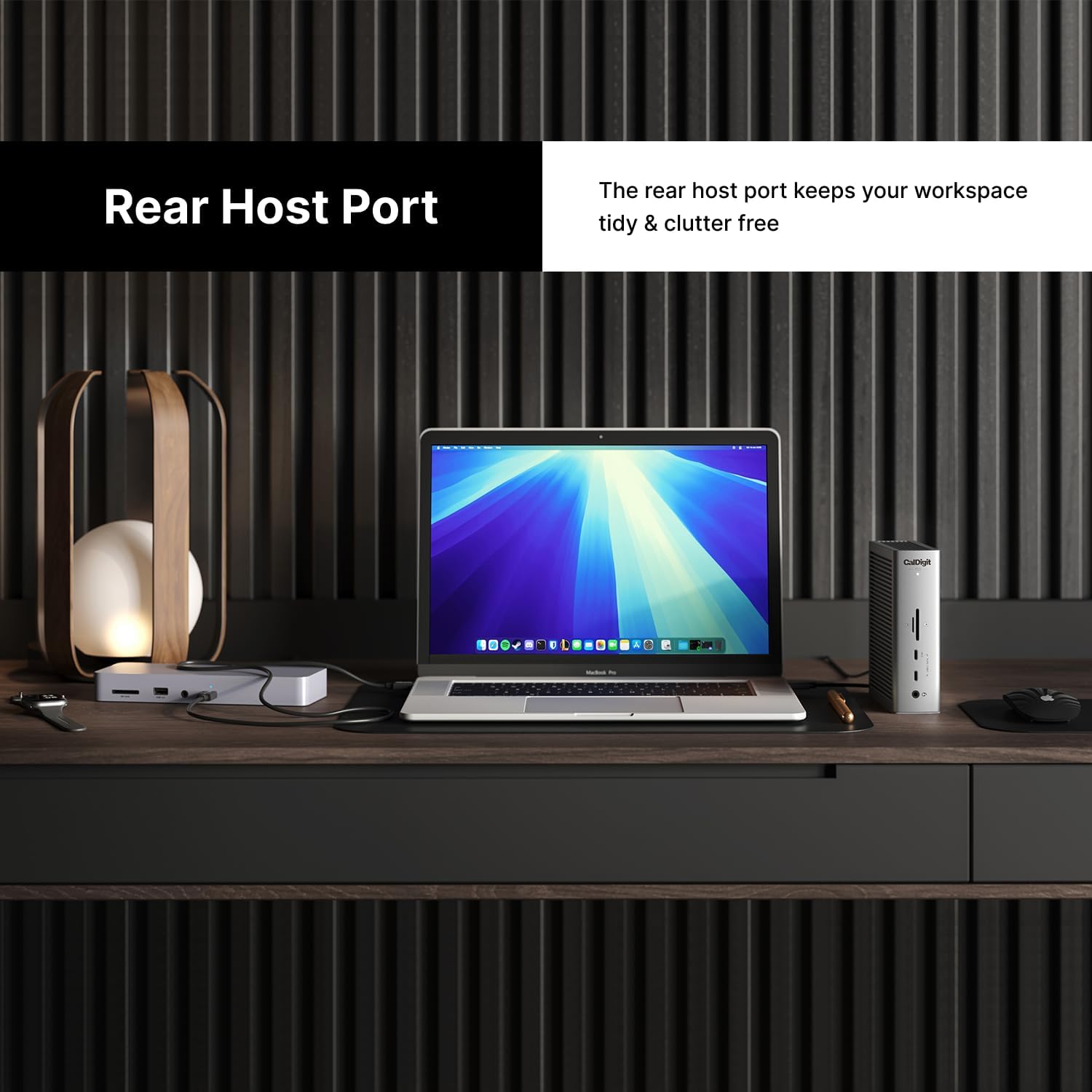
Figure 2: The rear host port keeps your workspace tidy and clutter-free by connecting to your computer from the back of the dock.
Tiliva Malosi
The TS5 dock is designed for robust power delivery to both your host computer and connected peripherals.
- Thunderbolt 5/USB4 Host Port: Up to 140W Power Delivery to your host computer, ideal for power-hungry laptops like the 16-inch M4 MacBook Pro.
- Downstream Thunderbolt 5/USB4 Ports: Each of the three downstream Thunderbolt 5 ports provides 15W of power.
- Front USB-C Port: The front 20W USB-C port provides up to 20W for charging accessories.
- Remaining USB-C Ports: Other USB-C ports provide 7.5W.
- Taulaga USB-A: USB-A ports provide 7.5W.
The included 240W power supply ensures sustained power delivery across all ports, preventing power fluctuations even with multiple devices connected.
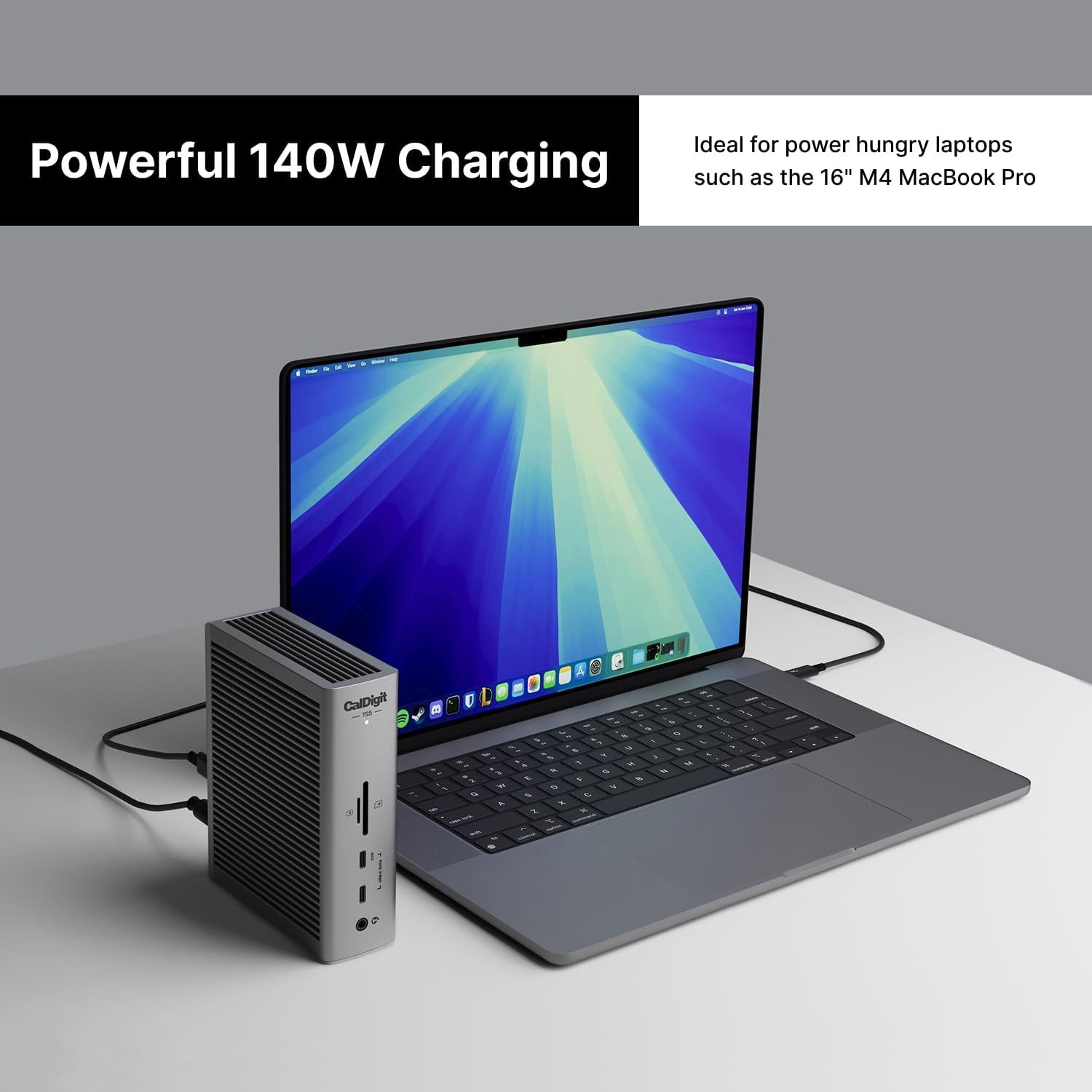
Figure 3: The TS5 provides up to 140W of power to your host laptop, ensuring rapid charging.
Fa'aali Fa'atonuga
The CalDigit TS5 supports various display setups depending on your operating system and host computer capabilities.
- macOS Devices: Connect up to Dual 6K 60Hz displays, or Dual 8K 60Hz displays on compatible Macs. Supports high-refresh rates up to Dual 4K 240Hz.
- Windows Devices (Thunderbolt 4 hosts): Supports up to Dual 6K 60Hz displays.
- Windows Devices (Thunderbolt 5 hosts): Supports up to Dual 8K 60Hz displays or Triple 4K 144Hz displays on supported hosts.
*Always check with your computer manufacturer for specific display support. macOS does not support Triple displays via a Thunderbolt Dock.
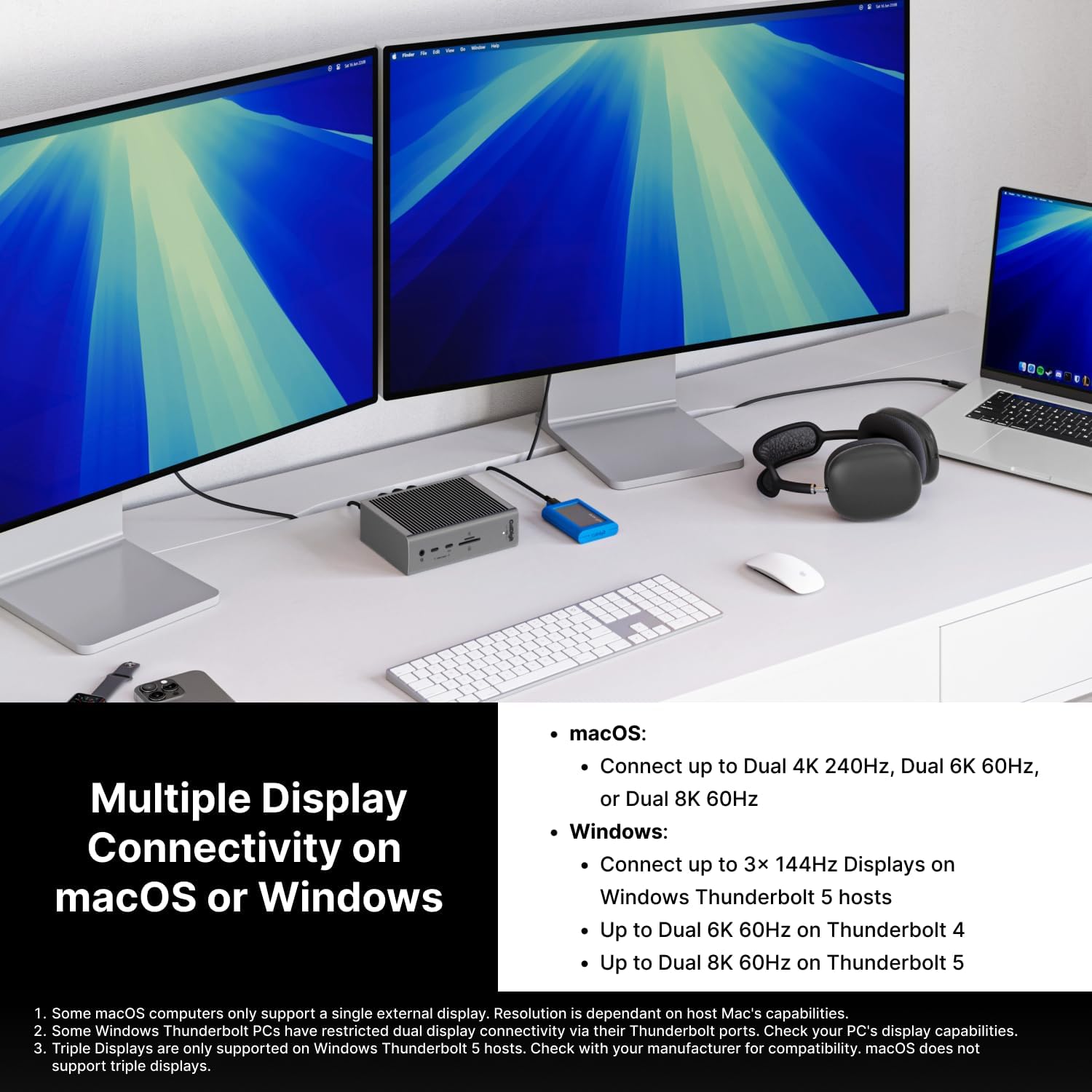
Figure 4: The TS5 supports multiple display configurations for enhanced productivity.
Feso'ota'i ma Fa'atinoga
Thunderbolt 5 Bandwidth
Thunderbolt 5 offers a significant bandwidth increase, providing 80Gb/s as a standard and up to 120Gb/s with Bandwidth Boost. This ensures smooth performance for high-resolution displays and high-speed data transfers, including 64Gb/s PCIe for ultra-fast Thunderbolt SSDs.
2.5 Gigabit Ethernet
The integrated 2.5GbE port provides network speeds 2.5 times faster than traditional 1GbE, facilitating quicker file transfers and seamless network access. It is backward compatible with 1GbE networks. *Ethernet is only supported on Thunderbolt-based hosts and USB4 hosts that support PCIe.
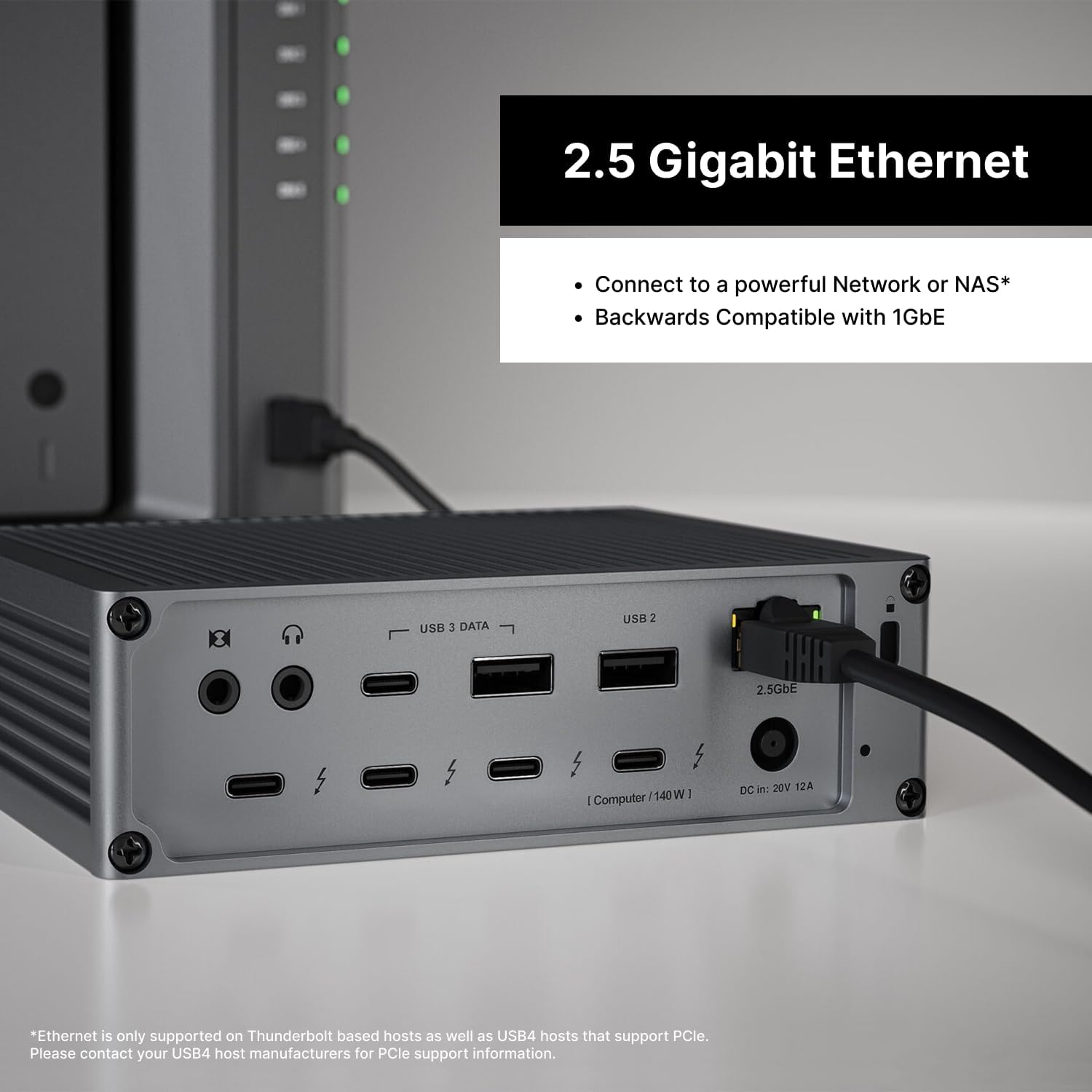
Figure 5: The 2.5 Gigabit Ethernet port allows for fast and reliable network connections.
Dual USB Controllers
The TS5 Plus features dual USB controllers, which allows the dock to provide two individual 10Gb/s controllers for increased bandwidth to connected devices. This is a great solution for anyone adding multiple high bandwidth USB devices to their dock.
Fegalegaleaiga
- Fa'atinoga sili ona lelei: Requires a Thunderbolt 5 (80Gb/s) or USB4 v2 (80Gb/s) host connection.
- Reduced Functionality: Users on Thunderbolt 3, Thunderbolt 4, USB4, or USB-C hosts will experience reduced functionality compared to Thunderbolt 5.
- Tablet/Phone Support: Supports Thunderbolt and USB-C based tablet/phone devices.

Figure 6: The TS5 is compatible with USB-C and Thunderbolt tablets and USB-C phones.
Design and Cooling
The TS5 features a beautifully crafted aluminum chassis that acts as an external heat sink. This design efficiently dissipates heat generated by the dock's powerful components, ensuring optimal performance and device longevity. Ample clearance around the dock is recommended for maximum heat dissipation.
Fa'amatalaga
| Fa'aaliga | Fa'amatalaga |
|---|---|
| Fua o Mea | 4.5 x 2.75 x 1.12 inisi (113.4 x 42.0 x 141.0 mm) |
| Mea mamafa | 8.9 aunese (0.64 kilokalama) |
| Numera Fa'ata'ita'i Mea | TBT5-TS5-US-AMZ |
| Fa'ailoga | CalDigit |
| Lanu | Avanoa Gray |
| Ofisa o mea faigaluega | Faititili |
| Masini Fegalegaleai | MacBook Air, MacBook Pro, Thunderbolt 5/4/3, USB4, USB-C hosts |
| Aofa'i Taulaga USB | 5 (3x USB-C, 2x USB-A) |
| Numera o Taulaga | 15 |
| Uatage (Power Supply) | 240W |
| Totogiina Talimalo | E oʻo atu i le 140W |
| Thunderbolt 5 Bandwidth | 80Gb/s (up to 120Gb/s with Bandwidth Boost) |
| Ethernet | 2.5 Gigabit Ethernet |
| Tagata Faitau Kata | SD 4.0 UHS-II, microSD 4.0 UHS-II |
Fa'afitauli
- No Power/Connectivity: Ensure the power supply is securely connected to the dock and a working power outlet. Verify the Thunderbolt cable is firmly connected to both the dock and your host computer.
- Fa'aaliga Fa'afitauli: Check that display cables are correctly connected to the dock and monitors. Ensure your computer's display settings are configured to detect and extend/mirror displays. Update graphics drivers if necessary.
- Fesiitaiga Fa'amatalaga e Lemu: Confirm your host computer supports Thunderbolt 5/4 or USB4 v2 for optimal speeds. Ensure your external drives and cables are rated for high-speed data transfer.
- E le o galue Ethernet: Verify the Ethernet cable is properly connected. Ensure your computer's network settings recognize the 2.5GbE connection. Check if your host computer's USB4 port supports PCIe for Ethernet functionality.
- Le Iloa Meafaigaluega: Try disconnecting and reconnecting the device. Ensure necessary drivers are installed for the peripheral.
Fa'amaonia ma Lagolago
For warranty information, technical support, and additional resources, please visit the official CalDigit webnofoaga po'o fa'afeso'ota'i la latou 'au'aunaga fa'atau. Taofi lau lisiti fa'atau mo tagi fa'amaonia.