
1. Folasaga
This manual provides essential instructions for the safe operation, setup, maintenance, and troubleshooting of your ARRIS WPL C24-1 RC Rock Crawler. Please read this manual thoroughly before using the product to ensure proper function and longevity.

Image: The ARRIS WPL C24-1 RC Rock Crawler, showcasing its detailed design and robust tires.
2. Fa'amatalaga Saogalemu
Always operate the RC vehicle in a safe and responsible manner. Failure to follow these safety guidelines may result in injury or damage to the product or property.
- Taofi lima, lauulu, ma ofu talatala mai vaega feoai.
- Do not operate near people, pets, or obstacles.
- Avoid operating in wet conditions or near water unless the product is specifically designed for it.
- Ensure batteries are charged correctly and handled with care.
- E fautuaina le vaavaaiga a tagata matutua mo tagata e i lalo ole 15 tausaga le matutua.
3. Mea i totonu o le afifi
Fa'amaonia o mea uma o lo'o lisiina i lalo o lo'o aofia i lau afifi:
- ARRIS WPL C24-1 RC Rock Crawler (1 unit)
- Remote Control Transmitter (1 unit)
- Rechargeable Battery (1 unit, 7.4V 500mAh)
- Uaea e Fa'atumu ai Mea (1 iunite)
- Tusi Faʻatonuga (lenei pepa)
4. Seti Taiala
4.1. Totogiina le Maa Ta'avale
The vehicle battery (7.4V 500mAh) requires charging before first use. A full charge takes approximately 2 hours and provides about 30 minutes of operation.
- Locate the battery compartment on the underside of the RC crawler.
- Connect the rechargeable battery to the provided charging cable.
- Plug the charging cable into a suitable USB power source (e.g., computer USB port, USB wall adapter).
- The indicator light on the charging cable will show the charging status (refer to charger instructions for specific light patterns).
- Once fully charged, disconnect the battery from the charger and install it into the vehicle's battery compartment.
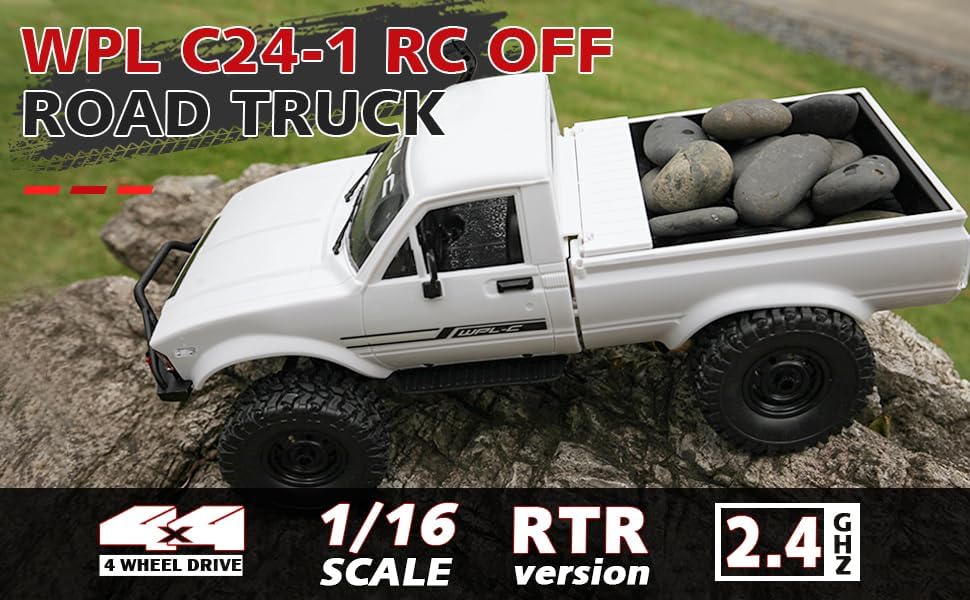
Image: Underside of the RC crawler, highlighting the battery and chassis components.
4.2. Fa'apipi'i Ma'a Pulea Mamao
The remote control requires 1 C battery (included). Ensure correct polarity when installing.
- Tatala le ufiufi o le maa i tua o le masini mamao.
- Insert the C battery according to the polarity markings (+/-).
- Tapuni lelei le ufiufi o le maa.
4.3. Fa'afeso'ota'i le Pule Mamao
The RC crawler and remote control are typically pre-paired. If re-pairing is necessary:
- Turn on the RC crawler using the switch located on the chassis.
- Ki le ki mamao.
- The indicator light on the remote control should stop flashing and remain solid, indicating a successful connection.
- If the connection fails, turn both devices off and repeat the process.
5. Fa'atonuga o Galuega
5.1. Pulea Autu
- Fa'aoso fa'aoso: Pull to move forward, push to brake/reverse.
- Uilauli: Turn left to steer left, turn right to steer right.
- Fetuunaiga o le Teuteuina: Use the trim dials on the remote to fine-tune steering and throttle if the vehicle pulls to one side or moves without input.
5.2. Fautuaga mo le Avetaavale
The ARRIS WPL C24-1 is designed for off-road crawling. Its 4WD system and independent suspension allow it to navigate various terrains.
- For optimal crawling, use slow and controlled throttle inputs.
- Experiment with steering angles to overcome obstacles.
- The vehicle features highlight LED lights for improved visibility in low-light conditions.

Image: The RC crawler navigating a challenging rocky path, demonstrating its off-road capabilities.

Image: The RC crawler traversing sandy terrain, showcasing its 4WD design.
6. Tausiga
6.1. Fa'amamaina
After each use, especially in dusty or dirty conditions:
- Use a soft brush or compressed air to remove dirt and debris from the chassis, wheels, and suspension.
- Solo le tino ile fa'asalalaugaamp ie. Aua le fa'aaogaina vaila'au malolosi.
- Ensure no moisture enters electronic components.
6.2. Tausiga ma Teuga maa
- Always disconnect the battery from the vehicle when not in use.
- Teu maa i se nofoaga malulu, matutu, ese mai le susulu o le la ma le vevela tele.
- Aua ne'i ova le fa'amuina po'o le fa'amama maa.
6.3. Su'esu'ega o Vaega
Regularly inspect the following components for wear or damage:
- Wheels and tires for damage or excessive wear.
- Suspension components (shocks, springs, linkages).
- Steering mechanism for smooth operation.
- All screws and fasteners for tightness.
7. Faʻafitauli
| Fa'afitauli | Mafuaaga e ono tupu | Fofo |
|---|---|---|
| Vehicle does not respond. | Low vehicle battery; Low remote control battery; Not paired. | Charge vehicle battery; Replace remote control battery; Re-pair remote control. |
| E gesegese pe lē tumau fo'i le alu o le ta'avale. | Low vehicle battery; Obstruction in drivetrain; Motor issue. | Charge vehicle battery; Clear obstructions; Contact support if motor issue persists. |
| E lē mautonu pe lē tali lelei mai le uili. | Steering trim incorrect; Damaged servo; Obstruction. | Adjust steering trim; Inspect servo for damage; Clear obstructions. |
| Pu'upu'u fa'agaioiga. | Interference; Low remote control battery. | Move to an area with less interference; Replace remote control battery. |
8. Fa'amatalaga o oloa
| Fa'aaliga | Fa'amatalaga |
|---|---|
| Numera Fa'ata'ita'i | WPL C24-1 |
| Fa'ailoga | ARRIS |
| Fua | 1:16 |
| Fua o Mea | 12.2 x 5.78 x 4.44 inisi |
| Mea mamafa | 2.4 pauna |
| Mea | ABS + Uamea |
| afi afi | 180 Fufulu afi |
| Ma'a (Ta'avale) | 7.4V 500mAh (included) |
| Taimi Totogi | Pe tusa. 2 itula |
| Taimi o Galuega | Pe tusa. 30 minute |
| Fa'atelega Pulea Mamao | 2.4 GHz |
| Pulea Mamao | Sili atu i le 35 mita |
| Max Saosaoa | 20 km/h |
| Tausaga Fautuaina | 15 tausaga ma luga |
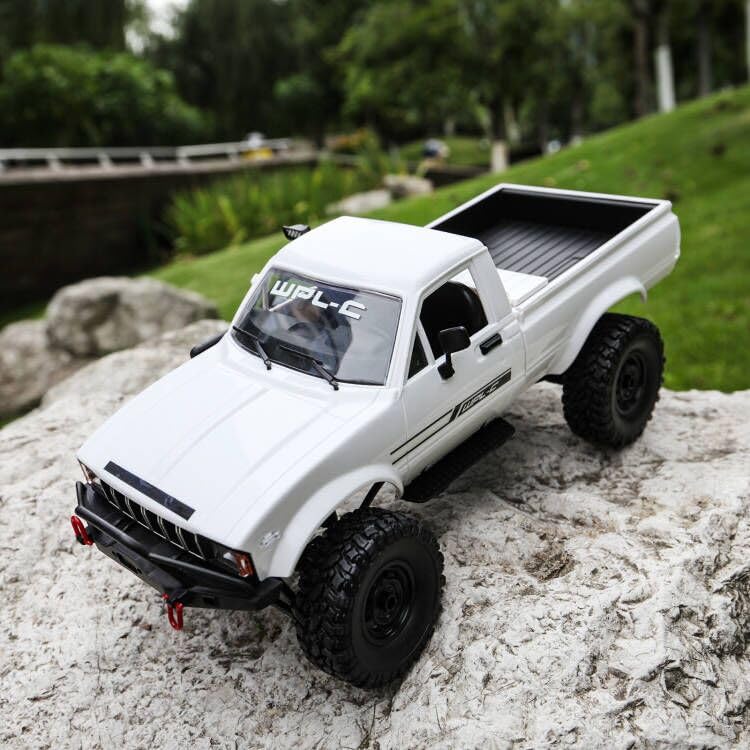
Ata: Itu view of the RC crawler with key dimensions indicated.

Ata: Auiliili view of the RC crawler's chassis, showing components like the motor, suspension, and drive shafts.
9. Fa'amaonia ma Lagolago
ARRIS products are manufactured to high-quality standards. For warranty information or technical support, please refer to the official ARRIS website or contact customer service through your purchase platform.
Taofi lau lisiti fa'atau e fai ma fa'amaoniga o le fa'atauga mo so'o se tagi fa'amaonia.
Mo nisi fesoasoani, fa'amolemole asiasi ile ARRIS Store on Amazon.