
Folasaga
Thank you for choosing the Ensenior 52 Inch Smart Ceiling Fan with Light. This manual provides detailed instructions for the safe installation, operation, and maintenance of your new ceiling fan. Please read this manual thoroughly before installation and keep it for future reference.
Vitio: Ua umaview of the Ensenior 52 Inch Smart Ceiling Fan with Light, showcasing its features and design in a living space.
Seti ma Fa'apipi'i
This ceiling fan is designed for easy installation. Follow the steps below carefully. Professional installation is recommended if you are unsure about any part of the process.
Manatuga a'o le'i fa'apipi'iina
- The fan includes 6-inch and 10-inch downrods to accommodate various ceiling heights.
- It supports angled mounts for sloped ceilings up to 10 degrees.
- Ensure the mounting location can support the fan's weight (approximately 12.97 pounds).
Laasaga Fa'apipi'i
- Fa'apipi'i le Fa'amau Fa'amau: Securely attach the hanger bracket to your ceiling's electrical box. Ensure it is firmly mounted to a structural beam.
- Fa'apotopoto Vaega o le Fan: Attach the downrod to the motor housing. Feed the wires through the downrod.
- Fa'apipi'i lau ili: Secure each of the five fan blades to the motor housing using the provided screws. The blades are reversible, offering a choice between a dark wood grain and a solid black finish.
- Fa'apipi'i le moli LED: Connect the LED light module to the fan's wiring and secure it to the bottom of the motor housing.
- Uea le ili: Connect the fan's electrical wires to your household wiring according to local electrical codes. Ensure all connections are secure.
- Fa'amau le Fa'amau: Carefully lift the fan assembly and hang it onto the installed hanger bracket. Secure the canopy to cover the wiring.

Image: Step-by-step visual guide for installing the Ensenior 52 Inch Smart Ceiling Fan.
Video: Detailed installation guide for the Ensenior 52 Inch Smart Ceiling Fan.

Image: Downrod options and sloped ceiling compatibility for installation.

Image: Reversible fan blades, allowing choice between dark wood grain and black finishes.
Fa'atonuga o Galuega
Your Ensenior Smart Ceiling Fan offers multiple convenient control methods to enhance your comfort.
Metotia Pulea
- Pulea Mamao: Use the included remote for direct control over fan speeds, light settings, and timer functions.
- Pulea Fa'atonu Atamai: Connect the fan to the Smartlife/Tuya app (2.4GHz Wi-Fi required) for comprehensive control from your smartphone or tablet.
- Pulea leo: Integrate with Alexa or Google Assistant for hands-free operation. Simply say, "Alexa, turn on the fan."

Image: Three ways to control your smart ceiling fan: App, Alexa, and Remote.
Video: Demonstrates the various control options for the Ensenior Ceiling Fan, including remote, app, and voice commands.
Galuega Faaili
- 6-Speed Reversible DC Motor: Adjust airflow with six fan speeds. The reversible motor allows for downdraft (cooling in summer) and updraft (circulating warm air in winter) modes.
- Fa'atonuga filemu: The DC motor operates at less than 35dB, ensuring a quiet environment.

Image: Fan speed settings and reversible motor function for year-round comfort.
Mea Fa'amalama
- Fetuuna'i Lanu vevela: Choose from 3000K (warm white), 4000K (natural white), and 6000K (clear white) to set the desired ambiance.
- Malamalama faanenefu: Adjust the light brightness from 1% to 100% (2500 lumens) to suit your needs.
- Malamalama Galuega Fa'amanatu: The fan remembers your last light setting when turned off and on.
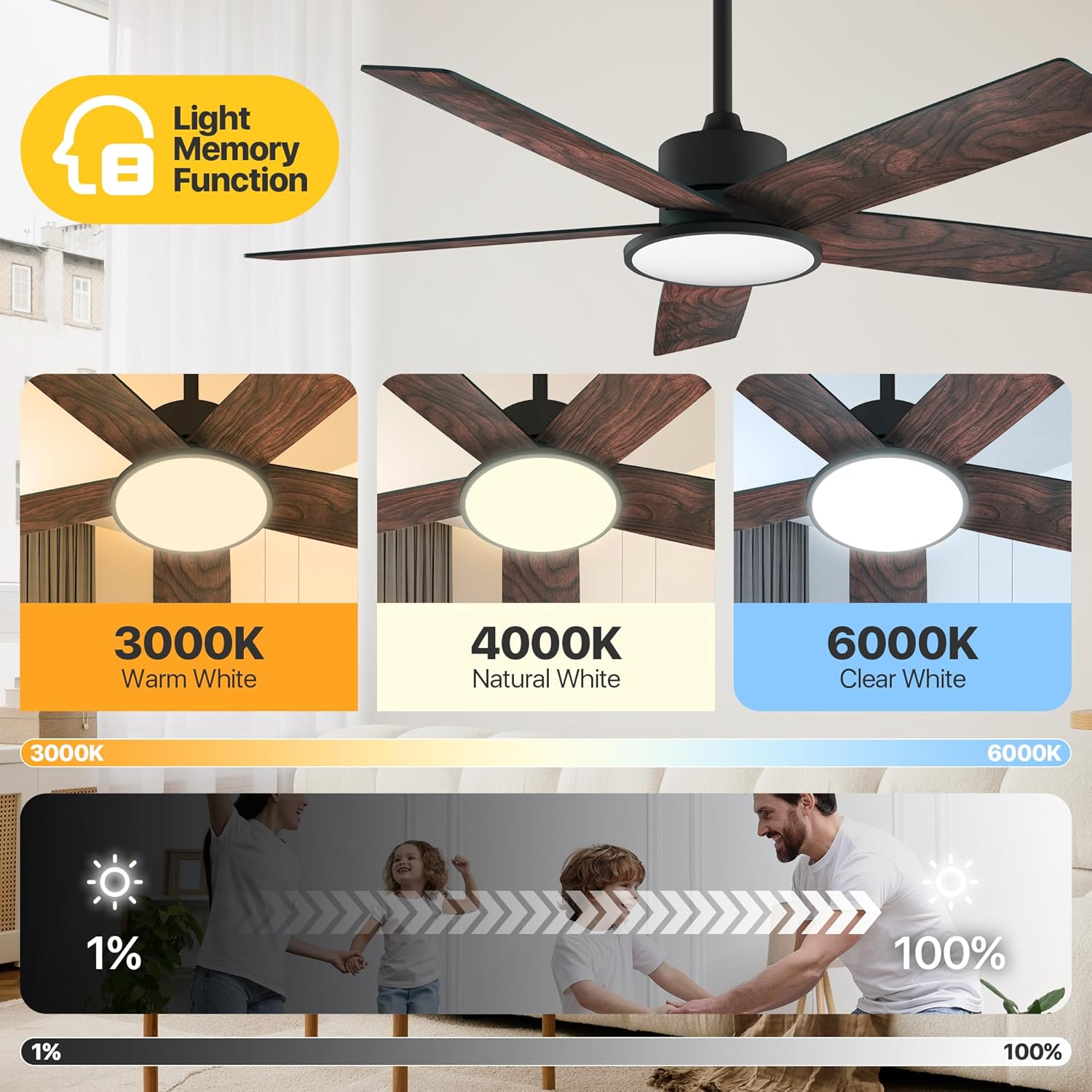
Image: Adjustable color temperatures and dimmable brightness for the integrated LED light.
Fa'atulagaina o le Taimi
Utilize the timer function via the remote or app to schedule fan and light operation, promoting energy efficiency and convenience.

Image: App interface for setting the fan's timer and illustrating quiet operation.
Tausiga
O le tausiga faifaipea e mautinoa ai le fa'atinoina lelei ma le umi o lou ili fa'alo.
- Fa'amamaina: Pefu lau ili ma fale afi i lea taimi ma lea taimi i se mea vaivai, oamp cloth. Avoid using abrasive cleaners that may damage the finish.
- Malōlō o le lau: Siaki sikulima lau i tausaga taʻitasi e faʻamautinoa ai ua mautu lelei. E mafai e lau e le mamago ona mafua ai le lūlū ma le pisa.
- Punavai Malamalama: The integrated LED light module is designed for long-term use and typically does not require replacement.
Fa'afitauli
Afai e te feagai ma faʻafitauli i lau ili, tagaʻi i fofo masani nei:
| Fa'afitauli | Mafuaaga e ono tupu | Fofo |
|---|---|---|
| E le amata le ili | No power supply; Loose wiring; Remote/App not paired. | Check circuit breaker; Verify all wire connections; Re-pair remote/app. |
| ili ili | fa'a sikulima matatala; O lau e le paleni; Fa'amau fa'amau. | Tighten all blade screws; Use balancing kit (if included); Ensure mounting bracket is secure. |
| E le aoga le malamalama | Loose light wiring; Faulty LED module. | Check light connections; Contact customer support if LED module is faulty. |
| Le mamao e le galue | Maa mate; Le mamao e le fetaui. | Replace batteries; Re-pair the remote with the fan. |
Afai e fa'aauau pea le fa'afitauli pe a uma ona taumafai i nei fofo, fa'amolemole fa'afeso'ota'i le lagolago a tagata fa'atau.
Fa'amatalaga
Detailed technical specifications for the Ensenior 52 Inch Smart Ceiling Fan.
| Fa'aaliga | Fa'amatalaga |
|---|---|
| Fa'ailoga | Tagata faʻaaoga |
| Igoa Fa'ata'ita'iga | Ili Fa'afale ma Malamalama |
| Numera Fa'ata'ita'i Mea | ZF2-52-5Y-SM |
| Tele | 52 Inisi |
| Fua o Mea | 51.97"D x 51.97"W x 17.99"L |
| Mea mamafa | 12.97 pauna |
| Numera o Lau | 5 |
| Ituaiga afi | DC |
| Numera o Tulaga Malosi | 6 |
| Avanoa o le Ea | 5500 Kupita Fetu I le minute |
| Tulaga Pio | 35 Tesipela |
| Uatage | 33 watts |
| Metotia Pulea | App, Mamao, Leo |
| Fa'apitoa Fa'apitoa | App Operable, LED Light, Quiet Reversible DC Motor, Remote Controlled, Timer |
| Malamalama Lanu Temperature | 3000K-6000K Dimmable LED |
| Fa'aaofia Vaega | Pusa Moli |
| Fa'aoga i totonu/I fafo | I totonu |
| Ituaiga Fa'amau | Mauga Fa'alo |
| Punavai Malosi | AC/DC |
| UPC | 769044681834 |

Image: Product dimensions and recommended room size for the 52-inch fan.

Image: Benefits of the high-efficiency DC motor, including energy savings and quiet operation.
Fa'amaonia ma Lagolago
The Ensenior 52 Inch Smart Ceiling Fan is backed by a 3 tausaga fa'amaonia. For any questions, technical assistance, or warranty claims, please contact our professional customer support team. Refer to your purchase documentation for specific contact details.