
Ergear EGESD7W-CA
ErGear Electric Standing Desk User Manual
Model: EGESD7W-CA | Brand: ErGear
Folasaga
Thank you for choosing the ErGear Electric Standing Desk. This manual provides detailed instructions for assembly, operation, maintenance, and troubleshooting to ensure optimal performance and longevity of your desk. Please read this manual thoroughly before installation and use, and retain it for future reference.
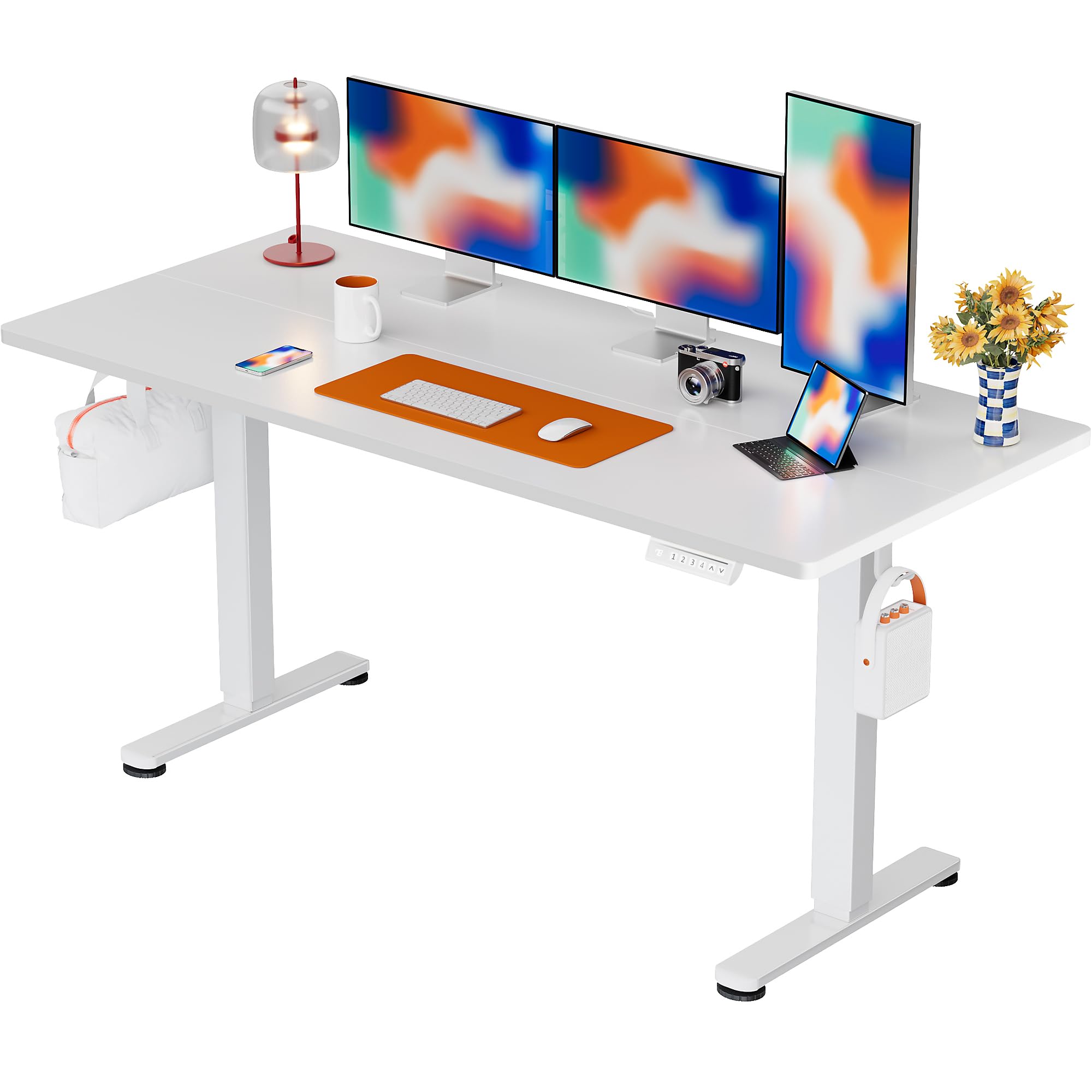
The ErGear Electric Standing Desk, 63x28 inch, in a white finish, featuring a spacious desktop and electric height adjustment capabilities.
Fa'amatalaga Saogalemu
- Ensure all components are present and undamaged before assembly. Do not use if any parts are missing or defective.
- Taofi tamaiti ma fagafao mai le kesi i le taimi o le taotoga e puipuia ai manuʻa.
- Do not overload the desk. The maximum weight recommendation is 176 pounds (80 kg).
- Ensure the power cord is not pinched or damaged. Connect to a grounded outlet.
- ʻAloʻese mai le tuʻuina saʻo o vai i luga o le laupapa faʻatonutonu poʻo tafatafa o vaega eletise.
- Siaki soo sikulima ma feso'ota'iga uma e fa'amautinoa ai o lo'o mau ma mau lelei.
- O lenei kesi ua mamanuina mo na'o totonu.
O mea o lo'o i totonu
Before beginning assembly, please verify that all the following components are included in your package:
- Desktop Boards ×2
- Leg with Motor ×1
- vae ×1
- Leg Bases ×2
- Crossbar & Transmission Rod
- Controller & Power Cable
- O meafaigaluega fa'apipi'i mana'omia uma ma meafaigaluega
Faatonuga Fonotaga
Follow these steps carefully to assemble your ErGear Electric Standing Desk. An assembly video is also provided for visual guidance.
Official ErGear Electric Standing Desk Assembly Video. This video demonstrates the step-by-step process for setting up your desk.
Step 1: Assemble the Desk Legs
Attach the leg bases to the desk legs using the provided screws. Ensure they are securely fastened.

The stable T-shaped desk legs provide a sturdy foundation for the electric standing desk.
Step 2: Attach Side Plates and Transmission Rod
Connect the side plates to the desk legs. Insert the transmission rod fully into the left leg and secure it. If the two desk legs are not at the same height, insert the rod into the left leg and turn to adjust.
Step 3: Assemble and Attach the Desktop
Place the two desktop boards together, aligning the dowels. Secure the desktop to the assembled frame using the provided screws and brackets. Ensure all connections are tight.
Laasaga 4: Faʻafesoʻotaʻi Uaea
Connect the motor and control panel cables to the main control box. Ensure all connections are firm and correctly oriented.
Step 5: Install Cable Hole Covers
Place the cable hole covers into the designated openings on the desktop to manage wires neatly.

Ergonomic guidelines for using the standing desk, showing optimal monitor and arm positions for both sitting and standing.
Fa'atonuga o Galuega
Pulea Luga Vaegaview
The desk features an intuitive control panel with height adjustment buttons and memory presets.
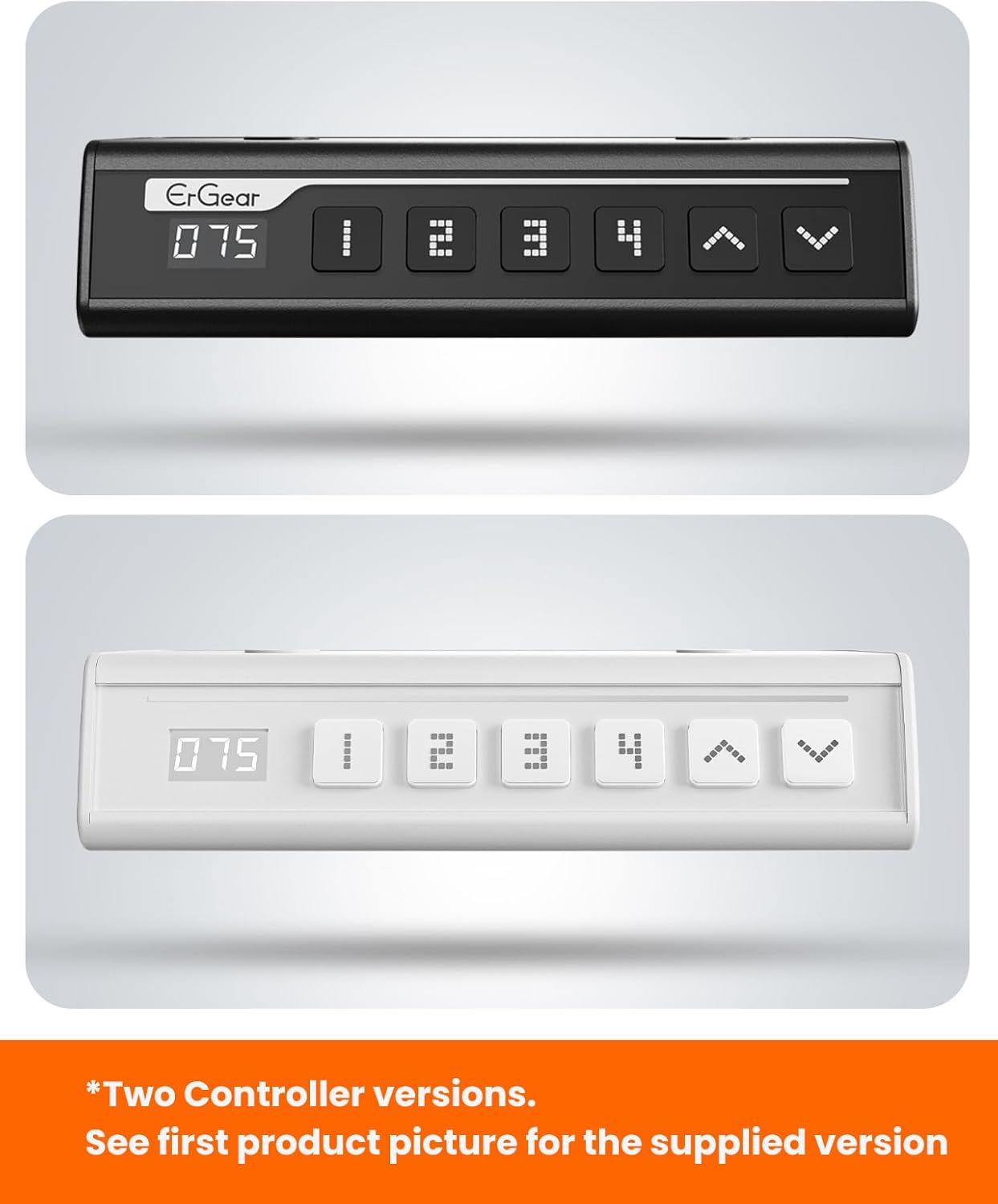
The ErGear control panel, available in two versions, features a digital height display and four programmable memory settings.
Fetuunaiga Maualuluga
- Fa'aaoga le Luga (^) ma I lalo (v) arrows to smoothly adjust the desk height between 28.35 inches and 46.46 inches.
- Release the button at your desired height.
Fa'atonu Fa'amanatu
E mafai e le laulau ona e sefeina le oo atu i le 4 tulaga maualuga e te manaʻo ai.
- Fetuuna'i le laulau i le maualuga e te mana'o ai e fa'aaoga ai aū i luga/i lalo.
- Oomi le M button (or equivalent memory set button). The display will flash.
- Oomi se tasi o faamau ua uma ona faanumeraina (1, 2, 3, po o le 4) within 3 seconds to save the current height to that preset.
- Ina ia toe manatua se maualuga ua sefeina, na o le oomiina o le faamau ua setiina muamua ua faanumeraina. O le a otometi lava ona siitia le laulau i le tulaga ua sefeina.
This video demonstrates the smooth and quiet operation of the ErGear Electric Standing Desk, showcasing its height adjustment and memory preset features.
Tausiga
- Fa'amamaina: Solo le laulau faigaluega ma le fa'avaa i se solo vaivai.amp ie. Aloese mai vaila'au malolosi po'o mea e fa'amama ai.
- Asiasiga: Periodically check all screws and connections for tightness. Re-tighten if necessary.
- Pulega o uaea: Ensure cables are neatly organized and not tangled or pinched to prevent damage.
Fa'afitauli
If you encounter any issues with your ErGear Electric Standing Desk, please refer to the following common problems and solutions:
| Fa'afitauli | Mafuaaga e ono tupu | Fofo |
|---|---|---|
| E le minoi le laulau | Power cable disconnected, motor error, overloaded desk. | Check power connections. Unplug for 30 seconds and plug back in. Reduce weight on the desk. |
| Le maualuga le tutusa | Transmission rod not fully inserted or adjusted. | Refer to Step 2 of assembly to ensure the transmission rod is correctly installed and adjusted. |
| Pisa i le taimi o le taotoga | Normal operation sound, loose screws. | A slight motor sound is normal. Check and tighten any loose screws on the frame. |
| E le o galue presets manatua | Sese faiga fa'asao. | Follow the memory preset instructions carefully (press M, then the number within 3 seconds). |
Fa'amatalaga
| Fa'aaliga | Fa'amatalaga |
|---|---|
| Fa'ailoga | ErGear |
| Numera Fa'ata'ita'i | EGESD7W-CA |
| Fuafuaga Laupapa | Laulau Tu |
| foliga | Fa'afa'afa'afa |
| Fua o Mea (D x W x H) | 71.1D x 160W x 118H Sinimita |
| Tele | 63*28 Inisi |
| Lanu | Lanu pa'epa'e |
| Maualuluga aupito maualalo | 28.35 Inisi |
| Maualuluga Maualuluga | 46.46 Inisi |
| Mafiafia Laupapa | 1.5 senitimita |
| Mea Faavae | Uamea uamea |
| Ituaiga Mea Sili | Engineered Wood (Walnut Wood finish) |
| Fa'apitoa Fa'apitoa | Adjustable Height, Electric, Ergonomic |
| Fautuaga o le mamafa maualuga | 176 pauna (80 kilokalama) |
| Fonotaga Manaomia | Ioe (E aofia ai meafaigaluega uma e fa'apotopoto ai) |
Fa'amaonia ma Lagolago
ErGear is committed to providing high-quality products and customer satisfaction. This product comes with:
- 5-tausaga puipuiga on the desktop and desk frame.
- 2-tausaga puipuiga on motors and electrical components.
For any questions, concerns, or warranty claims, please contact ErGear customer support. You can typically find contact information on the product packaging or the official ErGear website. Please have your model number (EGESD7W-CA) and purchase details ready when contacting support.

The ErGear Electric Standing Desk seamlessly integrates into various home office environments.
Ask a question about this manual
Ask about setup, troubleshooting, compatibility, parts, safety, or missing instructions. Manuals+ will review the question and use this page’s manual context to help answer it.