
1. Folasaga
The Frewico Wearable Bluetooth Speaker is designed for hands-free audio and communication, ideal for various activities including outdoor sports and work environments. Its robust design features IP67 waterproofing, a built-in LED light, and a magnetic clip for versatile attachment. This manual provides essential information for setting up, operating, maintaining, and troubleshooting your speaker.
2. O a mea oi totonu o le Pusa
- Frewico Wearable Bluetooth Speaker
- Uaea Malosi
- Tusi Taiala
- Tausi taga
- Magnetic Discs (2)
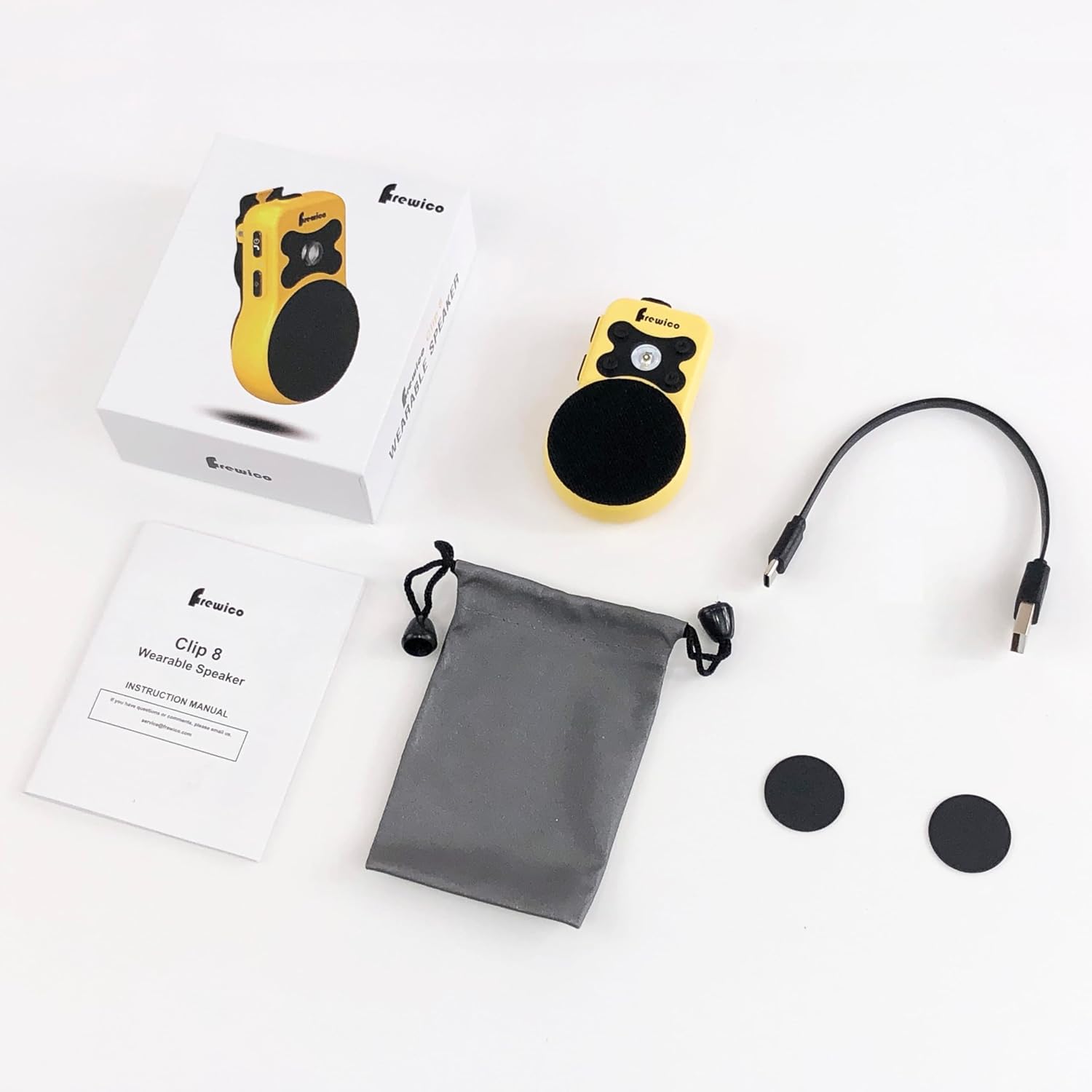
Ata 2.1: Fa'aputuga o mea
3. Vaega o Oloa
- Wearable & Hands-Free: Lightweight (2.88oz) with an ergonomic clip for easy attachment to clothing or gear.
- IP67 Rugged Protection: Fully waterproof and dustproof, designed to withstand harsh environments like construction sites and outdoor work.
- Malamalama LED ua fausia i totonu: Features multiple modes including low light, strong light, warning, and SOS, useful for illuminating dark areas or signaling.
- ENC Built-in Microphone: Enhances call clarity by cutting noise and echo, enabling hands-free communication.
- Fa'apipi'i Malosi Fa'amagnetika: External high-strength magnet allows versatile placement on metal surfaces. Remove the magnetic clip for 100% magnetic force.
- Big Sound: 3W Powerhouse HD Speaker delivers clear audio.
- Umi le ola maa: E oo atu ile 18 itula ole ta'aloga ile totogi e tasi.
- Glove-Friendly Buttons: Designed for easy operation even when wearing gloves.

Figure 3.1: Frewico Wearable Bluetooth Speaker
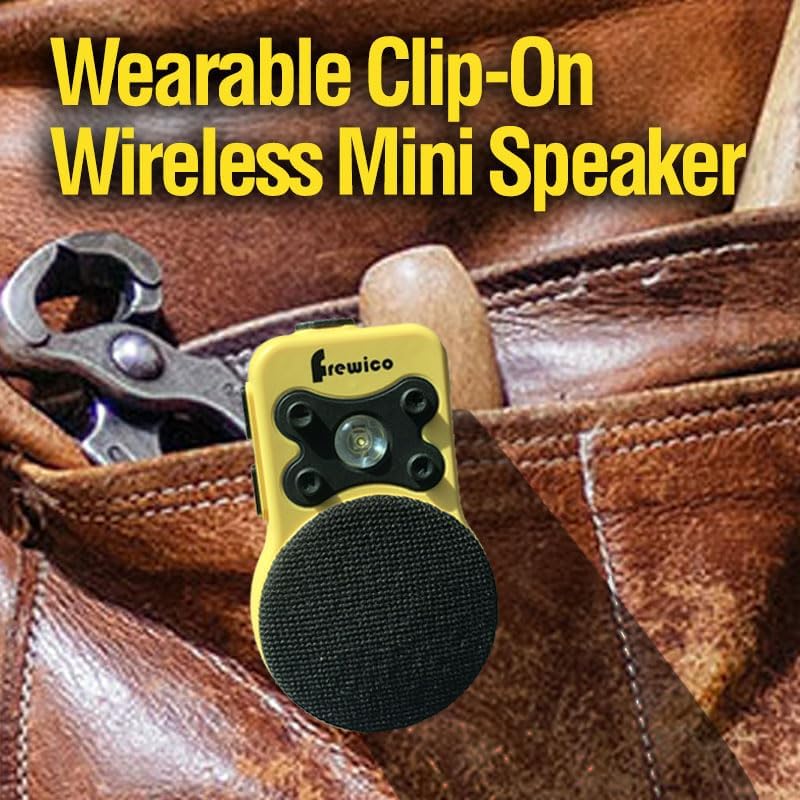
Figure 3.2: Wearable Clip-On Design

Figure 3.3: IP67 Waterproof Protection

Figure 3.4: Built-in LED Flashlight

Figure 3.5: Powerful Audio Output

Figure 3.6: Strong Magnetic Attachment

Figure 3.7: Durable Clip Design

Figure 3.8: ENC Built-in Mic for Clearer Calls
4. Seti
4.1 Tuuina atu o le Fofoga Fetalai
Before first use, fully charge the speaker using the provided power cable. Connect the cable to the speaker's charging port and a compatible USB power source. A full charge takes approximately 2 hours.
4.2 Fa'aola i luga/Pepe
To power on the speaker, press and hold the Power/Answer button until you hear an audible prompt. To power off, press and hold the same button until the speaker indicates it is powering down.
4.3 Fa'atasiga Bluetooth
- Ia mautinoa ua fa'agaoioia le sipika ma o lo'o i ai i le pairing mode (o lo'o fa'aalia i se LED emo).
- I luga o lau telefoni po'o lau laulau, fa'afeiloa'i i le fa'atulagaga Bluetooth.
- Select 'Frewico C8' (or similar name) from the list of available devices.
- Once connected, the speaker will provide an audible confirmation, and the LED indicator will change.
Video 4.1: Unboxing and Basic Operation of the Frewico Wearable Bluetooth Speaker. This video demonstrates the physical components, how to power on/off, and basic button functions.
5. Fa'atonuga o Galuega
5.1 Galuega Fa'amau
- Power/Answer Button: Press and hold to power on/off. Short press to answer/end calls.
- Voli i luga (+): Oomi puupuu e faatele ai le leo.
- Volume i lalo (-): Faʻasalalau puʻupuʻu e faʻaititia ai le aofaʻi.
- Pese e sosoo ai: Long press Volume Up (+) to skip to the next track.
- Pese Muamua: Long press Volume Down (-) to go to the previous track.
- Ki LED: Short press to cycle through LED light modes (Low, Strong, Warning, SOS).
5.2 Faia/Taliaina Valaau
When connected to your smartphone, the built-in ENC microphone allows for clear, hands-free calls. Use the Power/Answer button to manage calls.
6. Tausiga
To ensure the longevity and optimal performance of your Frewico Wearable Bluetooth Speaker, follow these maintenance guidelines:
- Fa'amamaina: Solo le sipika i se malu, oamp ie. Aua ne'i fa'aogaina vaila'au malolosi po'o ni mea fa'amama.
- Suavai Fa'aaliga: While IP67 rated, avoid prolonged submersion or exposure to high-pressure water jets. Ensure the charging port cover is securely closed when near water.
- Teuina: Teu le sipika i se nofoaga mālūlū ma matutu mamao ese mai le susulu o le la ma le vevela tele.
- Tausiga maa: For extended storage, charge the battery to about 50% every few months to prevent deep discharge.
7. Faʻafitauli
If you encounter issues with your Frewico Wearable Bluetooth Speaker, refer to the following common problems and solutions:
| Fa'afitauli | Mafuaaga e ono tupu | Fofo |
|---|---|---|
| E le ola le Fofoga Fetalai. | Ma'a maualalo. | Fa'atumu le sipika mo le itiiti ifo i le 30 minute. |
| E le mafai ona fetaui ma le masini. | Bluetooth not enabled on device; speaker not in pairing mode; too far from device. | Ensure Bluetooth is on. Power cycle speaker to enter pairing mode. Move device closer (within 66 feet). |
| Leai se leo pe maualalo le leo. | Volume too low on speaker or connected device; speaker not connected. | Increase volume on both speaker and device. Re-establish Bluetooth connection. |
| E le ola moli LED. | Speaker is off; LED mode not activated. | Ensure speaker is powered on. Press the LED button to activate light modes. |
8. Fa'amatalaga
| Fa'aaliga | Fa'amatalaga |
|---|---|
| Sao Voltage | 5 Volts |
| Mea | palasitika |
| Ituaiga Fofoga Fetalai | I fafo |
| Fa'apitoa Fa'apitoa | Waterproof Dustproof, Built-In LED Light, Built In Microphone ENC, Bass Boost Stereo Pairing, Snap Clip |
| Fa'aoga Fautuaina mo Oloa | Mo tagata ta musika |
| Masini Fegalegaleai | Laupapa, Smartphone |
| Subwoofer Diameter | 28 Milimita |
| Faitauga o Iunite | 1.0 Faitau |
| Lanu | Lanu samasama |
| Ola ma'a | 18 Itula |
| Fa'aaofia Vaega | Uaea Malosi |
| Fua o Mea | 0.8"D x 1.97"W x 3.23"L |
| Mea mamafa | 0.18 Pauna (2.88 aunese) |
| E Suvai | True IPX7 |
| Malosiaga ma'a | 700 Miliamp Itula |
| Taimi Totogi | 2 Itula |
| Avanoa aupito maualuga | 100 Futu |
| Numera o Mea | 1 |
| Metotia Pulea | Pa'i, Leo |
| Tekonolosi Feso'ota'iga uaealesi | Bluetooth |
| Tweeter Diamita | 36 Milimita |
| Suavai Tetee Level | Suavai |
| Ituaiga Paketi Tagata Fa'atau | Pusa Pusa |
| Numera o maa | 1 Lithium Polymer ma'a mana'omia. (aofia ai) |
| Lau'ele'ele Bluetooth | 66 Futu |
| Numera o Microphones | 1 |
| Subwoofer Feso'ota'i Tekonolosi | Uaealesi |
| Fa'aoga i totonu/I fafo | I fafo |
| Tufuga | Vipada |
| ASIN | B0DF99QXY2 |
| Numera fa'atusa mea | C8-Yellow |
| Aso Muamua Maua | Setema 9, 2024 |
| Malosiaga Maualuga Maualuga a le Fofoga Fetalai | 3 Watts |
| Tali Faatele | 100 Hz |
| Tekinolosi Feso'ota'i | Bluetooth 5.4V |
| Leo Faʻalauiloa Galuega | Mono |
9. Fa'amaonia ma Lagolago
Frewico products come with a standard manufacturer's warranty. For detailed warranty information, product support, or service inquiries, please refer to the contact information provided on the product packaging or visit the official Frewico webnofoaga. Fa'amolemole taofi lau fa'amaoniga o le fa'atau mo tagi fa'amaonia.