
XHDATA D-220-O
XHDATA D220 Portable Radio Instruction Manual
Model: D-220-O | Brand: XHDATA
1. Folasaga
The XHDATA D220 is a compact and lightweight portable radio designed for easy carrying and use. It supports AM, FM, and Shortwave (SW) bands, providing access to a wide range of broadcasts. Featuring a DSP chip for enhanced reception and a built-in speaker for clear audio, this radio is suitable for various environments, from home to outdoor activities. It operates on two AA batteries, ensuring portability and convenience.
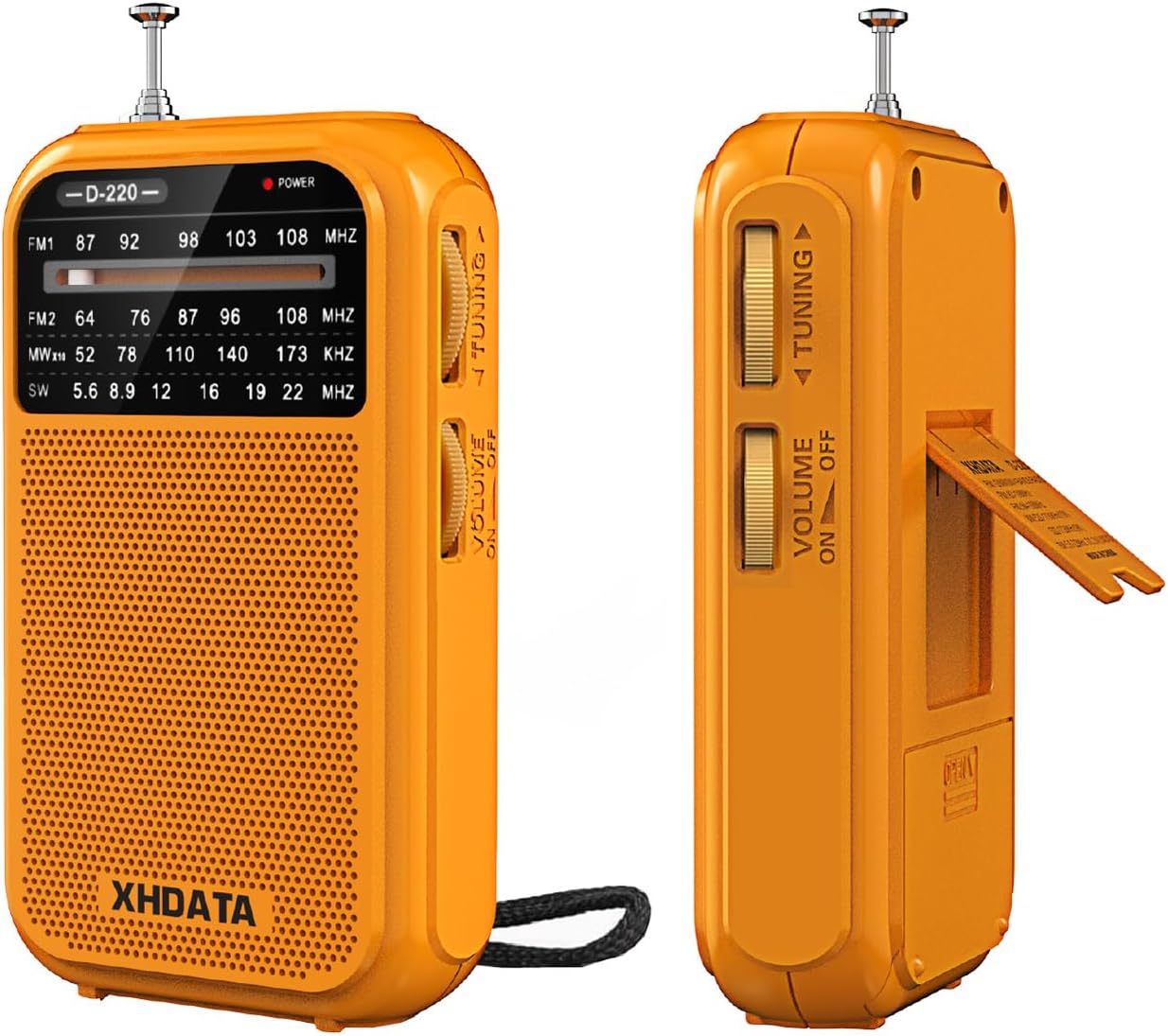
Ata 1.1: Luma ma itu view of the XHDATA D220 Portable Radio in orange.

Figure 1.2: The compact size of the D220 radio, highlighting its portability and dimensions (125mm x 72mm x 28mm).
2. Seti
2.1 Fa'apipi'i ma'a
The XHDATA D220 radio operates on two (2) AA batteries (not included). Follow these steps to install the batteries:
- Su'e le ufiufi o le maa i tua o le leitio.
- Fa'ase'e le ufiufi i lalo e tatala ai le vaega.
- Fa'aofi ni maa AA se lua, fa'amautinoa le sa'o o le polarity (+ ma le -) e pei ona fa'ailoa mai i totonu o le vaega.
- Tapuni le ufi o le vaega o le maa e ala i le faase'eina i luga se'ia kiliki i lona nofoaga sa'o.

Ata 2.1: Tua view of the D220 radio, illustrating the battery compartment and control layout.

Figure 2.2: Proper insertion of two AA batteries into the radio's battery compartment.
3. Fa'atonuga o Galuega
3.1 Malosi i luga/Pepe ma Pulea leo
E fa'aola le leitio, fa'asolo le Volo/Malosi ki located on the side of the unit clockwise. Continue rotating to increase the volume. To turn off the radio, rotate the switch counter-clockwise until it clicks and the sound ceases.
3.2 Filifiliga Fa'aili
The D220 supports multiple frequency bands. Use the Suiga Fa'aili located on the side of the radio to select your desired band:
- FM1: 87-108 MHz (Standard FM band)
- FM2: 64-108 MHz (Extended FM band)
- I LE: 520-1730 KHz (Medium Wave)
- SW: 5.6-22.0 MHz (Shortwave)
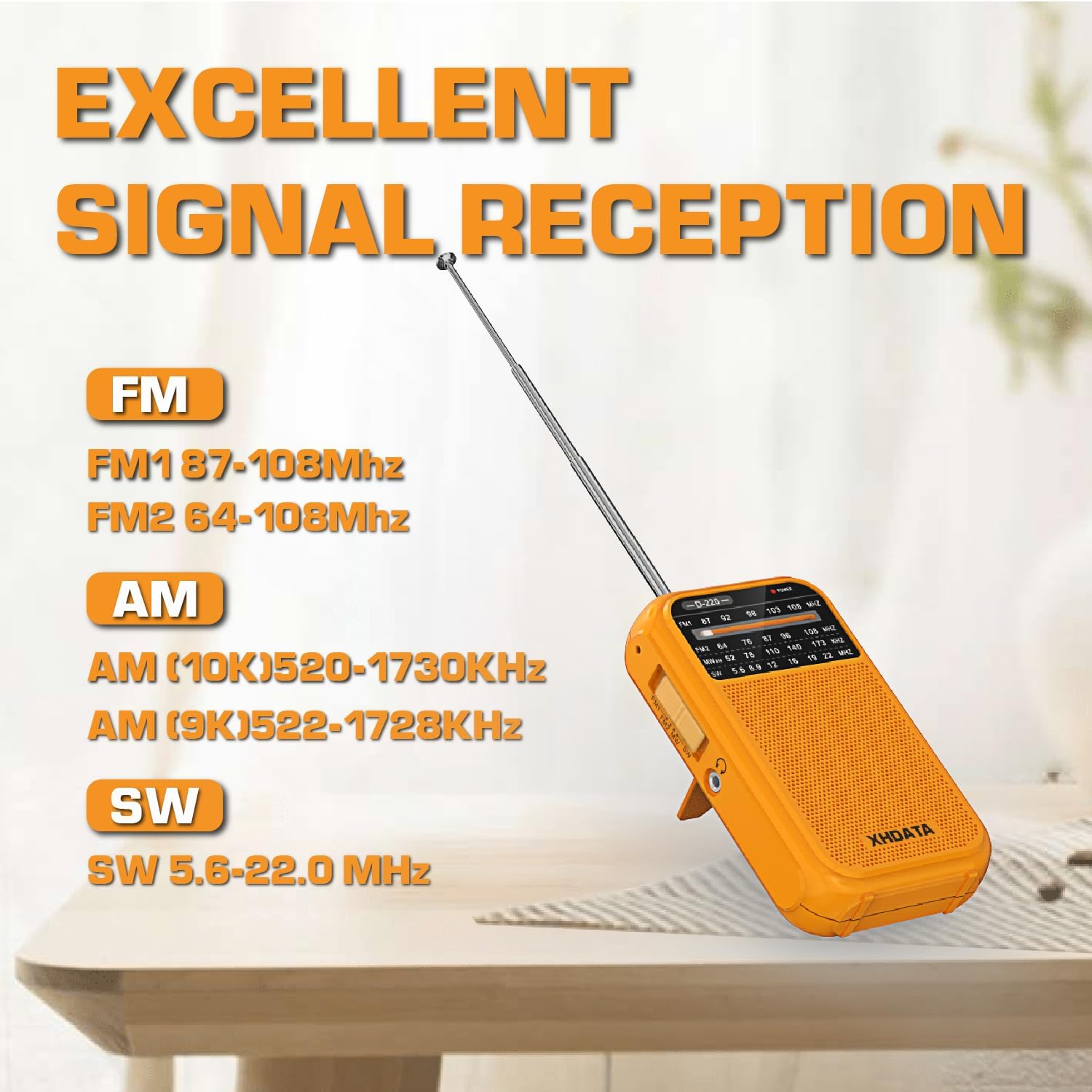
Figure 3.1: The D220 radio with its antenna extended, illustrating the supported frequency bands for optimal signal reception.
3.3 Fa'atulagaina o se Nofoaga
Once a band is selected, use the Nofo Fa'alogo to scan for stations. Rotate the knob slowly to fine-tune to a clear signal. The frequency display on the front panel will indicate the approximate frequency.
- For FM and SW reception, extend the telescopic antenna fully for best results.
- For AM reception, the radio uses a built-in ferrite bar antenna. Rotate the radio for optimal signal strength.
3.4 Fa'aaogā Fa'alogo
The D220 radio is equipped with a 3.5mm headphone jack. Insert standard 3.5mm headphones into this jack to listen privately. When headphones are connected, the built-in speaker will automatically mute.

Figure 3.2: A user enjoying audio through headphones connected to the D220 radio.
4. Tausiga
- Fa'amamaina: Wipe the radio with a soft, dry cloth. Do not use abrasive cleaners or solvents, as they may damage the surface.
- Tausiga maa: Afai e le fa'aogaina le leitio mo se vaitaimi umi, aveese maa e puipuia ai le lepa ma le pala.
- Teuina: Store the radio in a cool, dry place away from direct sunlight, extreme temperatures, and high humidity.
- Tausiga Antenna: Handle the telescopic antenna gently to avoid bending or breaking. Do not force it.
5. Faʻafitauli
| Fa'afitauli | Mafuaaga e ono tupu | Fofo |
|---|---|---|
| Leai se eletise / Leai se leitio e ki. | Ua mate maa pe ua le sa'o le faaofiina. | Sui i ma'a fou AA, fa'amautinoa le sa'o polarity. |
| Le lelei le taliina / E le minoi. | Weak signal, antenna not extended, or interference. | Extend the telescopic antenna fully (for FM/SW). Rotate the radio for AM. Try moving to a different location away from electronic devices. Fine-tune the tuning knob. |
| Leai se leo mai le sipika. | Ua maualalo tele le leo pe feso'ota'i taliga. | Increase the volume. Disconnect headphones if you wish to use the speaker. |
| Ua faaletonu le leo. | Volume too high or weak signal. | Decrease the volume. Try to fine-tune the station or move to a better reception area. |
6. Fa'amatalaga
- Fa'ata'ita'iga: D-220-O
- Fua o Mea: 2.8 x 1.1 x 4.9 inisi (125 x 74 x 30 mm)
- Mea mamafa: 6.7 ounces (125g without batteries)
- Punavai Malosi: 2 x AA maa (e le o aofia ai)
- Tekinolosi Tuner: AM/FM/SW with DSP chip
- Leitio Fa'aili Lagolago:
- FM1: 87-108 MHz
- FM2: 64-108 MHz
- AM: 520-1730 KHz
- SW: 5.6-22.0 MHz
- Tekinolosi Feso'ota'i: 3.5mm Audio Jack
- Mea Fa'apitoa: Built-In AM Antenna, Dust Resistant, Lightweight, Portable, Shockproof
7. Fa'amaonia ma Lagolago
7.1 Fa'amatalaga Fa'amaonia
XHDATA provides a 1-year after-sales service for the D220 Portable Radio. Additionally, a 30-day return policy is available from the date of purchase. Please retain your proof of purchase for warranty claims.
7.2 Fesoasoani mo Tagata Fa'atau
For any questions, technical assistance, or warranty inquiries, please contact XHDATA customer support. Refer to the contact information provided in your product packaging or visit the official XHDATA web'upega tafaʻilagi mo nisi faʻamatalaga.
This product includes an Owner's Manual. Please consult it for additional information and detailed instructions.