
Folasaga
Thank you for choosing Micool T35 Open Ear Headphones. These headphones are designed to provide a comfortable and safe listening experience, allowing you to enjoy high-quality audio while remaining aware of your surroundings. Featuring Bluetooth 5.3 connectivity, IPX6 waterproofing, and a long-lasting battery, they are ideal for sports and daily use.
O mea o lo'o i totonu
Fa'amolemole siaki le afifi mo mea nei:
- Micool T35 Open Ear Headphones
- Pusa Uea Uisa
- USB Cable Totogi-C
- Tusi Taiala
Ua Umaview
The Micool T35 headphones feature an open-ear design with earhooks for secure and comfortable wear. The charging case protects and recharges your headphones.

Image: Micool T35 Open Ear Headphones and Charging Case. The image displays the charging case with one earbud inside and the other earbud placed next to it, showcasing the open-ear design and earhook.
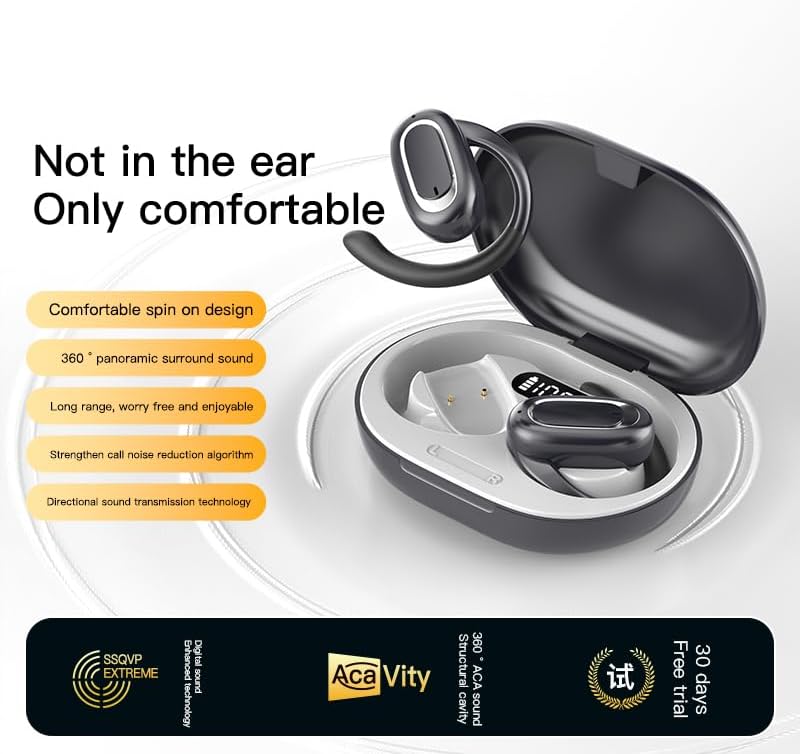
Image: Micool T35 Open Ear Headphones. This image shows both left and right earbuds with their earhooks, highlighting their ergonomic shape.
Vaega Autu:
- Fuafuaga Tatala taliga: Rests gently on the ear without blocking the ear canal, reducing ear fatigue and maintaining environmental awareness.
- Bluetooth 5.3: Mautinoa ai le mautu ma lelei o le feso'ota'iga uaealesi.
- Ergonomic Earhooks: Provides a secure and comfortable fit, even during extended use or physical activity.
- IPX6 Suavai: Resistant to sweat and splashes, suitable for sports.
- Umi le ola maa: Up to 12 hours of playback on a single charge, extended to 34 hours with the charging case.
- Directional Sound Transmission: Minimizes sound leakage while delivering clear audio.
Seti
1. Totogiina le Headphones ma Case
Before first use, fully charge the headphones and the charging case.
- Tuu taligalu i totonu o le pusa o lo'o fa'atumuina.
- Connect the USB Type-C cable to the charging port on the case and a power source.
- The charging case takes approximately 1-2 hours to fully charge.
- A full charge provides up to 12 hours of listening time for the headphones, with the charging case extending total playback to 34 hours.
2. Paʻaga Bluetooth
To connect your Micool T35 headphones to a device:
- Ensure the headphones are charged and inside the charging case.
- Tatala le pusa e fa'atumu ai le telefoni. O le a otometi lava ona ulufale atu le headphone i le pairing mode, e fa'ailoa mai e le moli LED emo i luga o le earbuds.
- I lau masini (telefonipoto, tablet, ma isi), alu i faʻatulagaga Bluetooth.
- Saili mo available devices and select "Micool T35" from the list.
- Once connected, the LED indicator on the headphones will stop flashing.
- E otometi lava ona toe fa'afeso'ota'i fa'auluulu i le masini fa'alua mulimuli pe a aveese mai le pusa, pe a fa'aogaina le Bluetooth i le masini.
Fa'atonuga o Galuega
1. Fa'aofuina o taligalu
The Micool T35 headphones are designed for an open-ear fit with rotatable earhooks.
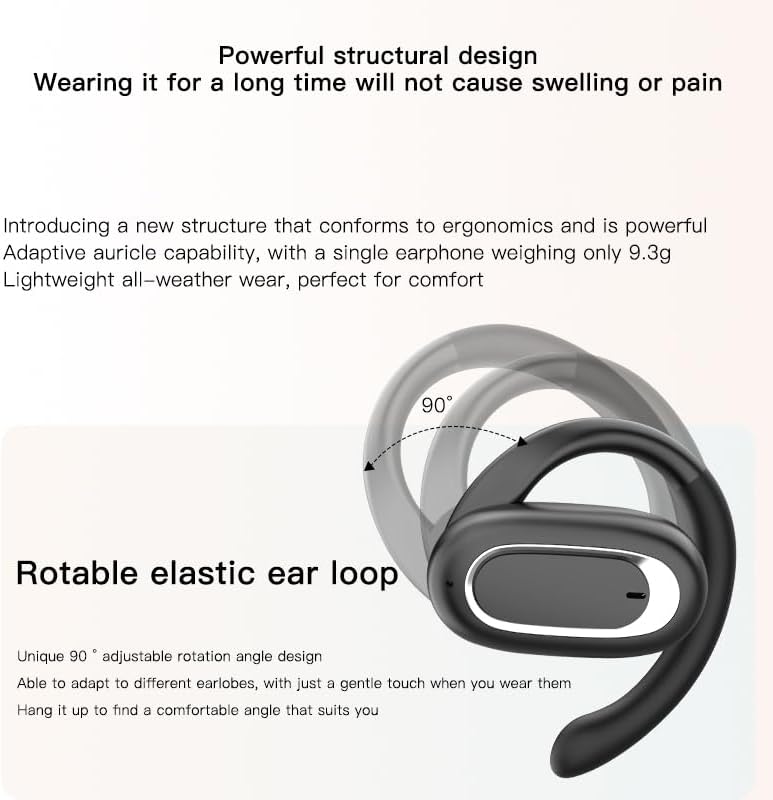
Image: Micool T35 Headphones: Rotatable Earhook Adjustment. The image illustrates the 90-degree rotation capability of the earhook for a customized fit.
- Gently place the earbud on your ear, ensuring the earhook wraps securely around the back of your ear.
- Adjust the rotatable earhook to find the most comfortable and stable position for your earlobe.
- The open-ear design ensures comfort and allows you to hear your surroundings.

Image: Micool T35 Headphones: Usage Scenarios. This image shows individuals using the headphones in various settings: during fitness activities, in an office environment, outdoors while running, and during leisure time.
2. Pulea Pa'i
The Micool T35 headphones feature intuitive touch controls on each earbud.
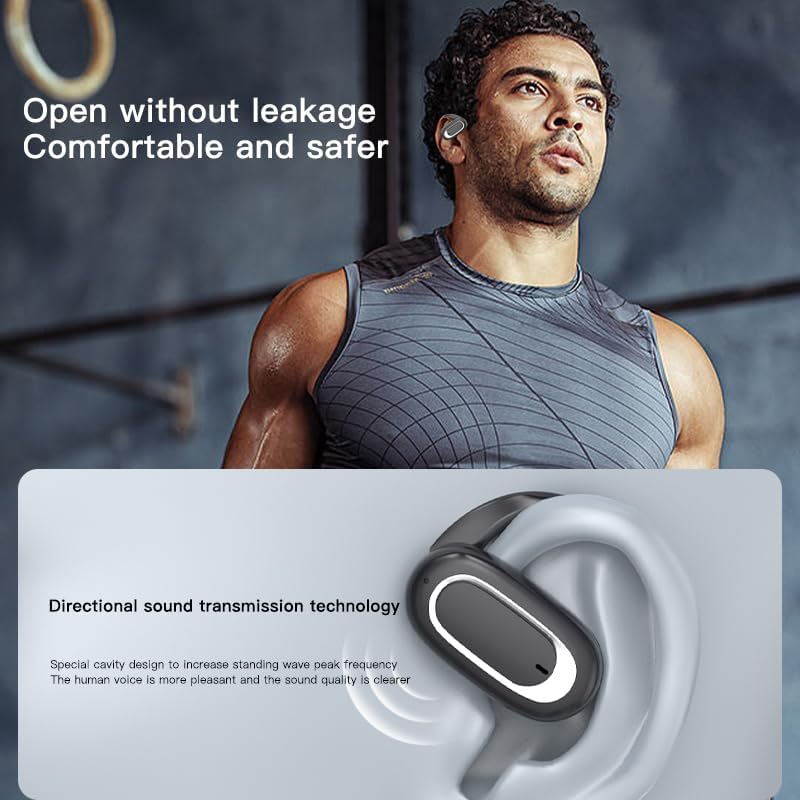
Image: Micool T35 Headphones: Touch Controls Diagram. This diagram illustrates the touch-sensitive area on the earbud and lists the corresponding functions for single tap, double tap, triple tap, and long press.
- Music Playback/Pause: Tap the function key once.
- Tali/Fa'ai'u le Valaau: Click the function key.
- Summon Voice Assistant: Long press the function key for 2 seconds.
- Tete'e Valaau: Long press the function key for 2 seconds during an incoming call.
- Switching Up/Down Tracks: Triple click the left/right ear function keys.
- Fa'ateleina/Fa'aitiitiga: Double click the right/left ear function keys.
3. Faʻaloga Taʻaloga
The Micool T35 headphones support a low-latency game mode for improved audio-video synchronization.

Image: Micool T35 Headphones: Low Latency Game Mode. The image shows a smartphone displaying a mobile game, indicating the headphones' capability for synchronized audio and video during gaming.
To activate game mode, refer to the specific instructions provided in the quick start guide or product packaging, as this feature often requires a specific touch gesture or setting within the connected device.
Tausiga
O le tausiga lelei e mautinoa ai le umi ma le lelei o le faʻaaogaina o au headphone.
- Fa'amamaina: Use a soft, dry, lint-free cloth to clean the headphones and charging case. Do not use abrasive cleaners or solvents.
- Suavai Tetee: The headphones are IPX6 waterproof, meaning they are resistant to strong jets of water. They are suitable for use during workouts and in light rain, but should not be submerged in water. Dry them thoroughly before placing them back in the charging case.
- Teuina: Pe a le faʻaaogaina, teu le mea faʻalogo i totonu o latou pusa e faʻapipiʻiina e puipuia ai mai pefu ma faʻaleagaina. Teu i se nofoaga malulu, matutu mamao ese mai le vevela tele.
- Tausiga maa: To preserve battery life, charge the headphones regularly, even if not used for extended periods. Avoid fully discharging the battery frequently.
Fa'afitauli
If you encounter issues with your Micool T35 headphones, try the following solutions:
- Leai se leo:
- Ia mautinoa o lo'o fa'atumuina taligalu.
- Check if the headphones are properly paired with your device.
- Adjust the volume on both the headphones and your device.
- Taumafai e taina leo mai se isi talosaga po'o se puna.
- Fa'ato'a fa'alua:
- Tape le Bluetooth i lau masini ma toe ki.
- Forget "Micool T35" from your device's Bluetooth list and attempt to pair again.
- Ia fa'amautinoa o lo'o i totonu le fa'auluuluga i le faiga fa'apa'aga (Emo moli).
- Fa'alatalata atu taligalu i lau masini.
- Fa'afitauli Fa'atonu:
- Ia mautinoa o lo'o feso'ota'i lelei le uaea o lo'o molia i le pusa ma le puna eletise.
- Try a different USB Type-C cable or power adapter.
- Clean the charging contacts on the headphones and inside the case with a dry cotton swab.
- Leaga le Tulaga Valaau:
- Ia mautinoa e le o faalavelaveina le masini faaleotele leo.
- Alu i se nofoaga e itiiti ai le pisa o le si'osi'omaga.
- Check your device's network signal.
Fa'amatalaga
| Fa'ailoga | Micool |
| Igoa Fa'ata'ita'iga | T35 |
| Tekinolosi Feso'ota'i | Uaealesi (Bluetooth 5.3) |
| Tulaga taliga | Tatala taliga |
| Fa'ailoga Fa'ailoga | On Ear (with earhooks) |
| Fa'ailoga e le Suavai | IPX6 |
| Taimi Toe Ta'alo | Up to 12 hours (single charge), 34 hours (with charging case) |
| Taulaga Totogi | USB Ituaiga-C |
| Ituaiga Pulea | Pulea o Ala o Faasalalauga (Pa'i) |
| Mea | palasitika |
| Masini Fegalegaleai | Telefoni feaveai |
Fa'amaonia ma Lagolago
Micool T35 Open Ear Headphones come with a 1-year limited warranty from the date of purchase. This warranty covers manufacturing defects and workmanship under normal use.
For technical support, warranty claims, or any questions regarding your product, please contact Micool customer service through the retailer where you purchased the product or visit the official Micool brand store:
Please have your purchase receipt and product model number (T35) ready when contacting support.