
Folasaga
Fa'afetai mo le fa'atauasing the Emerson EPD-1001 Portable 10-inch DVD Player. This manual provides essential information for setting up, operating, and maintaining your device. Please read these instructions carefully before use to ensure proper functionality and to maximize your viewle poto masani.
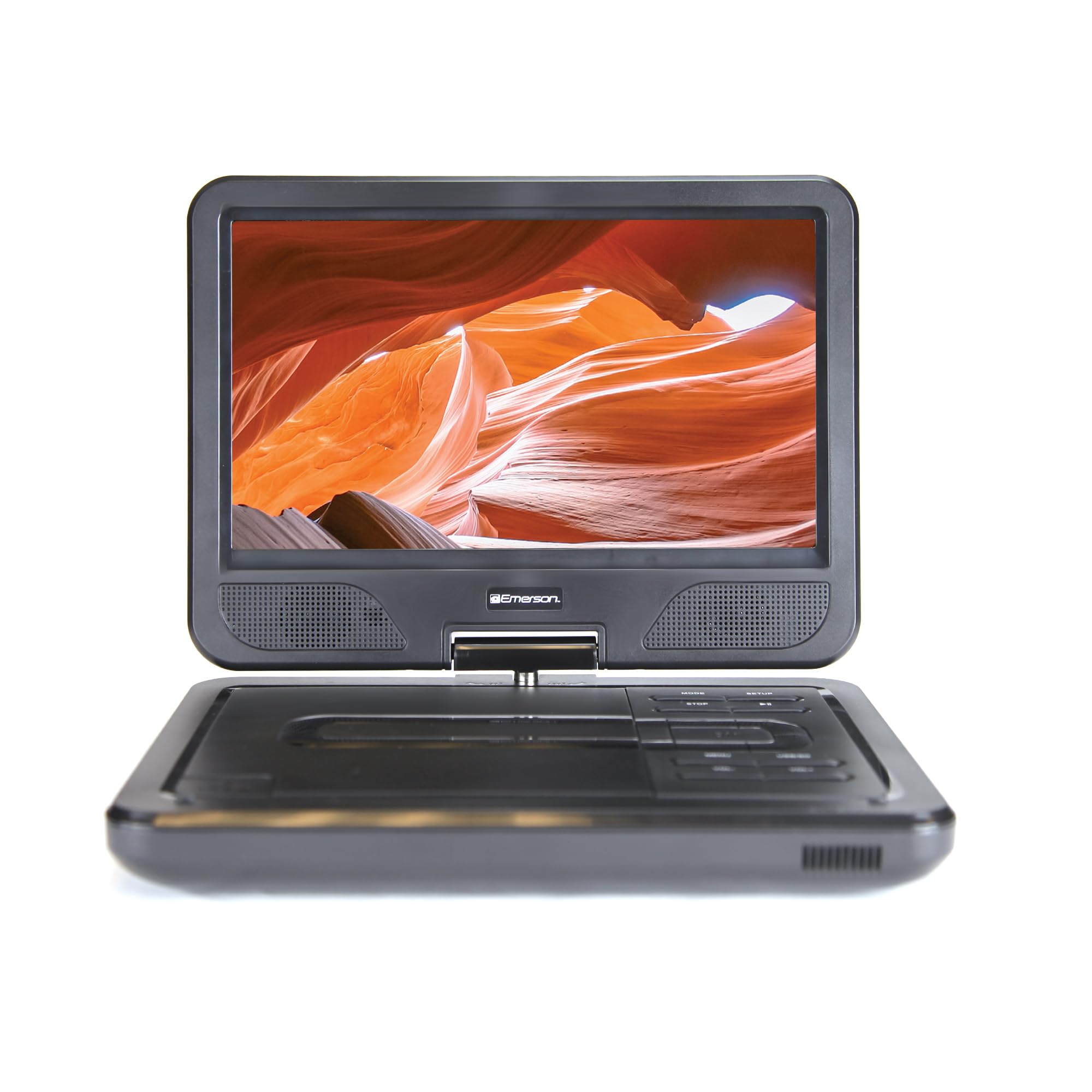
Image: The Emerson EPD-1001 Portable 10-inch DVD Player shown with its screen open, displaying a vibrant image.
O a mea i totonu o le Pusa
Fa'amautinoa o lo'o iai mea uma i totonu o le afifiina:
- Emerson EPD-1001 Portable 10-inch DVD Player
- Pulea Mamao
- Adaptor Mana Mana
- DC Car Cord
- AV uaea
- Tusi Lesona a le Tagata (lenei pepa)
- Kata Faamaonia

Image: The Emerson EPD-1001 Portable 10-inch DVD Player displayed alongside its remote control.
Oloa Fa'ailoga
- 10-inch Swivel Screen: The large 10-inch screen swivels 180 degrees, allowing for flexible viewi tulimanu.
- Fa'alogo i totonu: Integrated speaker provides clear audio for an immersive experience.
- Ma'a e toe fa'aaogaina: Enjoy portable viewing with the built-in rechargeable battery, offering hours of playback.
- Pulea Mamao: Navigate menus and control playback effortlessly with the included remote.
- Fuafuaga Ma'oti: Lightweight and compact for easy transport during travel.
- Multi-Format Compatibility: Supports a wide range of DVD formats, as well as media from USB flash drives and SD cards.
Video: A 360-degree product overview of the Emerson EPD-1001 Portable DVD Player, showcasing its design and features from various angles.
Seti
- Tatalaina: Aveese ma le faaeteete vaega uma mai le afifiina. Taofi afifi mo le teuina po o le felauaiga i le lumanai.
- Totogiina le Maa: Before first use, fully charge the internal rechargeable battery. Connect the AC power adapter to the DC IN 9-12V port on the DVD player and plug it into a standard wall outlet. The charging indicator light will illuminate. A full charge typically takes several hours.
- Malosiaga o le Ta'avale (Filifiliga): For in-car use, connect the DC car cord to the DC IN 9-12V port and plug the other end into your vehicle's 12V accessory socket.
- External Display Connection (Optional): To connect to an external display (e.g., TV), use the provided AV cable. Connect the AV OUT port on the DVD player to the corresponding AV IN ports on your television.

Image: A hand plugging a 12V car adapter into a vehicle's power outlet, demonstrating how to power the DVD player on the go.
Fa'atonuga o Galuega
Malosiaga Ki/Pepe
- Ina ia ola, oomi ma uu le MANA faamau seia susulu le lau.
- Ina ia tape le malosi, oomi ma taofi le MANA toe oomi le faamau seia oo ina tape le lau.
Inserting and Playing a DVD
- Open the disc cover by gently lifting the TATALA fono
- Place a DVD disc onto the spindle with the label side facing up. Gently press the center of the disc to secure it.
- Tapuni le ufiufi tisiki.
- The player will automatically detect the disc and begin playback. If not, press the TALO/TOTO faamau.
Using the Swivel Screen
The screen can be rotated up to 180 degrees. Gently swivel the screen to your desired viewing angle. You can also fold the screen flat against the base for a tablet-like viewle poto masani.

Image: A woman using the Emerson EPD-1001 Portable DVD Player, demonstrating the swivel screen feature for comfortable viewing.
Media Playback (USB/SD Card)
- Fa'aofi se USB flash drive i totonu o le USB port or an SD card into the SD CARD avanoa.
- Fa'aaoga le TULAGA button on the player or remote to select the appropriate input (USB or SD).
- Su'esu'e i au ala o faasalalauga files using the arrow buttons and press Ulufale e taalo.

Image: A hand inserting a USB flash drive into the side port of the portable DVD player, illustrating media playback from external storage.
Fa'aaogaina o le Pulea Mamao
Point the remote control directly at the infrared sensor on the DVD player. The remote allows access to functions such as Play, Pause, Stop, Fast Forward, Rewind, Chapter Skip, Volume Control, Menu Navigation, and Input Selection.
Fa'alogo leo
- Speakers ua fausia i totonu: Audio will play automatically through the integrated speakers. Adjust volume using the VOL+ ma VOL- faamau.
- Ulu o le Headphone: For private listening, plug standard 3.5mm headphones into the Ulutele jack. This will mute the built-in speakers.
Tausiga
- Fa'amamaina: Use a soft, dry cloth to clean the exterior of the DVD player. For the screen, use a soft, lint-free cloth specifically designed for electronics screens. Do not use liquid cleaners or abrasive materials.
- Tausiga Disc: Handle discs by their edges. Keep discs clean and free of scratches. Use a soft, lint-free cloth to wipe discs from the center outwards if cleaning is necessary.
- Tausiga maa: To prolong battery life, avoid fully discharging the battery frequently. If storing the device for an extended period, charge the battery to approximately 50% and store in a cool, dry place. Recharge every few months to prevent deep discharge.
- Teuina: Store the DVD player in a cool, dry environment away from direct sunlight, extreme temperatures, and excessive dust.
Fa'afitauli
| Fa'afitauli | Mafuaaga e ono tupu | Fofo |
|---|---|---|
| E le ola le tagata taalo. | Ua uma le maa pe ua le feso'ota'i le adapter eletise. | Connect the AC power adapter and allow the battery to charge. Ensure the power button is pressed and held. |
| Leai se ata i luga ole lau. | Disc is dirty/scratched, incorrect input selected, or screen is folded incorrectly. | Clean the disc. Ensure the screen is properly opened and swiveled. If connected to an external display, verify AV cable connections and TV input selection. |
| Leai se leo. | Volume is too low, headphones are connected, or disc has no audio track. | Increase the volume. Disconnect headphones if using built-in speakers. Check disc for audio content. |
| Disc does not play or skips. | O le tisiki e palapala, maosi, pe le fetaui. | Clean the disc thoroughly. Try a different disc. Ensure the disc format is supported by the player. |
| E le o galue le pule mamao. | Batteries are dead or remote is not pointed at sensor. | Replace remote control batteries. Ensure direct line of sight to the player's IR sensor. |
Fa'amatalaga
| Fa'aaliga | Fa'amatalaga |
|---|---|
| Fa'ailoga | Emerson |
| Numera Fa'ata'ita'i | EPD-1001 |
| Tele lau | 10 Inisi |
| Fa'aaliga Ituaiga | LCD |
| I'ugafono a le Atunu'u | 1280x720 |
| Tekinolosi Feso'ota'i | USB |
| Masini Fegalegaleai | Mobile Phone, Television (via AV out) |
| Ituaiga Media | DVD, CD, MP3, USB, SD Card |
| Ituaiga Mea (L x W x H) | 10"L x 1.8"W x 7.35"L |
| Mea mamafa | 2.2 pauna |
| Lanu | Lanu uliuli |
| Filifiliga Malosiaga | Built-in rechargeable battery, AC adapter, 12V car adapter |

Image: A diagram illustrating the dimensions (length, width, height) and weight of the Emerson EPD-1001 Portable DVD Player.
Fa'amaonia ma Lagolago
The Emerson EPD-1001 Portable 10-inch DVD Player comes with a warranty covering 1 Year for Parts ma 90 Days for Labor mai le aso na fa'atau ai.
For technical support, warranty claims, or service inquiries, please contact the manufacturer, Naxa Electronics, Inc. Refer to the warranty card included in your product packaging for specific contact details and procedures.
Fa'amolemole taofi lau fa'amaoniga o le fa'atau mo le fa'amaoniaina o le fa'amaonia.