
Folasaga
Thank you for choosing the HAMMER SpeedMotion II Elliptical Trainer. This manual provides essential information for the safe and effective use of your new fitness equipment. Please read it thoroughly before assembly and operation, and keep it for future reference.
The SpeedMotion II offers an innovative and comfortable workout experience, combining dynamic movement with individual intensity control. Its natural, ergonomic design supports effective calorie burning and targets various muscle groups through its 3-fold incline adjustment.

The HAMMER SpeedMotion II Elliptical Trainer provides a full-body workout experience in the comfort of your home, featuring 24 programs, 16 resistance levels, an LCD display, and Bluetooth connectivity.
Faatonuga Saogalemu
- Fa'atalanoa se foma'i a'o le'i amataina so'o se polokalame fa'amalositino fou.
- Ia fa'amautinoa ua mau uma fa'amau ma nati a'o le'i fa'aogaina.
- Tuu le elliptical trainer i luga o se mea mafolafola ma mautu.
- Taofi tamaiti ma fagafao mai mea faigaluega i le taimi o le taotoga.
- Fai seevae afeleti talafeagai ma lavalava.
- Taofi loa le faamalositino pe afai e te lagona le matapogia, niniva, pe oo foi i le tiga.
- The maximum user weight for this device is 130 kg.
Seti ma Fonotaga
The HAMMER SpeedMotion II Elliptical Trainer requires assembly. An instruction manual is included with the product to guide you through the process. It is recommended to lay out all parts and verify them against the parts list before beginning assembly.
- Tatalaina: Aveese ma le faaeteete vaega uma mai le afifiina.
- Su'ega Vaega: Verify that all parts listed in the assembly guide are present and undamaged.
- Fonotaga Faavae: Fa'apipi'i mea fa'amautu pito i luma ma tua i le fa'avaa autu.
- Pedal Arms and Flywheel: Assemble the pedal arms and connect them to the flywheel mechanism.
- U'u: Secure the stationary and moving handlebars.
- Fa'apipi'i Console: Mount the LCD console and connect all necessary cables.
- Fetuuna'iga Fa'asaga: Ensure the 3-fold incline adjustment mechanism is correctly installed and functional.
- Siaki Mulimuli: Double-check all connections and ensure the elliptical is stable before first use.
Assembly typically takes approximately 45 minutes for one person, following the detailed, illustrated instructions provided.
Fa'atonuga o Galuega
Ua uma le faamafanafanagaview

The LCD display provides real-time feedback on your workout, controlled by the intuitive Push & Turn button.
The black-backlit LCD display provides clear visibility of your workout data. Use the central Push & Turn Button for intuitive navigation and selection.
- RPM: Ta'amilosaga I le minute
- Saosaoa: Saosaoa nei
- Mamao: Total distance covered
- Training Time: Duration of your workout
- Calorie Consumption: Fa'atatauina kalori mu
- Fa'atomu o le fatu: Measured via handgrip sensors
- Tulaga tetee: Current resistance setting
Polokalama Taleni
The SpeedMotion II features 24 polokalame a'oa'oga ua uma ona fa'atulaga to help you achieve your fitness goals. Navigate through the programs using the Push & Turn Button and select the one that suits your needs.
Tetee fetuunaiga
The elliptical trainer uses a manual resistance mechanism. Adjust the resistance level to increase or decrease the intensity of your workout. Higher resistance targets strength, while lower resistance focuses on endurance.
3-Fold Incline Adjustment

Adjust the incline to target different muscle groups: higher incline for glutes and hamstrings, lower incline for quadriceps.
The 3-fold incline adjustment allows you to vary your workout and target different muscle groups. A higher incline emphasizes the glutes and posterior thigh muscles, while a lower incline places more emphasis on the anterior thigh muscles (quadriceps).
Mata'ituina le Fua o le fatu
Integrated handgrip sensors allow for real-time heart rate monitoring. Grip the sensors firmly during your workout to display your heart rate on the LCD console. This helps you stay within your target heart rate zone for optimal training.
Kinomap & Zwift Compatibility
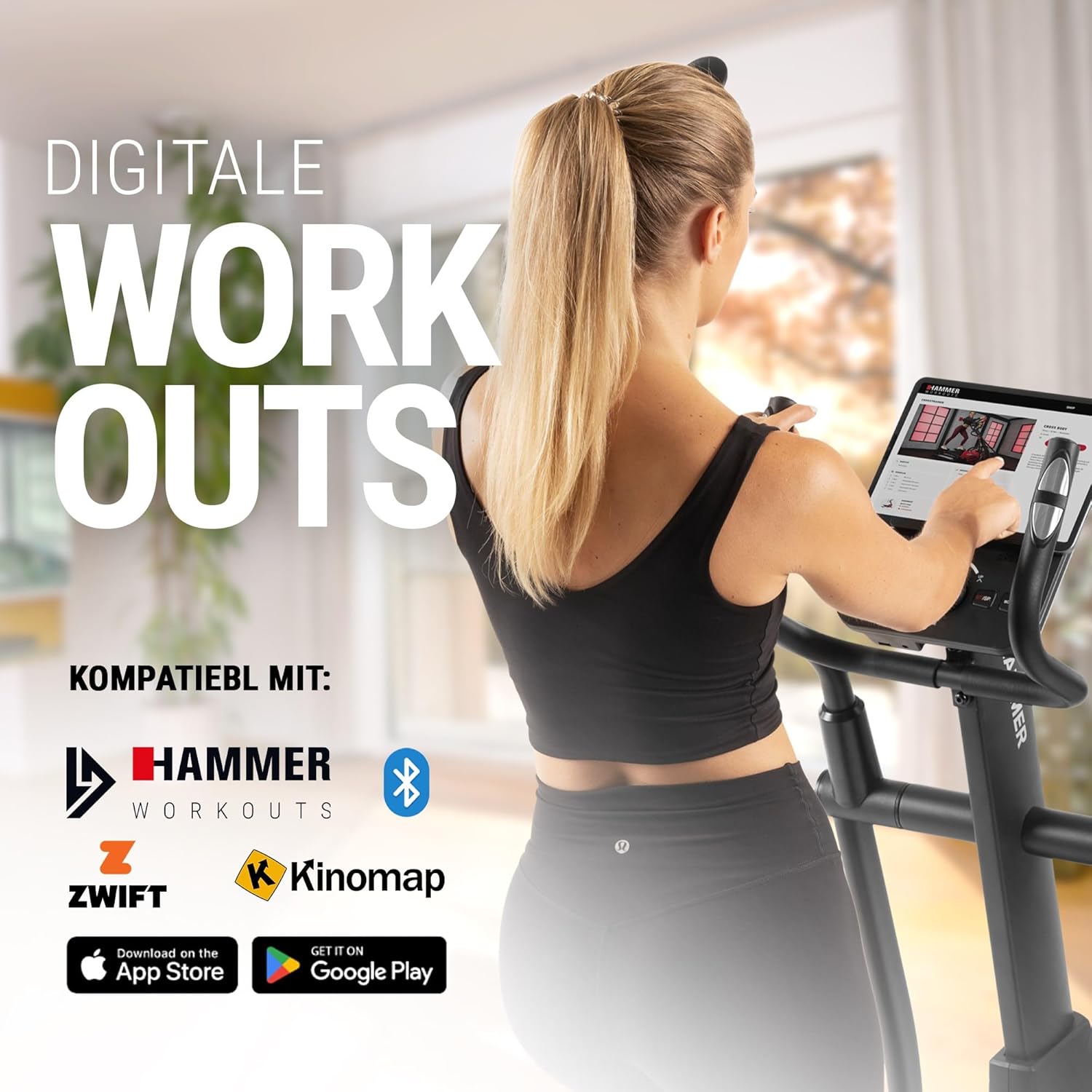
Connect your tablet or smartphone to the elliptical trainer for interactive workouts with Kinomap and Zwift.
The SpeedMotion II is compatible with popular fitness apps like Kinomap and Zwift. Connect your smartphone or tablet via Bluetooth to access virtual training worlds, interactive routes, and track your performance. Download the respective apps from the App Store or Google Play.
Tausiga
O le tausiga faifaipea e mautinoa ai le umi o le ola ma le faʻatinoga sili ona lelei o lau faiaoga elliptical.
- Fa'amamaina: Solo ese masini i le fa'asalalaugaamp ie pe a uma ona faaaoga taitasi e aveese ai le afu ma le pefu. Aloese mai mea fa'amama fa'afefe.
- Lubrication: Periodically check moving parts, especially the rollers and tracks, for smooth operation. Lubricate as recommended in the detailed product manual if necessary.
- Fa'amauina: Regularly inspect all bolts, nuts, and connections. Tighten any loose components to prevent noise and ensure stability.
- Teuina: Store the elliptical trainer in a dry, temperate environment away from direct sunlight and extreme temperatures.

The SpeedMotion II features a quiet drive system, high-quality rollers for smooth movement, and stability adjustments for a secure workout.
Fa'afitauli
If you encounter issues with your HAMMER SpeedMotion II, refer to the following common troubleshooting tips:
| Fa'afitauli | Mafuaaga e ono tupu | Fofo |
|---|---|---|
| Squeaking or rattling noises | Loose bolts or connections; lack of lubrication on moving parts. | Check and tighten all visible bolts and nuts. Lubricate joints and rollers as per the main manual. |
| Fa'aaliga e le o galue | Loose cable connection; depleted batteries (if applicable). | Ensure all console cables are securely connected. Check and replace batteries if the unit is battery-powered (AA batteries required, not included). |
| Uneven movement or instability | Uneven floor surface; loose frame components. | Adjust the leveling feet on the stabilizers. Check and tighten all frame connections. |
| E le suia le tetee | Issue with the resistance mechanism. | Refer to the detailed manual for specific resistance mechanism troubleshooting or contact customer support. |
If the problem persists after attempting these solutions, please contact HAMMER customer support.
Fa'amatalaga
| Fa'aaliga | Fa'amatalaga |
|---|---|
| Igoa Fa'ata'ita'iga | SpeedMotion II |
| Numera Fa'ata'ita'i | 11000 |
| Fua (L x W x H) | 160 x 60 x 177 cm |
| Mea mamafa | 61.9 kilokalama |
| Maualuluga o Tagata Fa'aaoga | 130 kilokalama |
| Misasa Uili Uila | 18 kg (implied from product title, not explicitly in specs table but in product title) |
| Umi le umi | 50 cm |
| Pedal Mamao | 14 cm (from feature bullets) |
| Fa'asagaga Fa'anofo | 3-fold manual adjustment |
| Mechanism Tetee | Tusi Lesona |
| Polokalama | 24 (from product title and feature bullets) |
| Fa'aaliga Ituaiga | Black-backlit LCD, 17.78 cm (7 inches) |
| Feso'ota'i | Bluetooth, Kinomap & Zwift compatible |
| Ituaiga Mea | Uamea |
| Punavai Malosi | Manaomia maa AA (e le o aofia ai) |
Fa'amaonia ma Lagolago
Fa'amatalaga Fa'amaonia
Specific warranty details for the HAMMER SpeedMotion II Elliptical Trainer are typically provided with your purchase documentation. Please refer to the warranty card or the official HAMMER website for comprehensive information regarding coverage and terms.
Lagolago Tagata Fa'atau
For technical assistance, spare parts, or any questions regarding your HAMMER SpeedMotion II, please contact HAMMER SPORT customer service. Contact details can usually be found on the official HAMMER webnofoaga po'o lau fa'amaumauga o oloa.
When contacting support, please have your model number (11000) and proof of purchase readily available.