
1. Folasaga
Thank you for choosing the Rettru XDWIFI Pro Wireless WiFi Camera. This compact camera is designed for versatile security monitoring, offering HD 1080P video recording, night vision, and motion detection capabilities. It is suitable for various applications including home security, baby monitoring, and pet monitoring. This manual provides detailed instructions for setting up, operating, and maintaining your camera to ensure optimal performance.
2. Mea i totonu o le afifi
Fa'amolemole fa'amaonia o mea uma o lo'o lisi atu i lalo o lo'o aofia i lau afifi:
- 1 x Rettru XDWIFI Pro Camera
- 1 x Masini Faʻamau
- 1 x Micro SD Card Reader
- 1 x Tusi Fa'aoga
- 1 x Uaea Malosi

Image: The package contents include the camera, magnetic base, Micro SD card reader, user manual, and power cable.
3. Vaega o Oloa
- Fuafuaga Ma'oti: The camera features a small form factor, measuring approximately 1.57 x 1.18 x 0.5 inches, making it easy to conceal and place discreetly.
- Vitio HD 1080P: Records clear video at 1080p resolution.
- Fa'aleleia le Va'aiga i le po: Equipped with two 940nm infrared lights, providing up to 26ft night vision range without visible glow.
- Su'eina o Gaioiga: Intelligent motion detection with customizable monitoring areas and times. Sends alarm notifications with images to your phone upon detection.
- Faiga Malosi Lua: Features a built-in lithium battery for approximately 1.5 hours of continuous operation, and can be connected to a USB power source for extended use.
- Fa'amau Fa'amau: Automatically overwrites older files when the memory card is full, ensuring continuous recording.
- Mamao Viewi: Access live video feed from anywhere via the companion mobile application (V380 Pro).
- Fa'amauina maneta: Includes a magnetic base for flexible installation on various surfaces.

Image: The camera's compact dimensions are illustrated, emphasizing its small size.

Image: The camera's small size allows for discreet placement, such as within a plant pot.

Image: The camera can be mounted on a desk, bookshelf, or wall using its 360-degree rotating stand.
4. Seti Taiala
4.1 Totogiina le Meapueata
Before first use, fully charge the camera. Connect the camera to a USB power source (e.g., wall charger, power bank, computer USB port) using the provided USB cable. The charging indicator light will show the charging status.

Image: The camera supports dual power modes, allowing it to be powered by its built-in battery or an external USB source like a power bank or wall charger.
4.2 Fa'aofiina o se Micro SD Card (Filifili)
For local video storage, insert a Micro SD card (up to 128GB, purchased separately) into the camera's SD card slot. Ensure the card is inserted correctly with the contacts facing the camera's interior. The camera supports loop recording, overwriting older filepe a tumu le kata.

Image: Illustration of Micro SD card insertion and the corresponding recording durations for various card capacities.
4.3 App Download ma Fa'apipi'i
The Rettru XDWIFI Pro camera uses the V380 Pro application for remote viewing and control. Download the app from your device's app store (iOS App Store or Google Play Store).
- Saili mo "V380 Pro" in your app store.
- La'u ma fa'apipi'i le talosaga.
- Register for an account or log in if you already have one.

Image: Visual steps for downloading the V380 Pro app, connecting the device, and establishing a WiFi connection.
4.4 Fa'afeso'ota'i le Mea Pu'eata i le WiFi
Follow these steps to connect your camera to your home WiFi network:
- Malosi i le meapueata.
- Open the V380 Pro app on your smartphone.
- Tap le "+" icon e faaopoopo ai se masini fou.
- Select the appropriate connection method (e.g., "Add device by WiFi Smart Config" or "Add device by AP Hotspot").
- Follow the on-screen instructions to connect the camera to your 2.4GHz WiFi network. Note: This camera only supports 2.4GHz WiFi networks. It is not compatible with 5GHz networks.
- Once connected, you can name your device and begin viewing the live feed.
5. Fa'atonuga o Galuega
5.1 Ola Viewing
After successful setup, open the V380 Pro app and select your camera from the device list to access the live video feed. You can view the feed remotely from anywhere with an internet connection.
5.2 Su'esu'eina o Gaioiga
The camera features intelligent motion detection. When motion is detected, the camera will send an alarm notification with images to your phone. You can customize motion detection settings within the V380 Pro app:
- Ma'ale'ale: Fetuuna'i le lagona maaleale e iloa ai gaioiga.
- Vaega e Su'eina: Fa'amatala vaega patino i totonu o le meapueata view mo le su'eina o gaioi.
- Fa'asologa: Set specific times for motion detection to be active.
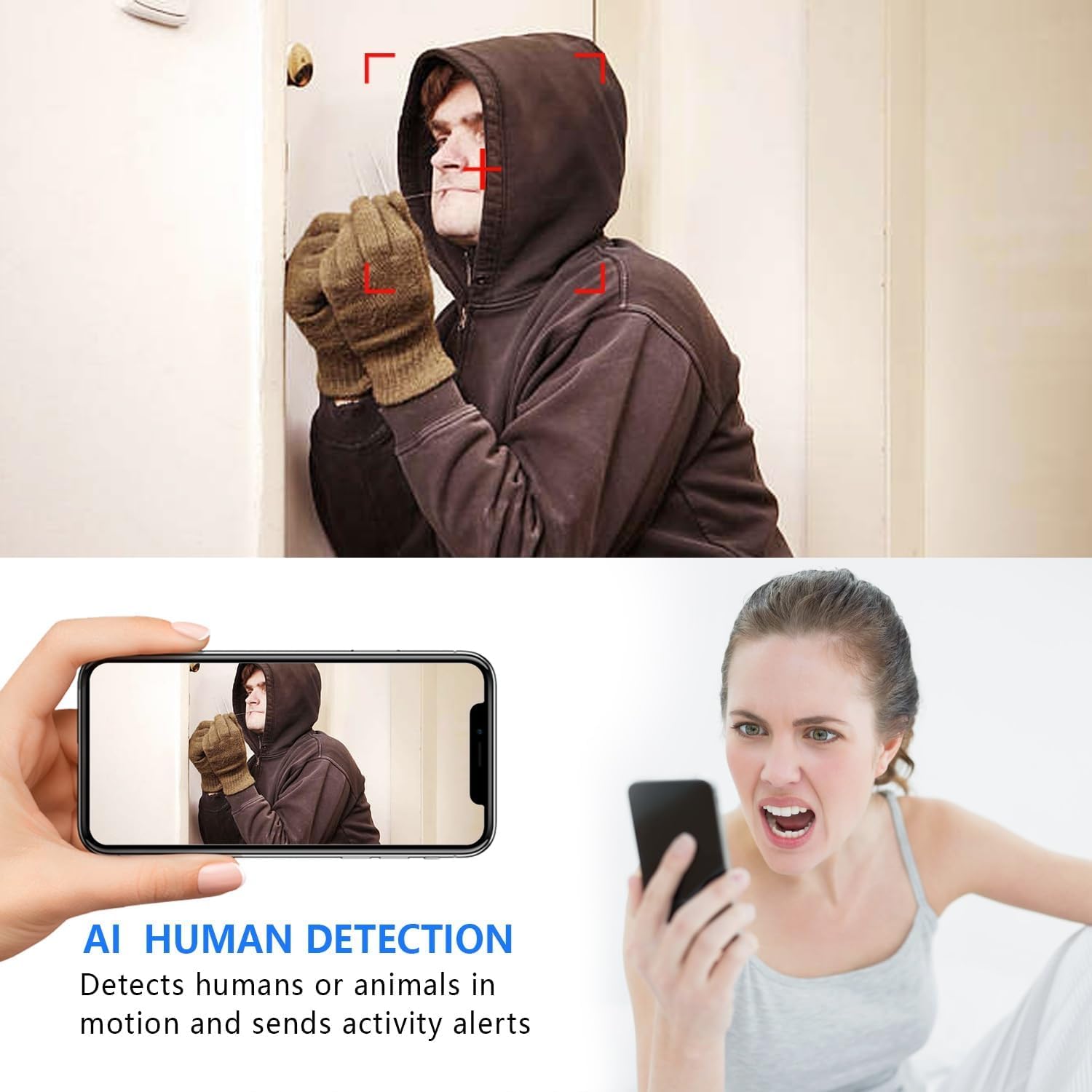
Image: The AI Human Detection feature identifies human movement and sends alerts to your mobile device.
5.3 Vaaiga i le Po
The camera automatically switches to night vision mode in low-light conditions. The infrared lights are non-glowing, ensuring discreet monitoring in complete darkness up to 26 feet.

Image: Comparison of day and night vision, demonstrating the camera's ability to provide clear images in darkness.
5.4 Faamauina ma Teuina
The camera supports two primary recording methods:
- Micro SD Card Recording: If an SD card is inserted, the camera will record video directly to it. Loop recording ensures continuous operation by overwriting the oldest footage.
- Teuga o Ao: The V380 Pro app may offer optional cloud storage services for your recordings. Refer to the app for details on subscription plans and features.
6. Tausiga
- Fa'amamaina: Faaaoga se ie vaivai ma mago e faamama ai le tioata ma le tino o le meapueata. Aloese mai le faaaogaina o vai faamama po o mea e olo ai.
- Tausiga maa: For optimal battery life, avoid extreme temperatures. Recharge the camera regularly, especially if it will be stored for an extended period.
- Faʻalauiloa Firmware: Periodically check the V380 Pro app for any available firmware updates for your camera. Keeping the firmware updated ensures the best performance and security.
7. Faʻafitauli
| Fa'afitauli | Mafuaaga e ono tupu | Fofo |
|---|---|---|
| Camera fails to connect to WiFi. | Incorrect WiFi password; Camera too far from router; Router is 5GHz only; Network interference. |
|
| No live video feed. | Camera is offline; Poor internet connection; App issue. |
|
| E le'i mauaina ni fa'ailoilo e iloa ai gaioiga. | App notifications disabled; Motion detection settings incorrect; Camera offline. |
|
| Puupuu le ola maa. | Continuous recording; Frequent motion detection; Low ambient temperature. |
|
8. Fa'amatalaga
| Fa'aaliga | Fa'amatalaga |
|---|---|
| Numera Fa'ata'ita'i | USA-Heima-XDWIFI New-JIAN-00005 |
| I'uga o Pu'e Vitio | 1080p |
| Viewi le Angle | 160 Tikeri |
| Po Vaʻai Vaaia | E oo atu i le 26 Futu |
| Feso'ota'iga Protocol | Wi-Fi (2.4GHz na'o) |
| Masini Fegalegaleai | iOS/Android Phone |
| Punavai Malosi | Malosi le maa (1 maa Lithium Ion e aofia ai) |
| Ola ma'a | Approx. 1.5 hours (continuous operation) |
| Teuga | Micro SD Card (up to 128GB, not included), Cloud Storage (optional) |
| Ituaiga Mea (L x W x H) | 1.7 x 1.3 x 0.4 inisi |
| Mea mamafa | 0.64 aunese (18.14 g) |
| Operating App | V380 Pro |
| Ituaiga Fa'apipi'i | Wall-Mounted & Surface-Mounted (with magnetic base) |
| Fa'ailoga Fa'ava-o-malo Puipuiga | IP65 |
9. Fa'amaonia ma Lagolago
For warranty information and technical support, please refer to the contact details provided with your purchase or visit the official Rettru website. If you encounter any issues not covered in this manual, please contact customer service for assistance.