
Folasaga
Thank you for choosing the Shadowhawk S9322 Rechargeable Tactical LED Flashlight. This manual provides essential information for the safe and efficient operation, maintenance, and troubleshooting of your device. Please read it thoroughly before use and retain it for future reference.
The Shadowhawk S9322 is a high-performance tactical flashlight featuring an advanced XHP70.2 LED chip, delivering up to 250,000 lumens of brightness. It offers 5 light modes, adjustable focus, USB input and output for charging and power bank functionality, and an IP67 waterproof rating, making it suitable for various outdoor activities and emergency situations.
Vaega o oloa
The Shadowhawk S9322 flashlight package includes the following items:
- Shadowhawk S9322 Rechargeable Flashlight
- Ma'a Lithium-Ion e toe fa'aaogaina
- USB-C Uaea Fa'atau
- Lanyard
- Fa'atonuga o Galuega (le tusi lesona)

Image: Contents of the Shadowhawk S9322 package, showing the flashlight, battery, USB-C cable, lanyard, and instruction manual.
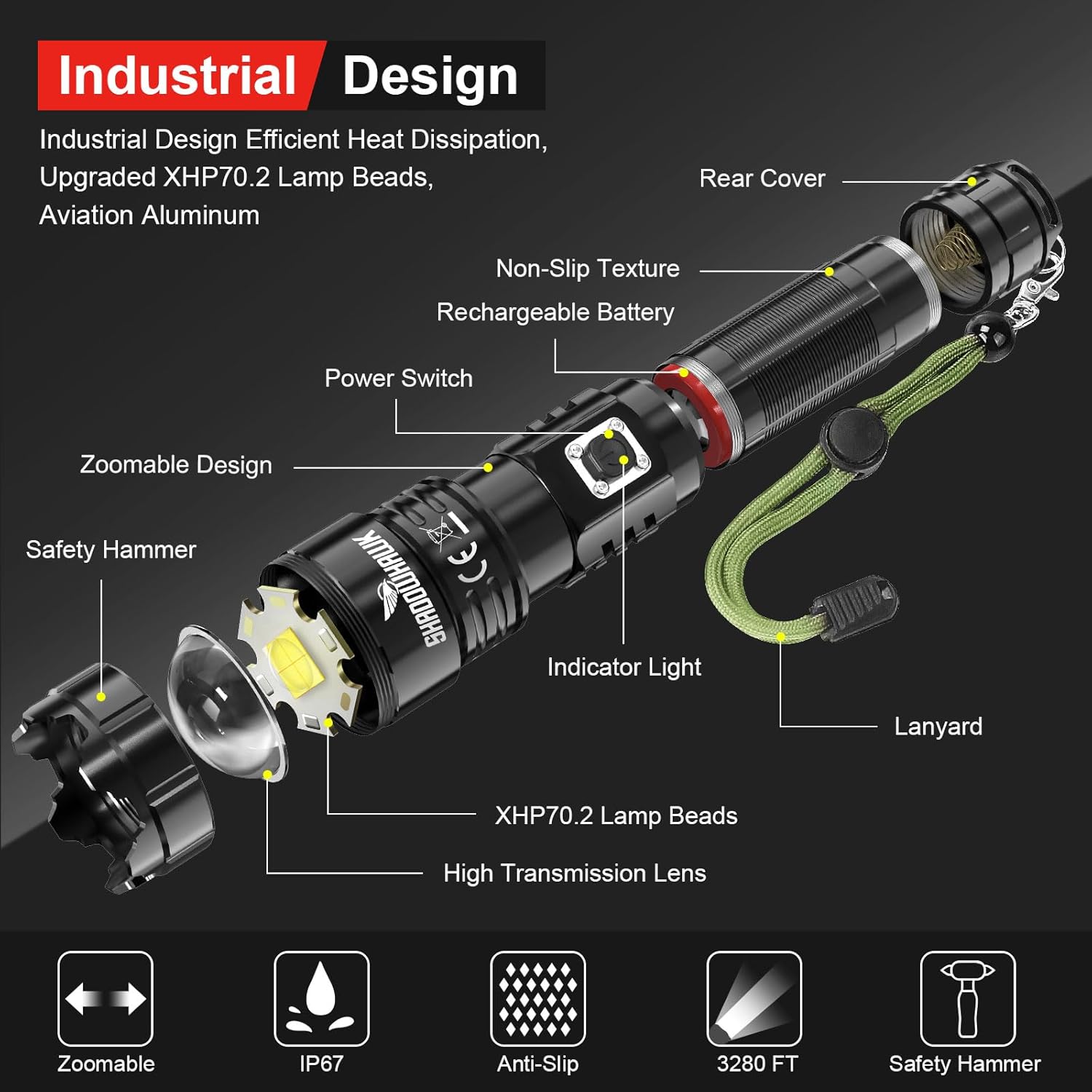
Image: Exploded diagram illustrating the internal and external components of the Shadowhawk S9322 flashlight, such as the XHP70.2 LED, lens, battery, and power switch.
Seti
1. Fa'apipi'i ma'a
- Aveese le Ata Puipui: Before first use, locate the rechargeable battery and carefully remove the transparent plastic protective film from its outer layer. Do not remove the blue plastic casing of the battery itself.
- Open Rear Cover: Unscrew the rear cover of the flashlight by turning it counter-clockwise.
- Fa'aofi maa: Insert the battery into the flashlight body. Ensure correct polarity: the positive (+) side (protruding part) should face towards the flashlight head, and the negative (-) side (flat part) should face towards the tail cap.
- Puipui malu: Screw the rear cover back on clockwise until it is securely tightened.

Image: Step-by-step guide for installing the rechargeable battery, emphasizing the removal of the protective film and correct polarity.
2. Totogi Muamua
It is recommended to fully charge the flashlight before its first use to ensure optimal performance and battery life.
- Feso'ota'i Uaea: Insert the USB-C end of the charging cable into the flashlight's charging port.
- Fesoʻotaʻi le Mana: Connect the USB-A end of the cable to a compatible USB power source (e.g., wall adapter, computer, power bank).
- Fa'ailoga Mataitu: The indicator light on the flashlight will turn lanu mumu during charging. It will turn lanu meamata pe a uma le maa.
- Taimi o Totogi: O le totogi atoa e masani lava pe a ma le 4 itula.

Image: Visual guide for charging the flashlight and understanding the charging indicator lights (red for charging, green for fully charged).
Fa'atonuga o Galuega
1. Malosi / Malosi
- E liliu le moli uila ON, press and hold the power switch for approximately 3 seconds.
- E liliu le moli uila TOTO, press and hold the power switch for approximately 3 seconds again.
Note: This 3-second press feature prevents accidental activation, conserving battery life.
2. Changing Light Modes
Once the flashlight is on, short press the power switch to cycle through the 5 available light modes:
- Maualuluga: Maximum brightness for extensive illumination.
- Medium: Balanced brightness for general use.
- Maulalo: Reduced brightness for extended runtime or close-range tasks.
- Sulu Flashing light for signaling or disorientation.
- SOS: International Morse code signal for emergencies.
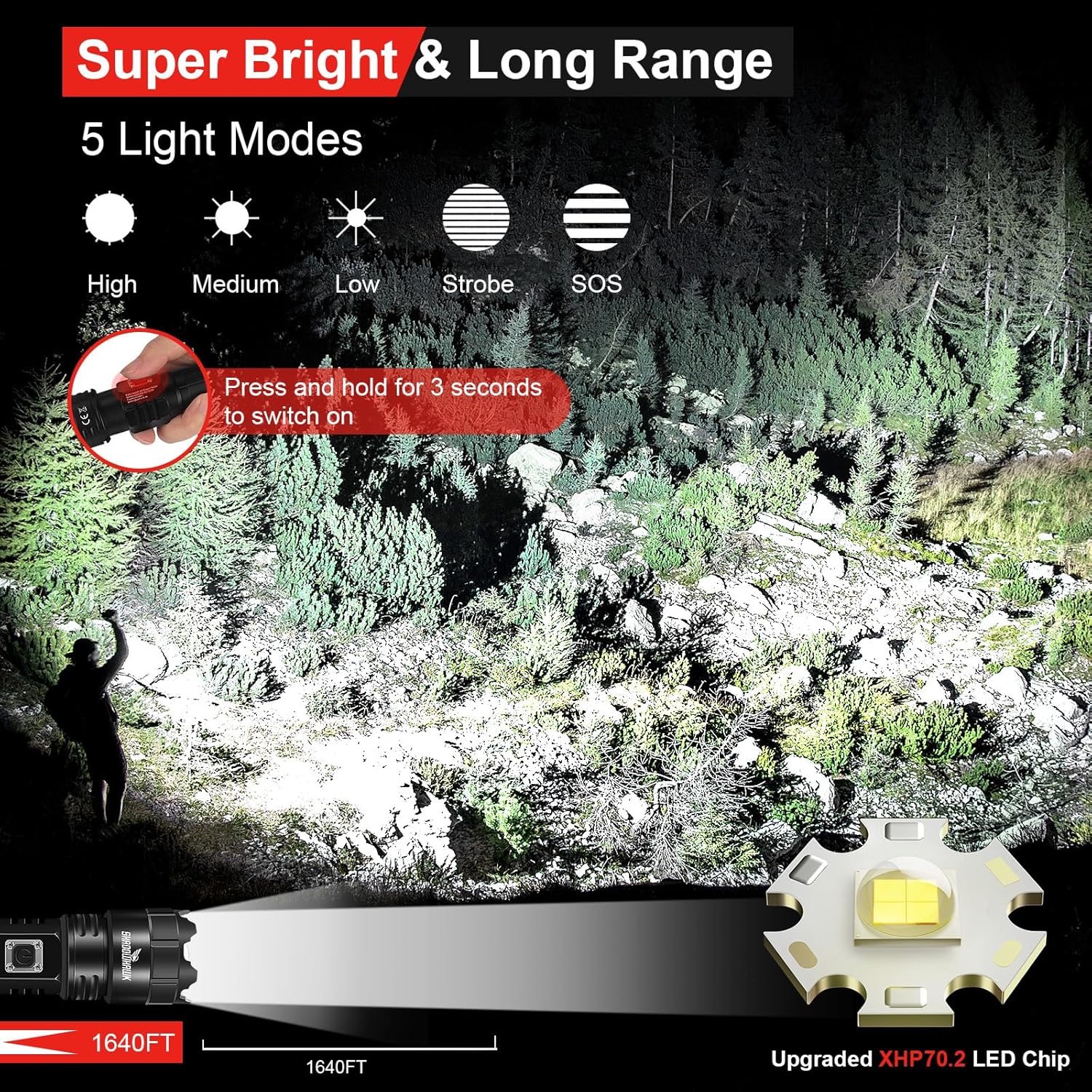
Image: Illustration of the five distinct light modes (High, Medium, Low, Strobe, SOS) and their visual effects, along with the 3-second press to activate the flashlight.
3. Adjustable Focus (Zoom Function)
The flashlight features an adjustable focus mechanism to switch between a wide floodlight and a concentrated spotlight beam.
- Ina ia fetu'una'i le taula'iga, fa'ase'e mālie le ulu o le moli i luma pe i tua.
- Sliding the head forward will narrow the beam into a focused fa'amalama.
- Sliding the head backward will widen the beam into a broad moli lologa.

Image: Depiction of the flashlight's zoomable feature, illustrating the transition between a wide floodlight and a focused spotlight beam.
4. Galuega a le Faletupe Malosiaga
The Shadowhawk S9322 can be used as a portable power bank to charge other electronic devices.
- Fa'afeso'ota'i le uaea fa'atumu mo le fa'atumuina o lau masini i le port USB-A o lo'o i luga o le moliuila.
- The flashlight will begin charging your device.
Note: Using the power bank function will consume the flashlight's battery. Monitor the battery indicator to ensure sufficient power for flashlight operation.
Tausiga
1. Totogiina
- Charge the flashlight when the indicator light turns red.
- Always use the provided USB-C cable or a certified equivalent.
- Avoid over-discharging the battery.
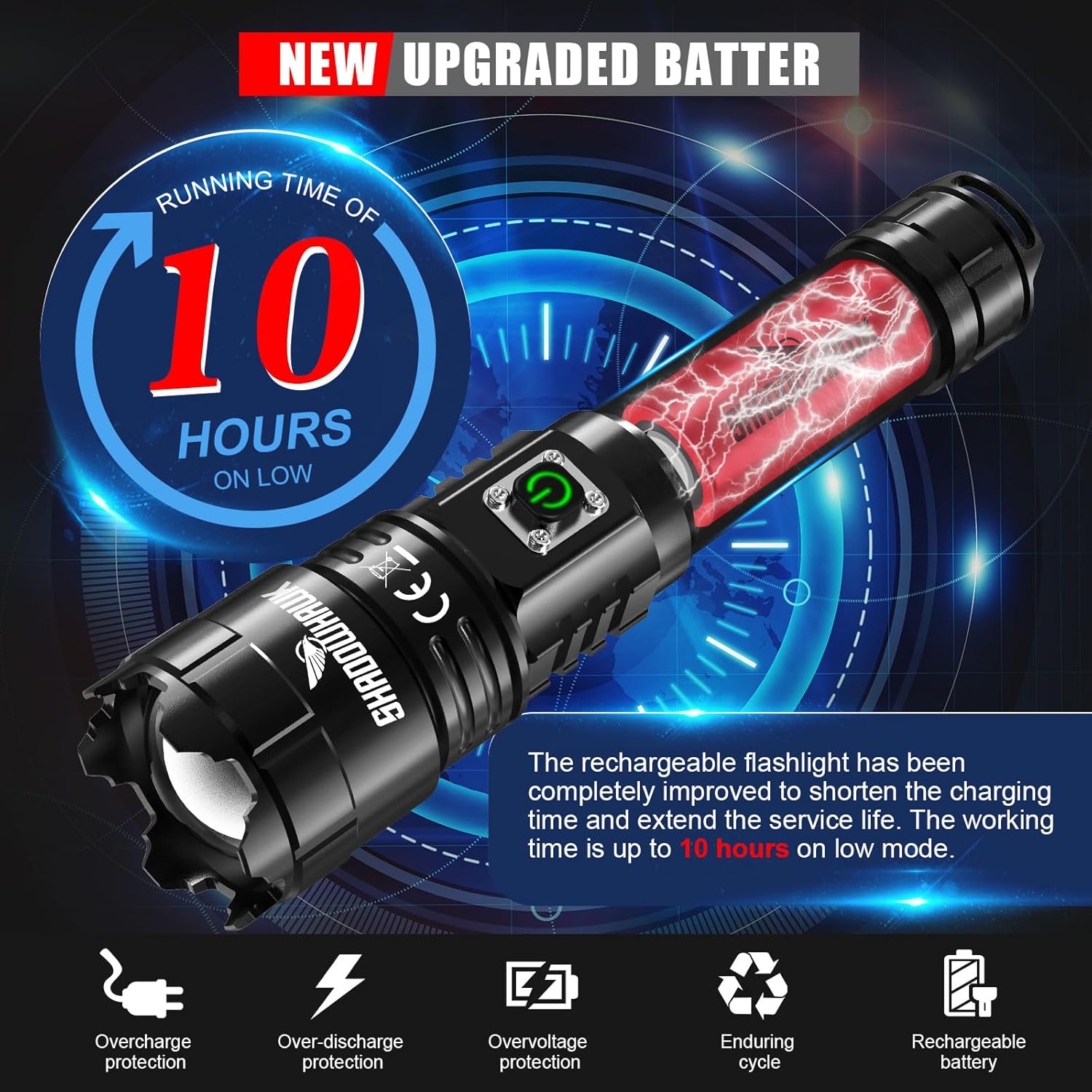
Image: Information on the upgraded battery's runtime and built-in protections (overcharge, over-discharge, overvoltagma).
2. Fa'amamaina
- Soloi le tino o le moliuila i se malu, oamp ie.
- Aua ne'i fa'aogaina ni mea e fa'amama fa'amama po'o ni so'o.
- Fa'amama le tioata mo le malamalama lelei. Fa'aaogā se ie fa'amama tioata pe a mana'omia.
3. Teuina
- Teu le moliuila i se nofoaga mālūlū ma matutu mamao ese mai le susulu o le la ma le vevela tele.
- If storing for an extended period, charge the battery to approximately 50% every 3-6 months to maintain battery health.
Fa'amatalaga Saogalemu
- Do not look directly into the LED beam, especially on high settings, as it can cause temporary vision impairment or permanent eye damage.
- Taofi ese mai tamaiti.
- Do not disassemble the flashlight head or LED assembly.
- Use only the specified rechargeable battery.
- ʻAloʻese mai le faʻaalia o le moli uila i le vevela tele poʻo ni afi matala.
- Although IP67 waterproof, avoid prolonged submersion in water. Ensure the charging port cover is securely closed before exposure to water.

Image: Visual representation of the flashlight's IP67 waterproof capability, showing it enduring water exposure.
Fa'afitauli
| Fa'afitauli | Mafuaaga e ono tupu | Fofo |
|---|---|---|
| E le ola moliuila. | Battery not installed correctly. Battery is depleted. Protective film still on battery. | Check battery polarity and ensure it's fully inserted. Charge the battery. Remove the transparent protective film from the battery. |
| O le malamalama e mu pe emo. | Ua maualalo le maa e fa'atumu ai. Ua le toe lelei feso'ota'iga. | Recharge the battery fully. Ensure the tail cap is tightly screwed on. |
| E lē mafai ona fa'atumuina le moli uila. | Charging cable faulty. USB power source not working. Charging port dirty. | Try a different USB-C cable. Connect to a different USB power source. Gently clean the charging port. |
| E le o galue le galuega a le power bank. | Flashlight battery too low. Device cable faulty. | Ensure flashlight battery is sufficiently charged. Try a different charging cable for your device. |
Fa'amatalaga
| Fa'aaliga | Fa'amatalaga |
|---|---|
| Fa'ailoga | Shadowhawk |
| Fa'ata'ita'iga | S9322 |
| Punavai Malamalama | XHP70.2 LED |
| Malamalama | E oʻo atu i 250,000 Lumens |
| La'au Mamao | E oo atu ile 500 mita (1640 futu) |
| Faiga Malamalama | Maualuga, Medium, Low, Strobe, SOS |
| Taulai | Adjustable (Floodlight to Spotlight) |
| Ituaiga maa | Lithium-Ion toe fa'aaogaina |
| Taulaga Totogi | USB-C Ulufale |
| Galuega Faatino Port | USB-A Output (Power Bank Function) |
| Runtime (Low Mode) | E oʻo atu ile 10 itula |
| Fa'ailoga e le Suavai | IP67 |
| Mea | Aerospace-grade Aluminum Alloy |
| Fua | E tusa ma le 21 x 9 x 4.5 cm |
| mamafa | Approximately 40 g (without battery) |
Fa'amaonia ma Lagolago
Shadowhawk offers 7x24-hour customer service for any questions or concerns regarding your S9322 flashlight. Please do not hesitate to contact us if you encounter any issues or require assistance.
For warranty claims or technical support, please refer to the contact information provided with your purchase or visit the official Shadowhawk webnofoaga.