
1. Fa'atonuga Taua mo le Saogalemu
Please read all instructions carefully before using the Baseus A7 Handheld Vacuum. Keep this manual for future reference.
- Do not use the vacuum cleaner near water or in wet conditions.
- Aua ne'i mitiia mea e mu pe mu, lefulefu vevela, po o mea maai.
- Taofi lauulu, ofu talatala, tamatamailima, ma vaega uma o le tino mai avanoa ma vaega fealuai.
- Faaaoga na'o le uaea fa'atumu ua saunia e le kamupani gaosi.
- Do not operate the vacuum with a damaged cord or plug.
- Ensure the filter is properly installed before use.
- O lenei masini e le'o fa'amoemoe mo le fa'aogaina e tagata (e aofia ai tamaiti) e fa'aitiitia le malosi o le tino, lagona po'o le mafaufau, po'o le leai o se poto masani ma le malamalama, se'i vagana ua tu'uina atu ia i latou le vaavaaiga poʻo le faʻatonuga e uiga i le faʻaaogaina o le masini e se tagata e nafa ma lo latou saogalemu.
- E tatau ona vaavaaia tamaiti ina ia mautinoa latou te le taaalo i le masini.
2. Mea i totonu o le afifi
Fa'amautinoa o lo'o iai mea uma i totonu o le afifi:

Ata 2.1: Fa'aaofia Vaega
- Baseus A7 Handheld Vacuum Cleaner
- Flagship Flexible Extender Tube
- Silicone Brush / Precision Extensions (2-in-1 Crevice Tool)
- USB-C Uaea Fa'atau
- Storage Cloth Bag
- HEPA Filter (mua'i fa'apipi'i pe fa'asao)
- Tusi Taiala
- Kata Faamaonia
3. Oloa Ua Ovaview
The Baseus A7 is a portable, cordless handheld vacuum designed for efficient cleaning in various environments, including cars, carpets, and other small areas. It features two suction levels and a USB-C rechargeable battery.

Figure 3.1: Suction Power and Runtime
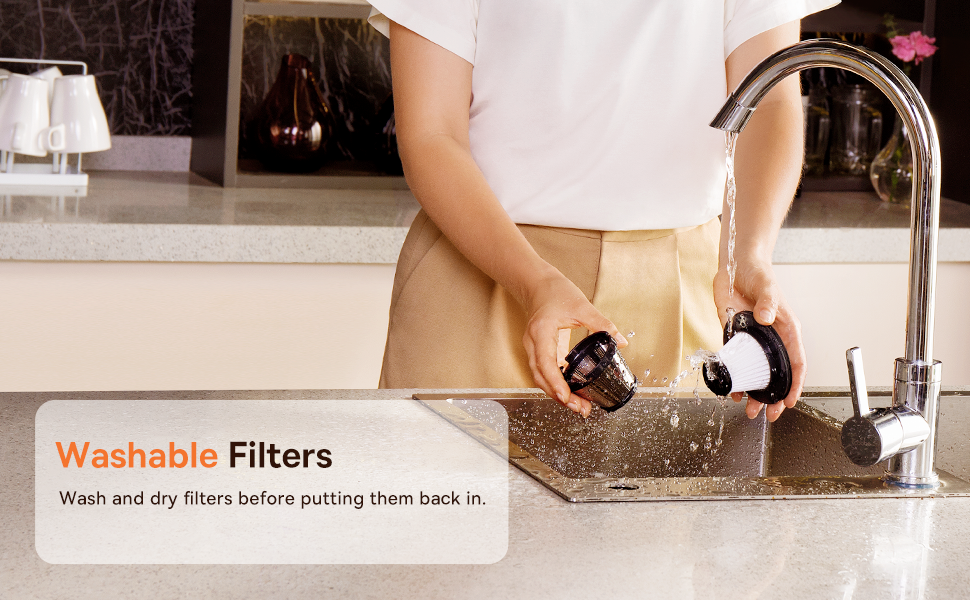
Figure 3.2: Powerful and Portable Design
Vaega Autu:
- Uaea ma feaveai: Designed for easy handling and use in various locations.
- Two Suction Levels: Standard (4500PA) for general cleaning and High (8000PA) for tougher debris.
- USB-C e toe fa'aaogaina: Convenient charging with a modern USB-C port.
- HEPA Filifiliga: E pu'eina pefu lelei ma allergens.
- 500ml Dust Box: Large capacity for extended cleaning sessions.
4. Seti ma Totogi
4.1 Totogi Muamua
Before first use, fully charge the vacuum cleaner. The charging time is approximately 3 to 3.5 hours.
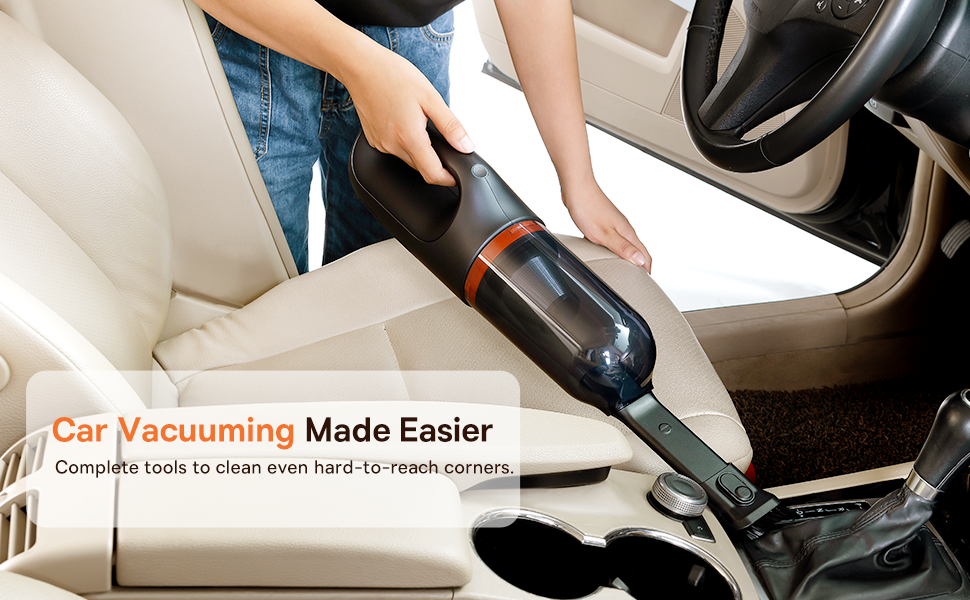
Figure 4.1: USB-C Charging
- Connect the provided USB-C charging cable to the charging port on the vacuum cleaner.
- Plug the other end of the cable into a compatible USB power adapter (not included) or a USB port.
- The indicator light will show charging status (refer to the device for specific light patterns).
- Once fully charged, disconnect the vacuum from the power source.
4.2 Fa'apipi'i Mea Fa'aopoopo
Select the appropriate attachment for your cleaning task and firmly attach it to the vacuum's suction inlet.
- Flexible Extender Tube: For reaching deep or awkward spaces.
- 2-in-1 Crevice Tool (Silicone Brush/Precision Extensions): Use the narrow end for tight corners and crevices, or slide the brush attachment forward for delicate surfaces.
5. Fa'atonuga o Galuega
5.1 Power On/Off and Suction Levels
- To turn on the vacuum, press the power button. It will start in Standard suction mode (4500PA).
- Press the power button again to switch to High suction mode (8000PA).
- Oomi le ki fa'atolu fa'atolu e tape ai le masini.
5.2 Fa'aoga Fa'amamāina
The Baseus A7 is versatile for various cleaning tasks:

Figure 5.1: Versatile Cleanups

Figure 5.2: Car Vacuuming Made Easier
- Totonu o Ta'avale: Use the crevice tool for tight spots between seats and the flexible tube for under seats.
- Household Surfaces: Effective for quick cleanups on tables, countertops, and furniture.
- Pet Hair: Can be used for light pet hair removal on upholstery.
- Keyboards and Electronics: Use the brush attachment for delicate cleaning.
For optimal performance, ensure the dust box is not overfilled and the filter is clean.
6. Tausiga
6.1 Fa'amama le Pusa Pefu
Empty the dust box regularly to maintain suction power and prevent blockages.
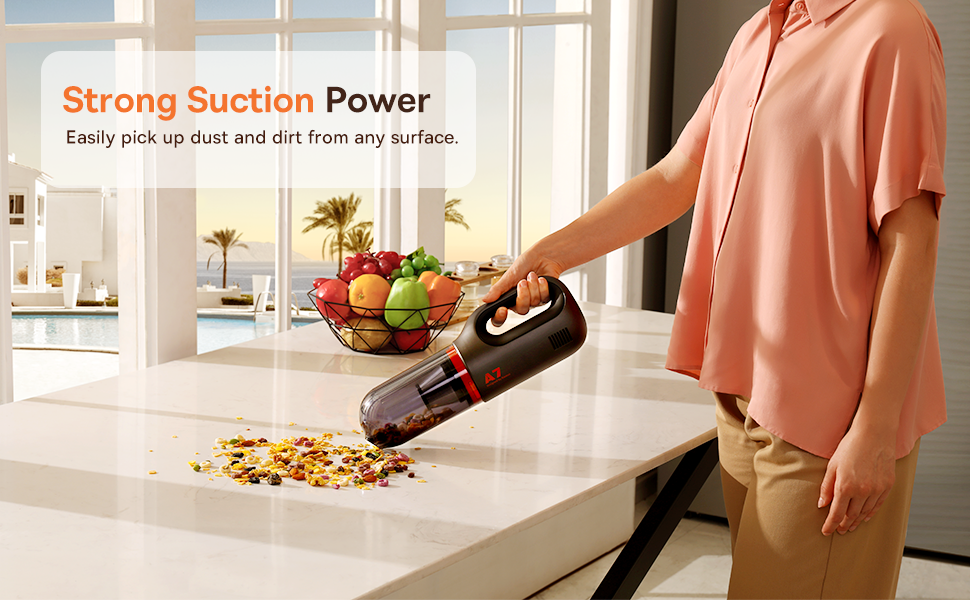
Figure 6.1: Easy to Empty Dust Box
- Ia mautinoa ua tape le masini masini.
- Twist or unlatch the dust box from the main body of the vacuum (refer to device for specific mechanism).
- Carefully empty the collected debris into a trash receptacle.
- Reattach the dust box securely.
6.2 Fa'amama le Fa'amama
The HEPA filter is washable and should be cleaned periodically to ensure efficient filtration and suction.

Figure 6.2: Washing the HEPA Filter
- Remove the dust box and then carefully remove the HEPA filter.
- Rinse the filter under cool, running water until clean. Do not use detergents.
- Tu'u le faamama e mago atoa i le ea mo le itiiti ifo i le 24 itula a'o le'i toe tu'uina i totonu o le masini miti. Aua le fa'aaogaina le masini miti pe a susu le faamama.
- Ensure the filter is fully dry and properly seated before reassembling the vacuum.
7. Faʻafitauli
If you encounter issues with your Baseus A7 vacuum, refer to the following common problems and solutions:
| Fa'afitauli | Mafuaaga e ono tupu | Fofo |
|---|---|---|
| Leai se eletise / Le kiina | Ua uma le maa. | Charge the vacuum fully (approx. 3-3.5 hours). |
| vaivai le malosi o le miti | Ua tumu pusa pefu. Ua poloka le filiga. Attachment is not properly sealed. | Aveese le pusa pefu. Clean and dry the HEPA filter. Ensure attachments are firmly connected. |
| E taofi fa'afuase'i le vacuum | Ua vaivai le maa. Ua fa'agaoioi le puipuiga o le vevela tele. | Toe utu le maa. Turn off the vacuum and let it cool down for 30 minutes before resuming use. |
| Le fa'ailoga o lo'o totogia e le o galue | Fa'afitauli i le uaea e fa'atumu ai le lapo'a po'o le adapter. Fa'afitauli i le uafu e fa'atumu ai le la'au. | Try a different USB-C cable and power adapter. Ensure the cable is fully inserted. If the issue persists, contact customer support. |
If the problem persists after trying these solutions, please contact Baseus customer support.
8. Fa'amatalaga
| Fa'aaliga | Fa'amatalaga |
|---|---|
| Fa'ailoga | Baseus |
| Igoa Fa'ata'ita'iga | A7 |
| Fa'apitoa Fa'apitoa | HEPA, Portable |
| Ituaiga Filter | Kesi (HEPA) |
| E leai se uaea | Ioe |
| Malosiaga | 500 Milili |
| Uatage | 120 watts |
| Taimi Totogi | 3 - 3.5 Itula |
| Fa'aoga Fautuaina | Car, Carpet, Household |
| Fa'ailoga Fa'ailoga | U'ulima |
| Lanu | Lanu uliuli |
| Fua o Mea | 4"L x 3"W x 13"L |
| Ituaiga maa | Lithium-Ion (2 batteries included) |
| Tulaga Pio | 75 Tesipela |
| Ampmatua | 1.4 Amps |
| Numera o Saosaoa | 2 |
| Mea mamafa | 3.43 pauna |
| Punavai Malosi | Malosi maa |
9. Fa'amaonia ma Lagolago
The Baseus A7 Handheld Vacuum comes with a warranty to ensure your satisfaction.
- Fa'amaonia: Includes a 1-year warranty card and a 3-year guarantee. Please refer to the warranty card included in your package for specific terms and conditions.
- Lagolago tagata fa'atau: For any questions, technical assistance, or warranty claims, please contact Baseus customer support through their official webnofoaga po'o fa'amatalaga fa'afeso'ota'i o lo'o tu'uina atu i lau pepa fa'amaonia.
10. Vitio o Oloa
Watch the official product video for a visual guide on the Baseus A7 Handheld Vacuum's features and usage.
Video 10.1: Baseus A7 Handheld Vacuum Overview and Demonstration. This video showcases the vacuum's design, suction capabilities, and how to use its various attachments for different cleaning scenarios.