
Folasaga
The Hyper Tough 500-Lumen Rechargeable LED Headlamp is designed to provide hands-free illumination for various tasks, including heavy-duty projects, close-range work, and general lighting in garages or worksites. It features multiple light modes, a rechargeable lithium-ion battery, and a durable, water-resistant construction.

Image: The Hyper Tough 500-Lumen Rechargeable LED Headlamp.
Oloa Fa'ailoga
- 4 Faiga Malamalama: Spot High, Spot Low, Flood High, and Flood Low for versatile lighting needs.
- Malaga maualuga: Up to 500 lumens in Spot High mode.
- Fa'aopoopo Taimi Ta'avale: Up to 28 hours in Flood Low mode.
- Fu'a ulu e mafai ona fetu'una'i: Two-way fully adjustable for comfort and secure fit.
- Ma'a e toe fa'aaogaina: Integrated Lithium-ion battery with included USB charging cable.
- Fausiaga Tumau: 1-meter impact-resistant and IPX4 water-resistant.
- Uniform Beam Pattern: Ideal for close-range work.
O mea o lo'o i totonu
- Hyper Tough 500-Lumen Rechargeable LED Headlamp (Faʻataʻitaʻiga 20887)
- Adjustable Head Strap (pre-attached)
- USB Totogi Uaea

Image: The Hyper Tough headlamp shown alongside its included USB charging cable.
Seti
- Fetuuna'i le Nonoa Ulu: O le uluuluamp comes with a two-way adjustable head strap. To adjust, locate the buckles on the sides and top of the strap. Slide the strap through the buckles to achieve a comfortable and secure fit around your head. Ensure the headlamp o le iunite e fa'atotonugalemu i lou muaulu.

Ata: Se va'aiga view o le uluamp's adjustable strap mechanism.
- Totogi Muamua: A'o le'i fa'aaogaina muamua, fa'atumu atoa le uluamp. Connect the included USB charging cable to the headlamp's charging port and to a standard USB power source (e.g., computer, wall adapter). The charging indicator light will illuminate (typically red) during charging and change color (typically green or blue) when fully charged.

Ata: O le uluamp showing the USB charging port with a cable inserted.

Ata: O le uluamp displaying a green light, signifying that the battery is fully charged.
Fa'atonuga o Galuega
O le uluuluamp features a single power button to cycle through its various light modes.

Ata: O luga i lalo view highlighting the location of the power button on the headlamp.
- Malosi/Pepe: Press the power button once to turn the headlamp on. Press and hold the power button for approximately 2 seconds to turn it off from any mode.
- Cycling Through Modes: Faatasi ai ma le uluamp on, press the power button repeatedly to cycle through the following modes:
- Spot High Mode: Provides maximum focused brightness (500 lumens).

Ata: O le uluamp emitting a strong, concentrated beam in Spot High mode.
- Spot Low Mode: Reduced focused brightness (144 lumens) for longer run time.
- Flood High Mode: Wide, uniform beam (224 lumens) for close-range work.
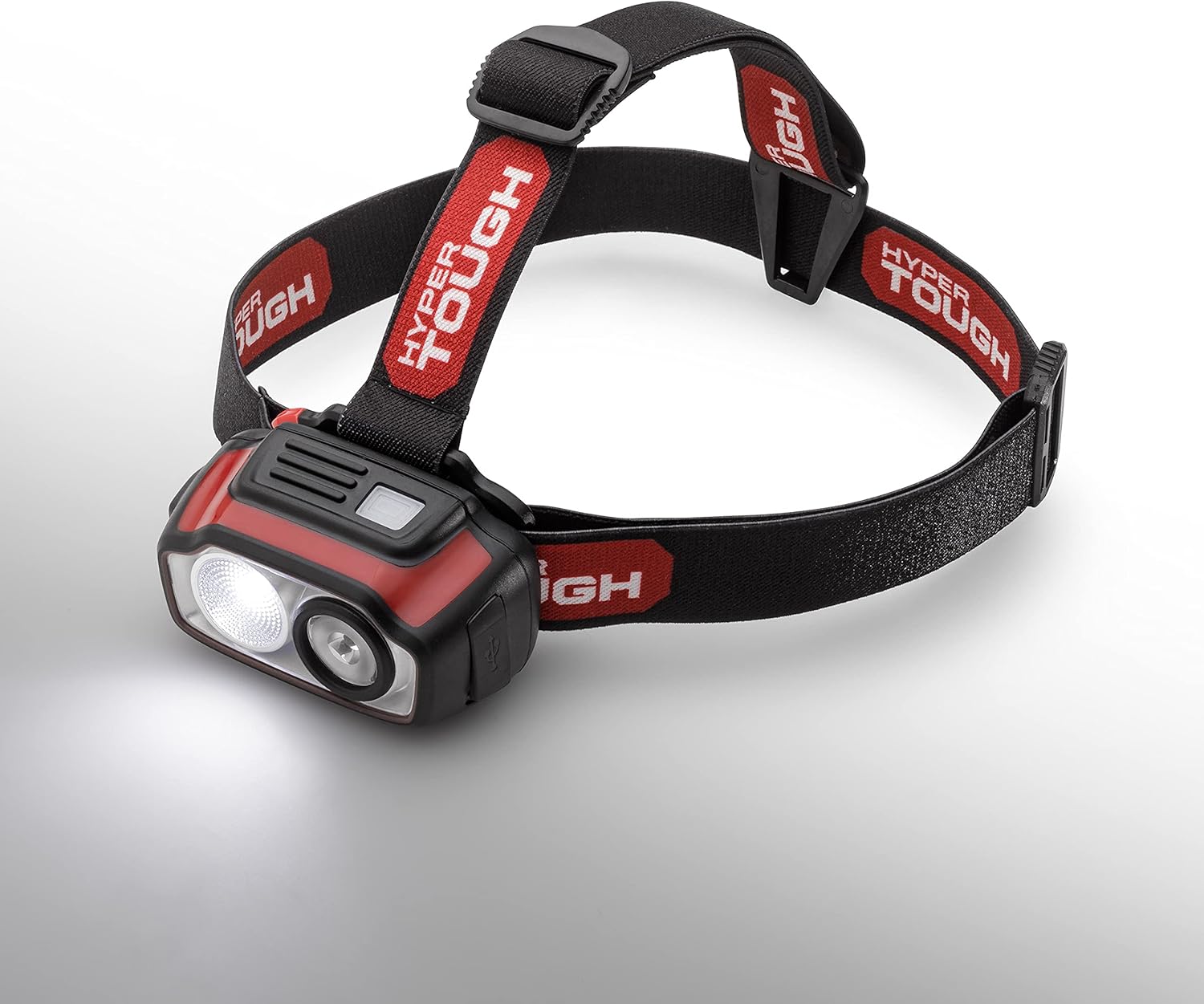
Ata: O le uluamp producing a broad, even light distribution in Flood High mode.
- Flood Low Mode: Lowest brightness (51 lumens) for extended run time and minimal glare.
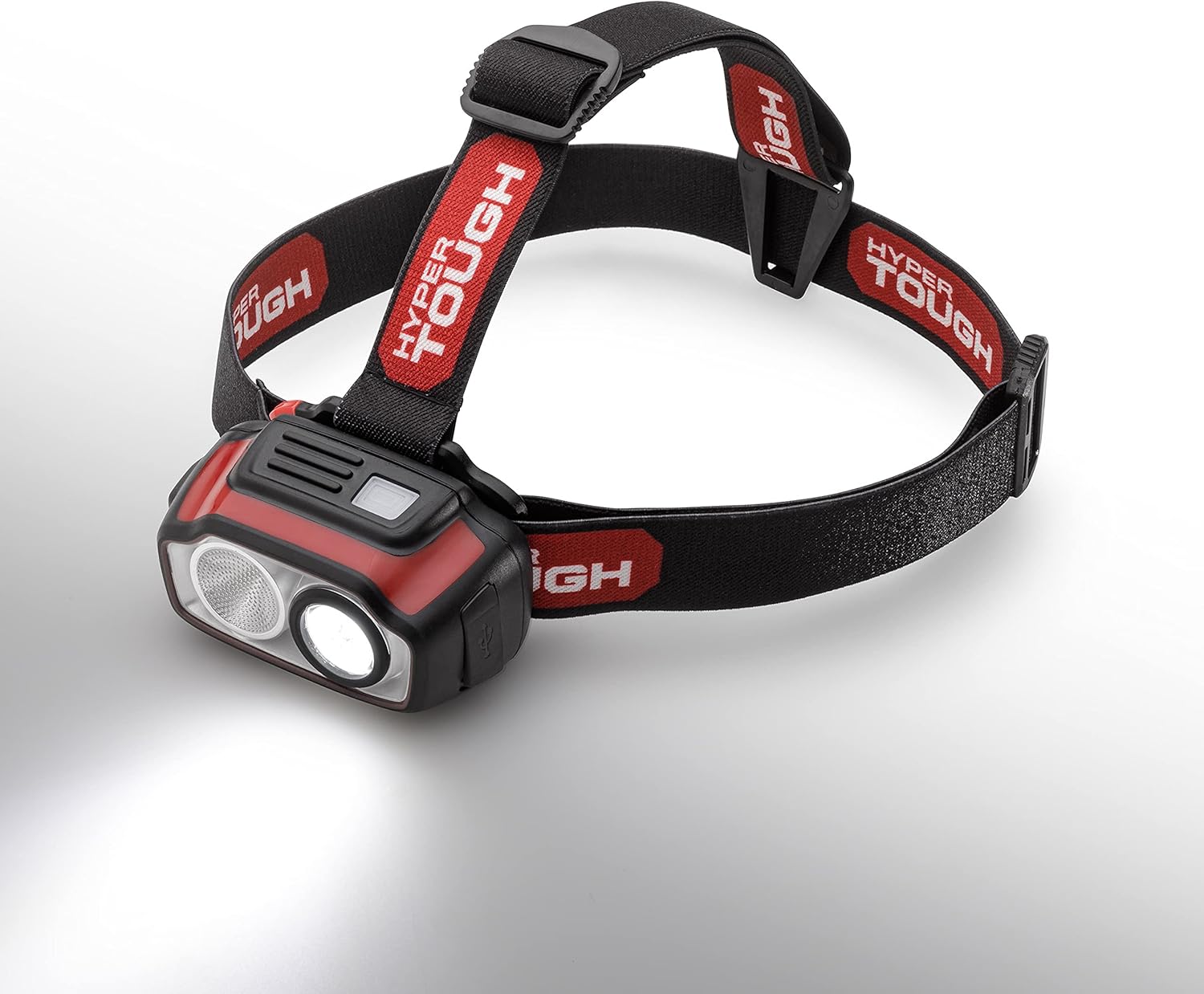
Ata: O le uluamp providing a gentle, wide illumination in Flood Low mode.
- Spot High Mode: Provides maximum focused brightness (500 lumens).
Fa'atonuga o Totogi
The Hyper Tough headlamp is equipped with a rechargeable Lithium-ion battery.
- Locate the USB charging port on the side of the headlamp.
- Insert the small end of the provided USB charging cable into the headlampo le taulaga.
Ata: O le uluamp's USB charging port with the charging cable connected.
- Connect the larger end of the USB cable to a powered USB port (e.g., computer, USB wall adapter, power bank).
- The charging indicator light will show the charging status. A red light typically indicates charging, while a green or blue light indicates a full charge.
Ata: O le uluamp displaying a green light, signifying that the battery is fully charged.
- A uma loa ona fa'atumuina, tatala le uaea USB.
Tausiga
- Fa'amamaina: Solo le uluamp ma se malu, oamp ie. Aua ne'i fa'aogaina ni mea fa'amama fa'afefete po'o ni solu.
- Teuina: Teu le uluamp in a cool, dry place away from direct sunlight when not in use for extended periods.
- Tausiga maa: To prolong battery life, avoid completely draining the battery frequently. Recharge the headlamp regularly, even if not used often.
- Suavai Tetee: O le uluuluamp is IPX4 water-resistant, meaning it is protected against splashing water from any direction. It is not designed for submersion.
Fa'afitauli
- Uluamp le kilia: Ensure the battery is charged. Connect to a USB power source and check the charging indicator.
- Malamalama fa'agesegese: The battery may be low. Recharge the headlamp.
- Totogi fa'afitauli: Ia mautinoa o loʻo faʻapipiʻi lelei le uaea USB i le ulu umaamp ma le puna o le eletise. Taumafai i se isi uaea USB po'o se isi puna o le eletise.
- Le to'a o le fusi: Adjust the two-way head strap to find a more comfortable and secure fit.
Fa'amatalaga
| Fa'aaliga | Fa'amatalaga |
|---|---|
| Fa'ailoga | Hyper Tough |
| Numera Fa'ata'ita'i | 20887 |
| Ituaiga Puna Malamalama | LED |
| Pupula Paʻepaʻe (Max) | 500 lumens |
| Punavai Malosi | Malosi le ma'a (Lithium-Ion) |
| Spot High Mode | 500 lumens, 6h run time, 75-meter beam distance |
| Spot Low Mode | 144 lumens, 12h 15min run time, 40-meter beam distance |
| Flood High Mode | 224 lumens, 6h run time, 22-meter beam distance |
| Flood Low Mode | 51 lumens, 28h run time, 11-meter beam distance |
| Suavai Tetee Level | IPX4 (Tetee Suavai) |
| Aafiaga Tetee | 1-mita |
| Fua o Mea | 1.77"D x 3.13"W x 1.78"L |
| Mea mamafa | 7.4 aunese |
Fa'amaonia ma Lagolago
For warranty information, technical support, or customer service inquiries, please refer to the contact information provided on the product packaging or visit the official Hyper Tough webnofoaga. Taofi lau lisiti fa'atau e fai ma fa'amaoniga o le fa'atau.