
1. Oloa Ua Ovaview
The Infinity Kappa Series speakers are engineered to deliver high-fidelity car audio. The Kappa 603CF is a 6-1/2 inch (165mm) two-way component speaker system designed for a wide range of vehicles. It features Plus One™ fiberglass woofers for robust bass output and high-resolution 3/4 inch edge-driven textile dome tweeters for clear highs up to 40kHz. This system provides a balanced and dynamic audio experience for your vehicle.

Figure 1.1: Infinity Kappa 603CF 6-1/2 inch Woofer
2. Vaega Autu
- Edge-Driven Silk Dome Tweeters: Equipped with oversized voice coils, these tweeters provide smooth high-frequency reproduction with excellent thermal power handling and 40kHz high-resolution audio capability.
- Plus One™ Glass Fiber Woofer Cones: Lighter and stiffer than conventional cones, these woofers offer increased cone area for enhanced low-frequency output and higher efficiency.
- Adjustable Tweeter Output Level: A push-button on the angled tweeter allows for 0dB or -3dB output level control, enabling optimization of system linearity based on the installation location.
- Rotatable Tweeters: For coaxial models (and applicable component tweeters), the tweeters can be rotated 270° after installation, providing imaging options and the ability to elevate the soundstage.
- Compact Crossover Networks: The 2-way component system crossovers are compact and feature 2-way and 3-way selections, allowing for future upgrades with an optional 2" or 3" midrange speaker.

Figure 2.1: Infinity Kappa Tweeter

Figure 2.2: Infinity Kappa Crossover Network with 0dB/-3dB and 2-way/3-way switches
3. Mea i totonu o le afifi
Ia fa'amautinoa o lo'o i ai vaega uma i totonu o le afifi a'o le'i amataina le fa'apipi'iina:
- Two (2) 6-1/2 inch (165mm) Woofers
- E lua (2) Tweeters
- Two (2) Crossover Networks
- Two (2) Woofer Grilles (if applicable)
- Meafaigaluega Fa'apipi'i (sikulimi, kilipa, gaskets)
- Tusi Lesona a le Pule (lenei pepa)
4. Fa'apipi'i ma Fa'atonu
Proper installation is crucial for optimal performance. If you are not experienced with car audio installations, it is recommended to seek professional assistance.
4.1 Puipuiga o le Saogalemu
- Motusia le vaega leaga o le maa o le taavale a'o le'i amataina se galuega eletise.
- Ia fa'amautinoa ua fa'amama lelei uma uaea e puipuia ai le ta'avale pupuu.
- Fa'apipi'i lelei sipika ina ia 'alofia ai le gatete ma le ono fa'aleagaina.
- Avoid drilling into fuel lines, brake lines, or electrical wiring.
4.2 Fa'apipi'iina o Woofers
The 6-1/2 inch woofers are designed for flush mounting in standard speaker locations. Ensure adequate depth and clearance before drilling.
- Carefully remove the existing speakers or trim panels from the desired mounting location.
- Use the provided template (if included) to mark screw holes.
- vili pu pailate mo fa'amau fa'amau.
- Connect the woofer wires to the crossover network.
- Secure the woofer using the supplied screws.
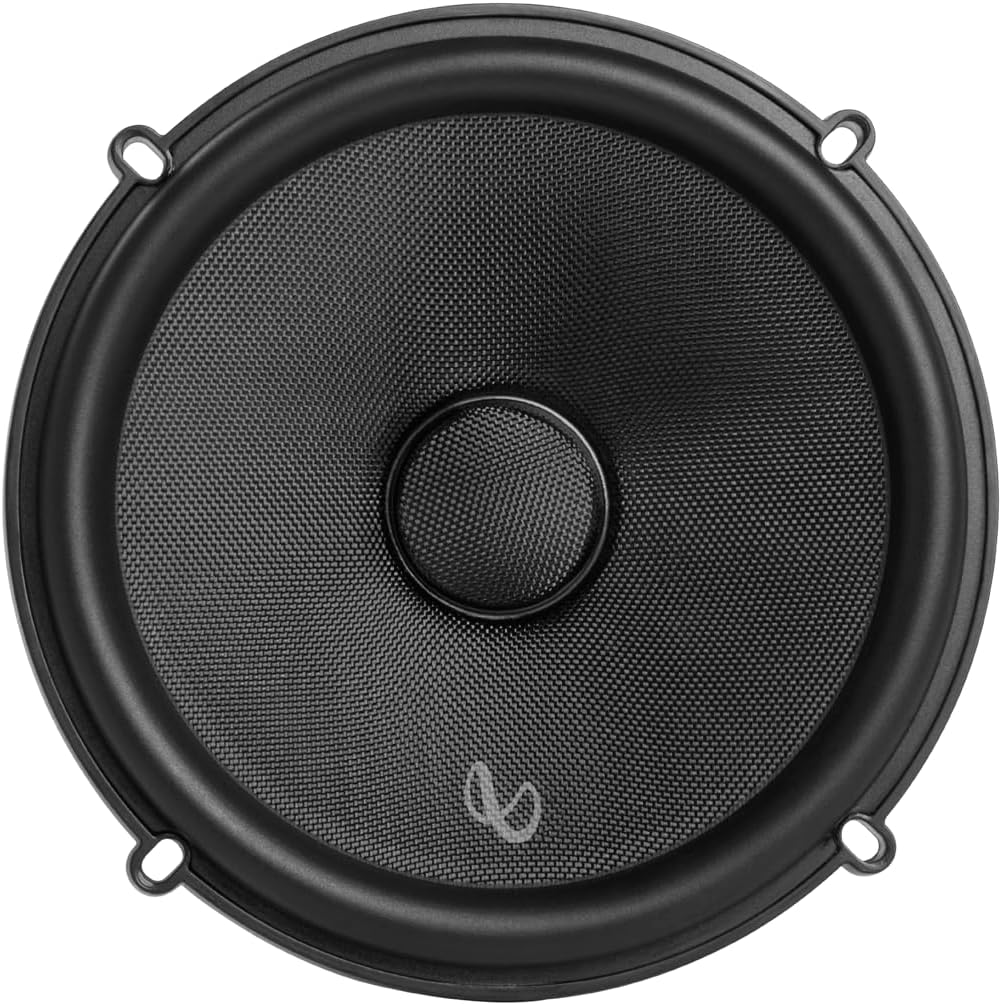
Figure 4.1: Infinity Kappa 603CF Woofer ready for mounting
4.3 Fa'apipi'iina o Tweeters
The tweeters can be flush-mounted or surface-mounted depending on your vehicle and desired soundstage. Refer to the specific mounting hardware instructions for detailed steps.
- Choose an optimal location for the tweeters, ideally at ear level.
- Connect the tweeter wires to the crossover network.
- Secure the tweeter using the appropriate mounting method.

Figure 4.2: Back of Infinity Kappa Tweeter showing wiring connections
4.4 Feso'ota'iga Feso'ota'iga Crossover
The crossover network separates the audio signal into appropriate frequency ranges for the woofer and tweeter. Connect the input from your amplifier/head unit to the crossover, then connect the woofer and tweeter outputs from the crossover to their respective speakers.
- Fa'afeso'ota'i le ampfa'aulufale mai o le lifier i vaega 'INPUT' i luga o le crossover.
- Connect the woofer to the 'WOOFER' terminals on the crossover.
- Connect the tweeter to the 'TWEETER' terminals on the crossover.
- Ia mautinoa sa'o le polarity (+ i le + ma le - i le -) mo feso'ota'iga uma.
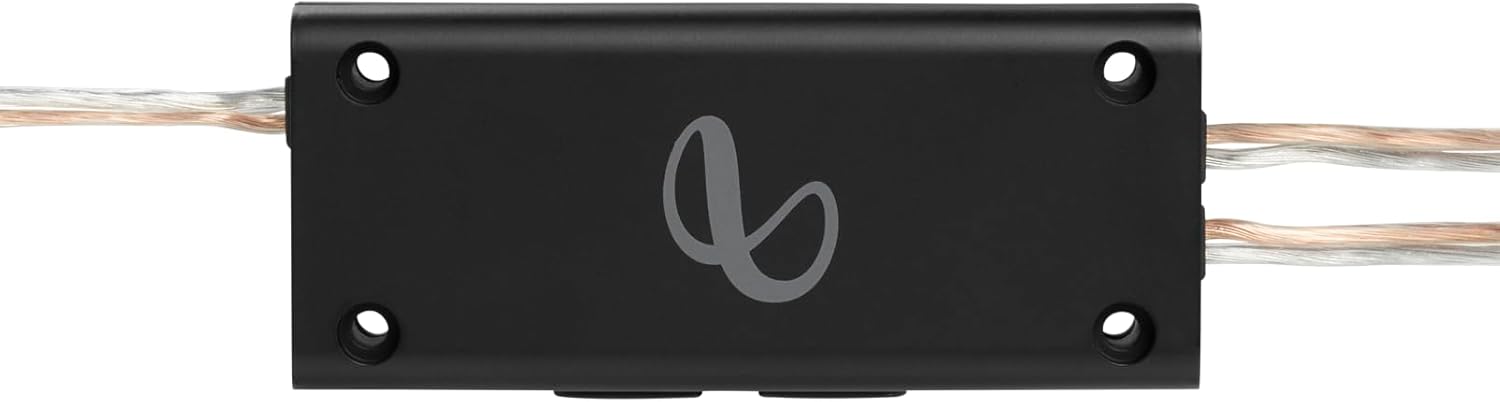
Figure 4.3: Infinity Kappa Crossover Network
4.5 Fa'atulagaga o le Crossover
The crossover network includes switches to adjust the tweeter output level and configure for 2-way or 3-way systems.
- Tweeter Level (0dB / -3dB): Adjust this switch to match the tweeter output with the woofer and your vehicle's acoustics. Start with 0dB and adjust to -3dB if the highs are too prominent.
- System Configuration (2-way / 3-way): Set this switch to '2-way' for the standard component system. If you integrate an optional midrange speaker, switch to '3-way' and connect the midrange to the dedicated terminals (if available on your specific crossover model).
5. Galuega
Once installed, the Kappa 603CF system operates in conjunction with your car's head unit and amplifier. Adjust audio settings on your head unit (e.g., bass, treble, balance, fader) to fine-tune the sound to your preference. Experiment with the tweeter level switch on the crossover to achieve the desired tonal balance.
6. Tausiga
The Infinity Kappa 603CF speakers require minimal maintenance.
- Keep the speaker grilles clean and free of dust or debris. Use a soft, dry cloth for cleaning.
- ʻAloʻese mai le faʻaalia o sipika i le susu tele poʻo le susulu saʻo o le la mo se taimi umi.
- Do not apply any chemicals or abrasive cleaners to the speaker cones or tweeters.
- Siaki fa'avaitaimi uma feso'ota'iga uaea ina ia mautinoa o lo'o saogalemu.
7. Faʻafitauli
Afai e te a'afia i fa'afitauli i lau masini failauga, va'ai i fa'afitauli masani nei ma fofo:
| Fa'afitauli | Mafuaaga e ono tupu | Fofo |
|---|---|---|
| No sound from one or more speakers | Loose wiring connection; Blown fuse in amplifier; Faulty speaker or crossover. | Check all wiring connections at the speaker, crossover, and amplifier. Inspect amplifier fuse. Test speakers individually if possible. |
| Leo sese | Amplifier gain set too high; Speaker wires shorting; Damaged speaker cone. | Fa'aitiitia amplifier gain. Check speaker wires for damage or shorts. Inspect speaker cones for tears or damage. |
| Leo vaivai o le leo o le bass | Incorrect polarity; Insufficient power; Poor enclosure. | Verify correct wiring polarity. Ensure amplifier provides adequate power. Check speaker mounting for air leaks. |
| Harsh or overly bright highs | Tweeter level too high; EQ settings. | Adjust the tweeter level switch on the crossover to -3dB. Adjust treble settings on your head unit. |
8. Fa'amatalaga
Technical specifications for the Infinity Kappa 603CF Component Speaker System:
| Fa'amatalaga | Taua |
|---|---|
| Numera Fa'ata'ita'i | KAPPA603CF |
| Ituaiga Fofoga Fetalai | Vaega |
| Tele o le Fofoga Fetalai | 6.5 Inisi (165mm) |
| Fuafu Taele | 6.5 Inisi |
| Malosiaga Maualuga Maualuga a le Fofoga Fetalai | 220 Watts |
| Tali Faatele | E oʻo i le 40 KHz |
| Leo Faʻalauiloa Galuega | Stereo |
| Tekinolosi Feso'ota'i | Coaxial (Component System) |
| Ituaiga Fa'amau | Fufulu le Mauga |
| Mea Fa'amau | Glass Fiber, Silk |
| Vaega Faaopoopo | Matai-Res Audio |
| Lanu | Lanu uliuli |
| Ituaiga Mea (D x W x H) | 14"D x 3"W x 7"H (Packaging/Overall) |
| Masini Fegalegaleai | Car, Music Players |
| Punavai Malosi | Corded Electric (via vehicle's electrical system) |

Figure 8.1: Back of Woofer showing model and power specifications
9. Fa'amaonia ma Lagolago
The Infinity Kappa 603CF Component Speaker System is manufactured by Infinity and comes with a 1-Year Manufacturer Warranty.
For warranty claims, technical support, or service inquiries, please contact Infinity customer service or refer to the official Infinity website for detailed support information.
Tufuga: Le gata
Fa'amatalaga Fa'amaonia: 1-Tausaga Fa'amaumauga Fa'atonu