
1. Folasaga
This manual provides detailed instructions for the installation, operation, and maintenance of your Ecolink Z-Wave Plus Flood and Freeze Sensor. The sensor is designed to detect water leaks and dangerously low temperatures, providing timely alerts to help prevent potential damage to your property. Its compact design allows for flexible placement in high-risk areas such as under sinks, near toilets, behind refrigerators, or in basements.
2. Fa'amatalaga Saogalemu
- Faitau fa'atonuga uma ma le fa'aeteete a'o le'i fa'apipi'i ma fa'aoga.
- Do not expose the sensor to extreme temperatures or humidity outside its operating range.
- Use only the specified battery type (CR123A lithium). Incorrect battery usage may cause damage or fire.
- Keep the device and its components out of reach of children.
- Lafoa'i maa e tusa ai ma tulafono a le lotoifale.
3. Mea i totonu o le afifi
Fa'amautinoa o lo'o iai mea uma i lau afifi:
- Ecolink Z-Wave Plus Flood and Freeze Sensor (Main Unit)
- Water Probe with 36-inch cable
- 1x CR123A Lithium Battery
- Mounting Hardware (screws/adhesive)
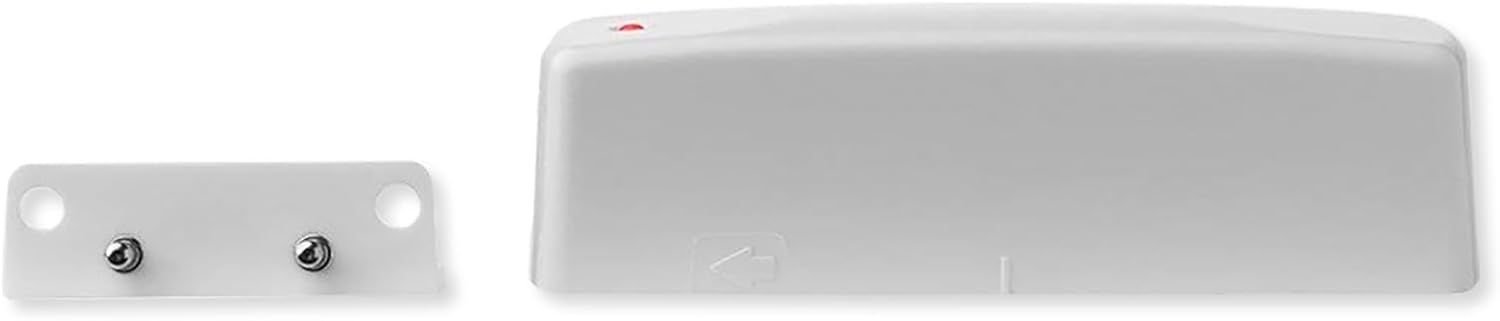
4. Oloa Ua Ovaview



5. Seti
5.1. Fa'apipi'i ma'a
- Open the battery compartment on the main sensor unit.
- Insert the provided CR123A lithium battery, ensuring correct polarity.
- Close the battery compartment securely. The sensor is designed for a long battery life, typically up to five years.
5.2. Z-Wave Inclusion (Pairing)
To integrate the sensor with your Z-Wave network:
- Put your Z-Wave controller/hub into inclusion (pairing) mode. Refer to your controller's manual for specific instructions.
- With the battery installed, the sensor will automatically attempt to pair. If it doesn't, you may need to briefly remove and reinsert the battery.
- Confirm that your Z-Wave controller recognizes the sensor. The sensor's LED indicator may flash to confirm successful inclusion.
5.3. Z-Wave Exclusion (Unpairing)
To remove the sensor from your Z-Wave network:
- Put your Z-Wave controller/hub into exclusion (unpairing) mode.
- Briefly remove and reinsert the battery into the sensor.
- Confirm that your Z-Wave controller indicates successful exclusion.
5.4. Fa'apipi'i Sensor
Strategic placement is key for effective monitoring:
- Place the water probe directly on the floor in areas prone to leaks, such as under sinks, behind toilets, near water heaters, washing machines, or dishwashers.
- The 36-inch probe cable allows the main unit to be mounted in a more accessible location (e.g., on a wall or cabinet side) while the probe remains at floor level.
- Ensure the two metal contacts on the water probe are facing downwards and can make direct contact with any pooling water.
- For freeze detection, place the main unit in an area where temperature monitoring is critical, such as an attic, basement, or utility room.
6. Fa'atonuga o Galuega
6.1. Flood Detection
When water bridges the two metal contacts on the water probe, the sensor will detect a flood condition. It will then send an alert to your Z-Wave controller, which can trigger notifications (e.g., text messages, app alerts) or automated actions (e.g., shutting off a water valve, turning on lights).
6.2. Freeze Detection
The sensor continuously monitors the ambient temperature. If the temperature drops to 41℉ (5℃) or below, the sensor will send a freeze alert to your Z-Wave controller. This can be used to notify you of potential pipe freezing conditions or to activate smart thermostats to increase heating.
6.3. Fa'ailoga LED
The LED indicator on the main unit provides visual feedback during operation and pairing. A brief flash typically indicates successful communication or a change in status (e.g., flood detected).
7. Tausiga
7.1. Suiga maa
When the battery level is low, the sensor will report this status to your Z-Wave controller. Replace the CR123A lithium battery as described in Section 5.1. Ensure proper disposal of the old battery.
7.2. Fa'amamaina
Periodically inspect the water probe for any debris or corrosion on the metal contacts. Clean with a soft, dry cloth if necessary. Do not use abrasive cleaners or immerse the main unit in water.
8. Faʻafitauli
- E le o fa'apipi'i le masini fa'alogo: Ensure your Z-Wave controller is in inclusion mode. Try removing and reinserting the battery. Ensure the sensor is within range of your Z-Wave network.
- No alerts: Verify the sensor is successfully paired with your Z-Wave controller. Check the battery level. Ensure your Z-Wave controller's automation rules for flood/freeze alerts are correctly configured.
- Fa'ailo sese: Ensure the water probe contacts are clean and dry. Reposition the probe if it is inadvertently coming into contact with moisture.
- Puupuu le ola maa: While designed for long battery life, frequent Z-Wave communication (e.g., due to poor network signal requiring retries) can reduce battery life. Ensure a strong Z-Wave mesh network.
9. Fa'amatalaga
| Fa'aaliga | Fa'amatalaga |
|---|---|
| Numera Fa'ata'ita'i | FLF-ZWAVE5-ECO |
| Punavai Malosi | 1x CR123A Lithium Battery (3 Volts) |
| Ola ma'a | Up to 5 years (typical) |
| Flood Detection | Water Probe with 36-inch cable |
| Freeze Detection Threshold | 41℉ (5℃) |
| Malosiaga faʻaaogaina uaealesi | Z Wave Plus |
| Fua o Mea | 4.13"L x 1.65"W x 3.22"H (Main Unit) |
| Mea mamafa | 2.24 aunese |
| Ituaiga Fa'amau | Wall Mount (for main unit) |
| UPC | 851166005091 |
10. Fa'amatalaga Fa'amaonia
The Ecolink Z-Wave Plus Flood and Freeze Sensor comes with a 2-year limited warranty from the date of purchase. This warranty covers defects in materials and workmanship under normal use. It does not cover damage caused by misuse, accident, unauthorized modification, or improper installation. For warranty claims, please retain your proof of purchase and contact customer support.
11. Lagolago
For technical assistance, troubleshooting, or further information regarding your Ecolink Z-Wave Plus Flood and Freeze Sensor, please visit the official Ecolink website or contact their customer support department. Contact details can typically be found on the product packaging or the manufacturer's webnofoaga.


