
Ua Umaview
The Weiser Welcome Home series single cylinder deadbolt provides maximum-security protection for exterior doors. This deadbolt features a 1-inch throw and can be locked or unlocked using a key from the outside or a turn button from the inside. The satin chrome finish offers a modern and minimalist aesthetic.
Vaega Autu:
- Single Cylinder Deadbolt: Keyed entry from the exterior, turn button operation from the interior.
- Faigofie Fa'apipi'i: Designed for quick installation with basic tools.
- Faitotoa Fegalegaleai: Fits standard door thicknesses and backsets.
- Fa'amaonia o le ANSI/BHMA Vasega 2: Ensures a high level of security and durability.
- Tekinolosi SmartKey: Allows for re-keying the lock in seconds for convenience and enhanced security.
- Lifetime Mechanical and Finish Warranty: Provides long-term assurance of product quality.

Image: Weiser Welcome Home Satin Chrome Round Deadbolt Lock, showing the exterior keyed cylinder and interior turn piece.
Seti ma Fa'apipi'i
This deadbolt is designed for easy installation, typically requiring only a screwdriver. Follow these general steps for installation:
- Saunia le Faitotoa: Ia mautinoa o lou faitotoʻa e ausia tulaga nei:
- Door thickness: 1-3/8" to 1-3/4"
- Latch Backset: Adjustable for 2-3/8" or 2-3/4"
- Cross Bore: 2-1/8"
- Fa'apipi'i le Latch: Insert the deadbolt latch into the door edge. Ensure the latch is oriented correctly for your door's swing. The latch is adjustable to fit common backset dimensions.
- Install the Exterior Deadbolt: Place the exterior portion of the deadbolt through the cross bore hole, aligning it with the latch mechanism.
- Install the Interior Deadbolt: Attach the interior deadbolt assembly, ensuring the turn piece spindle engages with the latch mechanism. Secure with the provided screws.
- Fa'apipi'i le Strike Plate: Mount the strike plate on the door frame, aligning it with the deadbolt latch.
- Fa'atino Su'ega: Use the key and the interior turn button to ensure the deadbolt extends and retracts smoothly and locks securely.
Vaega e aofia ai: Deadbolt, Latch, Strike, 2 Keys, SmartKey Tool, Manual.

Ata: Luma view of the Weiser deadbolt components, illustrating the exterior and interior parts.
Fa'atonuga o Galuega
The Weiser Welcome Home deadbolt offers straightforward operation:
- Lokaina mai Fafo: Fa'aofi le ki i totonu o le pa'u pito i fafo ma liliu e fa'alautele le pa'u. Aveese le ki.
- Tatala mai Fafo: Fa'aofi le ki i totonu o le pa'u pito i fafo ma liliu e toe toso ai le pa'u mate. Aveese le ki.
- Locking from Interior: Rotate the turn button on the interior side of the door to extend the deadbolt.
- Unlocking from Interior: Rotate the turn button on the interior side of the door to retract the deadbolt.
SmartKey Toe kiki Faatonuga
The SmartKey technology allows you to re-key your lock to a new key in seconds, providing flexibility and enhanced security. This is useful if you move, lose a key, or wish to use a single key for multiple Weiser SmartKey locks.
- Insert your currently working key (the functioning key) fully into the cylinder.
- Rotate the functioning key 90 degrees clockwise to the horizontal position.
- Insert the SmartKey tool firmly into the small hole on the face of the cylinder. You will feel a slight click.
- While the SmartKey tool is inserted, remove the functioning key.
- Insert your new key (the key you want the lock to operate with) fully into the cylinder.
- Rotate the new key 90 degrees counter-clockwise back to the vertical position.
- Remove the new key. The lock is now re-keyed to the new key. Test the new key to ensure proper operation.
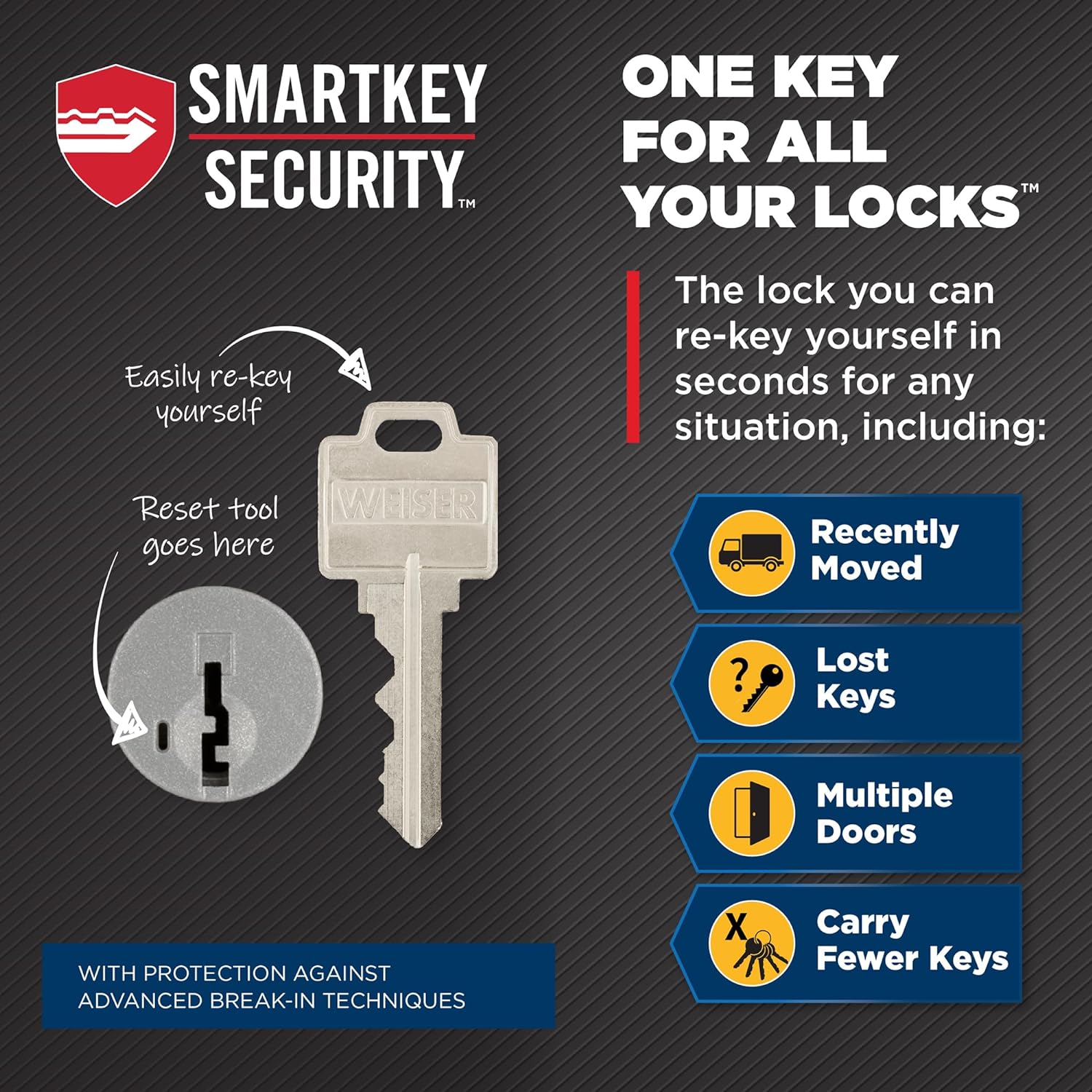
Image: Illustration of the SmartKey re-keying process, showing the functioning key, SmartKey tool, and new key insertion points.
Tausiga
Regular maintenance helps ensure the longevity and smooth operation of your Weiser deadbolt.
- Fa'amamaina: Fa'amama le pito i fafo i se mea malu, oamp cloth. Avoid abrasive cleaners or solvents, as these can damage the finish.
- Lubrication: If the key turns stiffly or the deadbolt mechanism feels rough, apply a small amount of graphite-based lubricant (specifically designed for locks) into the keyway and the latch mechanism. Do not use oil-based lubricants, as they can attract dirt and dust.
- Si'u Siu: Periodically check and tighten any loose mounting screws on both the interior and exterior assemblies to maintain stability.
Fa'afitauli
If you encounter issues with your deadbolt, try these common troubleshooting steps:
- Key is Stiff or Won't Turn:
- Ensure the key is fully inserted into the cylinder.
- Check if the key is bent or damaged. Try a spare key.
- Apply graphite lubricant to the keyway.
- Deadbolt Does Not Extend/Retract Fully:
- Check for obstructions in the door frame or strike plate.
- Ensure the strike plate is properly aligned with the deadbolt. Adjust if necessary.
- Verify that the mounting screws are not overtightened, which can bind the mechanism.
- Interior Turn Button is Loose or Not Engaging:
- Check the interior assembly for loose screws.
- Ensure the turn button spindle is correctly engaged with the deadbolt mechanism.
- SmartKey Re-keying Fails:
- Ensure the functioning key is fully inserted and turned 90 degrees clockwise.
- Make sure the SmartKey tool is inserted firmly until a click is felt.
- Ensure the new key is fully inserted before turning it back to the vertical position.
Fa'amatalaga
| Fa'ailoga | Weiser |
| Igoa Fa'ata'ita'iga | GD9471 |
| Numera Fa'ata'ita'i | 9GD94710-090 |
| Lanu | Satin Chrome |
| Ituaiga Loka | Key Lock (Single Cylinder Deadbolt) |
| Fa'apitoa Fa'apitoa | ANSI/BHMA Grade 2, SmartKey |
| Mea | Other (Metallic) |
| Ituaiga Mea (L x W x H) | 8.1 x 11.7 x 22.6 senitimita |
| Mea mamafa | 1.6 pauna |
| Faitotoa Mafiafia Fegalegaleai | 1-3/8" - 1-3/4" |
| Latch Backset | 2-3/8" - 2-3/4" (Adjustable) |
| La'au Koluse | 2-1/8" |
| Fa'aaofia Vaega | Deadbolt, Latch, Strike, 2 Keys, SmartKey Tool, Screw Packs |
| Tufuga | Weiser |
Fa'amaonia ma Lagolago
Fa'amaonia: The Weiser Welcome Home GD9471 deadbolt comes with a Limited Lifetime Mechanical and Finish Warranty. This warranty covers defects in material and workmanship for the lifetime of the original residential user.
For warranty claims or technical support, please contact Weiser customer service. You may also refer to the official Weiser website for detailed warranty information and support resources.
Fa'amatalaga Fa'afeso'ota'i a le Kamupani:
255 Longside Drive, Mississauga, ON, L5W 0G7, Canada
For additional product information or to explore other Weiser products, visit the official Weiser Store.