
1. Folasaga
This manual provides essential instructions for the safe and efficient operation of your ICOM BC-152 charger. Please read this manual thoroughly before using the charger to ensure proper setup, operation, and maintenance. Keep this manual for future reference.
2. Fa'amatalaga Saogalemu
Always observe the following safety precautions to prevent injury, damage to the charger, or damage to the device being charged.
- Use only with compatible ICOM battery packs. Using incompatible batteries may cause fire, explosion, or injury.
- Do not expose the charger to rain, moisture, or extreme temperatures.
- Aua le fa'amavae pe suia le uta. Fa'asino uma auaunaga i tagata faigaluega agavaa.
- Ia mautinoa le paoa voltage fetaui ma fa'amatalaga a le uta.
- Taofi le uta mai le vevela ma le susulu o le la.
- Aveese le uta mai le paoa pe a le faʻaaogaina pe aʻo leʻi faʻamamāina.
3. Seti
3.1 Tatalaina
Carefully remove the ICOM BC-152 charger from its packaging. Verify that all components are present:
- ICOM BC-152 Charger Unit
- AC Adapter (if included)
- Tusi Faʻatonuga (lenei pepa)
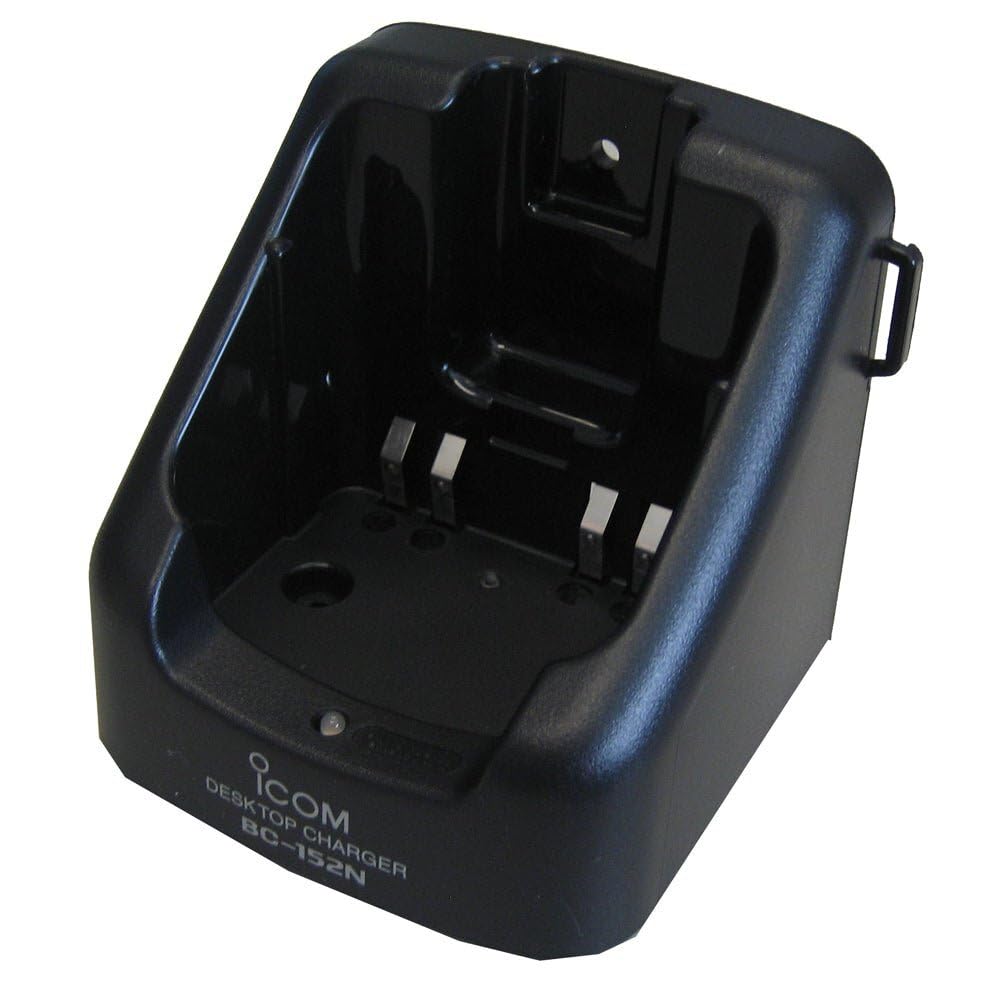
Figure 1: The ICOM BC-152 charger unit. This image shows the compact black charger with a single slot for a battery pack.
3.2 Mana Feso'ota'i
- Connect the AC adapter cable to the DC input jack on the rear of the BC-152 charger unit.
- Fa'afeso'ota'i le AC adapter i totonu o se pa puipui masani.
- Ua sauni nei le uta mo le fa'aoga.
4. Fa'atonuga o Galuega
4.1 Charging a Battery Pack
Follow these steps to charge a compatible ICOM battery pack:
- Ia mautinoa o loʻo fesoʻotaʻi le uta i se puna eletise e pei ona faʻamatalaina i le Vaega 3.2.
- Carefully insert the battery pack into the charging slot of the BC-152 charger. Ensure it is seated firmly.
- Observe the charging indicator light.
4.2 Fa'ailoga Molī
The BC-152 charger features an LED indicator to show the charging status:
- Mumu (Malo): O lo'o tau le ma'a i le taimi nei.
- lanumeamata (malosi): Charging is complete. The battery pack is fully charged.
- Mumu mumu: Charging error or battery fault. Remove the battery and re-insert. If the error persists, consult the troubleshooting section.
- Leai se Malamalama: Charger is not connected to power, or no battery is inserted.
Charging time may vary depending on the battery's capacity and its current charge level. Typically, a fully depleted battery will take approximately 2-4 hours to charge.
5. Tausiga
5.1 Fa'amamāina
Ina ia tausia lelei le faatinoga ma foliga vaaia:
- Aveese i taimi uma le uta mai le paoa a'o le'i faamamaina.
- Use a soft, dry cloth to wipe the exterior of the charger.
- Aua ne'i fa'aogaina ni mea e fa'amama ai, solvents, po'o vaila'au malolosi.
- Ensure no moisture enters the charging slot or power input.
5.2 Teuina
When not in use for extended periods, store the charger in a cool, dry place, away from direct sunlight and extreme temperatures. Disconnect it from the power supply.
6. Faʻafitauli
If you encounter issues with your BC-152 charger, refer to the table below for common problems and solutions.
| Fa'afitauli | Mafuaaga e ono tupu | Fofo |
|---|---|---|
| Charger indicator light is off. | No power supply or battery not inserted. | Check AC adapter connection. Ensure battery is correctly inserted. |
| Indicator light flashes red. | Battery fault or charging error. | Remove and re-insert the battery. Try a different compatible battery if available. |
| E le totogia le maa. | Faulty battery, charger, or power supply. | Verify power connection. Test with a known good battery. If problem persists, contact support. |
7. Fa'amatalaga
| Fa'ailoga | ICOM |
| Fa'ata'ita'iga | TLM-152 |
| Sao Voltage | 12-16V DC (via AC adapter) |
| Galuega Faatino Voltage | 8.4V DC |
| Totogiina o le taimi nei | Pe tusa. 450mA |
| Fua (W×H×D) | Approx. 80 × 50 × 90 mm (3.1 × 2.0 × 3.5 inches) |
| mamafa | 0.18 pauna (pe tusa 82g) |
| Lanu | Lanu uliuli |
Manatua: E mafai ona suia faʻamatalaga e aunoa ma se faʻaaliga mo le faʻaleleia.
8. Fa'amatalaga Fa'amaonia
ICOM products are manufactured with high-quality components and are subject to rigorous quality control. This product is covered by a limited warranty against defects in materials and workmanship. The specific terms and duration of the warranty may vary by region. Please refer to the warranty card included with your purchase or visit the official ICOM web'upega tafaʻilagi mo faʻamatalaga auiliili o tusi faʻamaonia.
This warranty does not cover damage caused by misuse, accident, unauthorized modification, or improper installation.
9. Lagolago Tagata Fa'atau
If you have any questions, require technical assistance, or need to report a problem that cannot be resolved using the troubleshooting guide, please contact ICOM customer support.
ICOM America Inc.
Visit ICOM America's Contact Page
Please have your product model (BC-152) and serial number ready when contacting support.